


As Amazon Associates, we earn from qualifying purchases. This means we may receive a small commission at no extra cost to you if you click through and make a purchase.
Alienware has established a prominent standing in the display market by bringing quantum dot organic light-emitting diode technology to desktop battlestations. The brand is recognized for combining aggressive styling, deep black reproduction, and high-speed motion clarity with tailored gaming firmware. As organic panels enter heavy rotation for both competitive gaming and mixed desktop work, buyers must weigh visual performance against longevity factors like panel heat dissipation and long-term hardware reliability.
Across this lineup, these displays diverge primarily in refresh rate capabilities ranging from 165Hz to 360Hz, fundamental panel architectures between QD-OLED and traditional LED, chassis cooling implementations, and specific factory warranty provisions against image retention.
Alienware OLED gaming monitors Compared
| Model | Display Technology | Refresh Rate | Brightness | Curvature and Aspect Ratio |
|---|---|---|---|---|
| Alienware 34 240Hz QD-OLED Curved Gaming (AW3425DW) | QD-OLED | 240Hz | 250 | 1800R, 21:9 |
| Alienware 34 Gaming Monitor AW3426DW | QD-OLED | 280Hz | 300 | Not listed, 21:9 |
| Alienware AW3423DWF Curved QD-OLED Gaming Monitor | QD-OLED | 165Hz | 250 | 1800R, 21:9 |
| Alienware 34 Curved Gaming Monitor (AW3425DWM) | LED | 180Hz | 400 | 1500R, 21:9 |
| Alienware AW2725DF OLED Gaming Monitor | QD-OLED | 360Hz | 1000 | Not listed, 16:10 |
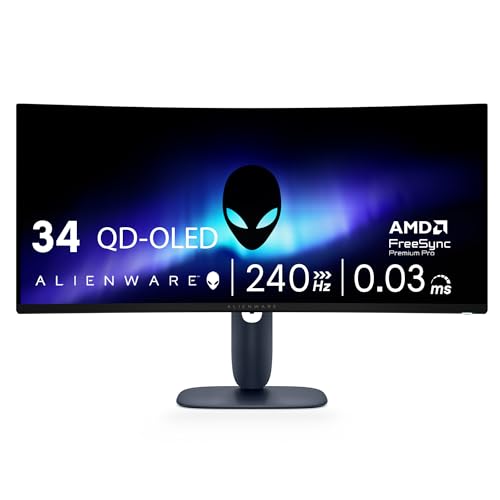
Alienware 34 240Hz QD-OLED Curved Gaming for High-Refresh Simulation

Best for: High-speed ultrawide simulation gaming
Pros
- 240Hz refresh rate
- 03ms response time
- DCI-P3 99.3% color coverage
Cons
- 250 baseline brightness
The Alienware 34 240Hz QD-OLED Curved Gaming monitor, known as the AW3425DW, brings a 240Hz refresh rate to an expansive 34.2-inch ultrawide canvas. Built on a 21:9 aspect ratio with a sweeping 1800R curve, this display targets gamers who demand fluid camera pans without sacrificing wide-angle immersion. Its WQHD resolution of 3440 x 1440 pairs with self-lit organic pixels to generate an infinite contrast ratio, accompanied by a factory-rated 1,500,000:1 contrast figure and a matte screen finish that curbs harsh light reflection.
Color rendition and motion handling represent significant technical highlights on this display. The panel achieves 99.3% coverage of the cinema-standard DCI-P3 color space with a Delta E under 2 accuracy rating, ensuring rich chromatic fidelity across expansive virtual environments. For high dynamic range content, it carries VESA DisplayHDR TrueBlack 400 certification alongside a 1000 nits peak HDR brightness specification and a baseline brightness of 250. Rapid frame transitions are managed by an ultra-fast 0.03ms response time, supported by NVIDIA G-SYNC Compatible certification, AMD FreeSync Premium Pro, and VESA AdaptiveSync to eliminate tearing.
This monitor is tailored for high-end simulation racers, flight enthusiasts, and action-adventure players running modern graphics hardware capable of driving 1440p ultrawide resolutions past 200 frames per second. Its 110 pixel pitch preserves sharp text rendering and clear edge detail during fast motion. However, buyers looking for dedicated, manufacturer-documented thermal ventilation channels or a stated multi-year burn-in guarantee in the specifications will find more operational transparency in earlier proven units like the AW3423DWF.
Alienware 34 Gaming Monitor AW3426DW for Pure Motion Velocity
Best for: Maximum refresh rate ultrawide play
Pros
- 280Hz refresh rate
- 03ms response time
- 300 brightness output
Cons
- Curvature not listed
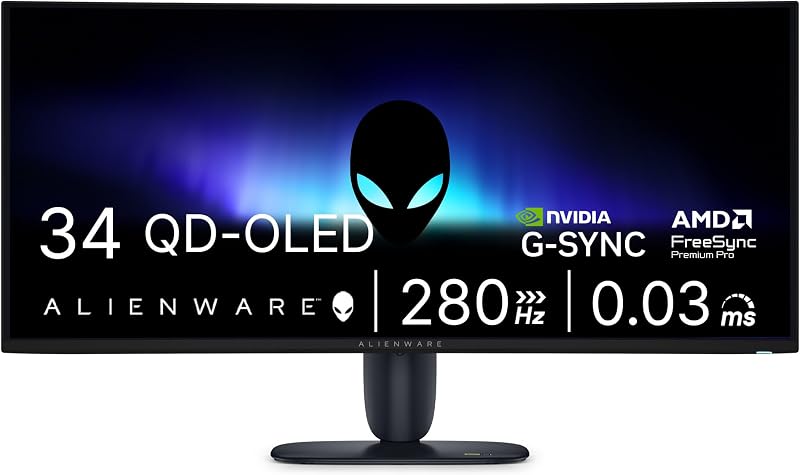
The Alienware 34 Gaming Monitor AW3426DW elevates the 34-inch ultrawide form factor to an accelerated 280Hz refresh rate. Operating on UWQHD resolution across a 21:9 aspect ratio, this model addresses the demands of competitive enthusiasts who prefer the spatial awareness of an ultrawide view but refuse to compromise on frame rates. The QD-OLED display technology ensures that every pixel emits its own illumination, eliminating the blooming effects and backlight glow common to traditional edge-lit or local-dimming gaming monitors.
Listing specifications highlight an instantaneous 0.03ms response time that works in tandem with the 280Hz ceiling to maintain motion clarity under rapid tracking scenarios. Hardware synchronization is handled via G-SYNC integration, preventing visual stutter and horizontal frame tears. The display features a matte screen coating to diffuse ambient reflections, a wide 178-degree viewing angle, a baseline brightness of 300, and a color gamut coverage of 99. Physical dimensions measure 9.13 inches deep, 32.06 inches wide, and 21.85 inches tall, resting on a stable desktop footprint with a pixel pitch of 110.
This display fits gamers who prioritize the absolute highest frame rates achievable on an ultrawide canvas, particularly in competitive titles where millisecond advantages matter. Notably, the listing does not specify curvature radius or specific VESA DisplayHDR certifications. Shoppers who require verified Creator Mode color space switching or explicit factory burn-in warranty language will find those exact parameters detailed more thoroughly on alternate models within the brand catalog.
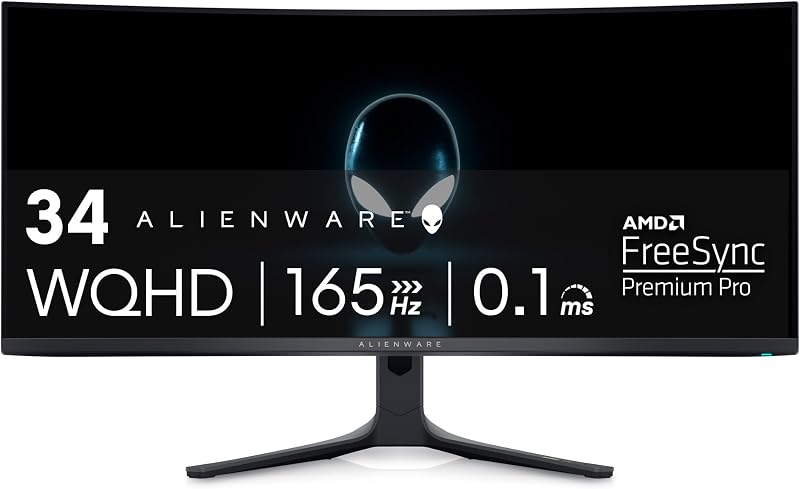
Alienware AW3423DWF Curved QD-OLED Gaming Monitor for Color-Critical Work and Peace of Mind
Best for: Color-critical work and warranty security
Pros
- 3-year burn-in warranty
- 360-degree cooling ventilation
- Dedicated Creator Mode
Cons
- Lower 165Hz refresh rate
The Alienware AW3423DWF Curved QD-OLED Gaming Monitor is one of the most thoroughly documented ultrawide displays in the performance gaming category. It utilizes a 34-inch Quantum Dot OLED panel with an 1800R curve and an ultrawide 21:9 aspect ratio. The panel operates at a 165Hz refresh rate with a 0.1ms response time and a 1,000,000:1 contrast ratio. It couples an infinite contrast profile with VESA DisplayHDR TrueBlack 400 certification and a 1000 nits peak brightness capability, backed by a matte screen finish and a baseline brightness of 250.
Chassis engineering and heat dissipation are critical focal points of this model. The display incorporates the Legend 2.0 industrial design, featuring dedicated 360-degree ventilation engineered specifically for thermal dissipation to safeguard panel health during prolonged sessions. Content creators benefit from a dedicated Creator Mode in the centralized 5-axis OSD joystick menu, allowing users to toggle natively between DCI-P3 and sRGB color spaces. Color fidelity is factory-calibrated to Delta E under 2 with 99.3% DCI-P3 coverage, while AMD FreeSync Premium Pro and VESA AdaptiveSync maintain synchronized visual rendering alongside TUV-certified ComfortView Plus eye-comfort features.
For buyers who prioritize long-term durability, the manufacturer listing explicitly provides a 3-year premium warranty that includes coverage for OLED burn-in. This makes the display the most secure choice for users balancing daily desktop productivity with evening gaming. It yields to newer siblings on raw refresh rate numbers, but its verified cooling design and warranty backing make it a benchmark for measured, risk-conscious shoppers examining an alienware ultrawide oled option.
Alienware 34 Curved Gaming Monitor for Zero Burn-In Anxiety

Best for: Risk-free daily static productivity
Pros
- Zero burn-in risk
- Bright 400 panel
- 180Hz refresh rate
Cons
- 1ms response time
- 3000 to 1 contrast
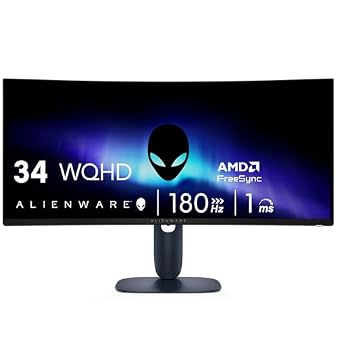
The Alienware 34 Curved Gaming Monitor, cataloged under model number AW3425DWM, diverges from the organic lineup by utilizing traditional LED panel technology. Presenting a 34-inch screen with a tighter 1500R curvature and a standard 21:9 ultrawide aspect ratio, it offers an immersive field of view without using organic emissive diodes. This fundamental design difference eliminates image retention risks entirely, making it an ideal candidate for setups characterized by static desktop windows, spreadsheets, and persistent user interface elements.
In terms of speed and visual presentation, the monitor features a 180Hz refresh rate and a 1ms gray-to-gray response time. The display achieves a static contrast ratio of 3,000:1 and delivers a brightness rating of 400, surpassing the standard brightness output of emissive OLED panels in well-lit environments. It holds VESA DisplayHDR 400 certification, provides 95% DCI-P3 color space coverage, and incorporates AMD FreeSync Premium along with VESA Adaptive Sync technology. A matte finish controls reflections, while a hardware-based low blue light solution and dedicated console mode round out the daily feature set.
This monitor is best suited for hybrid office workers and marathon gamers who leave applications open for hours and prefer to avoid any pixel maintenance routines. While it cannot produce the infinite contrast or true blacks found on QD-OLED counterparts due to its backlit LED nature, its 400 brightness and zero degradation risk provide worry-free daily utility at an assertive 180Hz pace.
Alienware AW2725DF OLED Gaming Monitor for Pure Competitive Esports
Best for: Competitive esports tournament gaming
Pros
- Blazing 360Hz refresh rate
- 03ms response time
- Full pivot and tilt adjustability
Cons
- Smaller 27-inch display
The Alienware AW2725DF OLED Gaming Monitor shifts focus from ultrawide immersion to ultra-high-velocity esports performance. Centered around a 26.7-inch QD-OLED panel, this display delivers a 360Hz refresh rate paired with a minimum 0.03ms gray-to-gray response time. Operating at QHD resolution with an aspect ratio listed as 16:10, it packs 111 pixels per inch, resulting in exceptional text definition and pixel clarity across its compact screen area.
Visual fidelity remains uncompromised despite the extreme refresh speed. The display features a 1,500,000:1 contrast ratio across both SDR and HDR modes, VESA DisplayHDR True Black 400 certification, and a peak brightness rating of 1000. It offers wide viewing angles of 178 degrees, a matte anti-glare screen finish, and 99.3% DCI-P3 color gamut coverage with factory-calibrated Delta E under 2 accuracy. Tear-free gameplay is guaranteed by AMD FreeSync Premium Pro and VESA AdaptiveSync. The chassis features a minimal hexagonal base and complete ergonomic flexibility, offering full height, tilt, swivel, and pivot adjustments alongside HDMI, DisplayPort, and USB 3.2 Gen1 connectivity.
This model is built specifically for competitive first-person shooter players and tournament contenders who require maximum peripheral visibility without moving their head. While it lacks the ultrawide panoramic span of a 34-inch display, it represents the absolute pinnacle of motion resolution and panel responsiveness within the Alienware QD-OLED family.
How to Choose the Right Alienware OLED gaming monitors
Selecting the ideal display requires balancing your graphics card capabilities against panel longevity and physical desk geometry. Gamers considering an alienware monitor 240hz oled like the AW3425DW or the 280Hz AW3426DW must verify that their PC hardware can reliably sustain high frame rates at 3440 x 1440 resolution. Driving an ultrawide screen past 200Hz demands significant graphical processing power. For players who lean into competitive esports titles, dropping to the 27-inch 360Hz AW2725DF provides superior motion fluidity and a tighter field of view that is easier to track during tournaments.
Thermal management is the most important factor dictating long-term reliability in organic displays. Intense localized heat accelerates organic pixel wear, making passive airflow design paramount. When evaluating an alienware 34 inch monitor, models like the AW3423DWF stand out due to their integrated 360-degree ventilation slots that channel heat away from the sensitive quantum dot panel. Shoppers planning to use their monitor for extended daily desktop tasks should closely review manufacturer warranty policies, as the AW3423DWF explicitly includes a 3-year warranty that covers OLED burn-in.
Users who spend full workdays running static productivity applications like code editors, browser tabs, or financial spreadsheets must seriously consider whether an emissive organic screen matches their work profile. If static interface elements occupy your screen for eight hours a day, selecting the LED-based AW3425DWM provides total immunity from burn-in while maintaining a fast 180Hz refresh rate and a generous 400 brightness rating. However, if your primary objective is cinematic gameplay with true inky blacks and infinite contrast, choosing a dedicated oled gaming monitor alienware delivers an unmatched visual experience.
Finally, consider curvature ergonomics and desktop space. A gentle 1800R curve, featured on both the AW3425DW and AW3423DWF, maintains consistent viewing distances across an ultrawide plane without distorting straight visual lines. The 1500R curve on the AW3425DWM wraps closer to your peripheral vision for enhanced immersion. Meanwhile, the flat, compact profile of the 27-inch AW2725DF includes a space-saving hexagonal base and complete pivot adjustment, fitting easily into tight desktop arrangements.
FAQ
What does the Alienware 3-year OLED warranty cover?
The 3-year premium warranty documented on the Alienware AW3423DWF explicitly covers OLED burn-in alongside standard manufacturing defects. This provision protects owners against permanent image retention caused by static elements, providing significant peace of mind over the operating life of the panel.
How does 360-degree ventilation improve display reliability?
Heat is the primary factor that accelerates organic diode wear on QD-OLED panels. The AW3423DWF features 360-degree perimeter ventilation integrated into its Legend 2.0 chassis, which facilitates passive air circulation to disperse heat away from the sensitive quantum dot layer during prolonged gaming sessions.
Why choose the LED AW3425DWM instead of a QD-OLED model?
The AW3425DWM uses traditional LED backlighting rather than organic self-lit pixels. This makes it completely immune to burn-in, making it the safer choice for home office workers who display static software windows for many hours each day. It also reaches a higher typical brightness rating of 400.
How does the Creator Mode feature function on the AW3423DWF?
Creator Mode is a specialized firmware option accessible via the central 5-axis OSD joystick on the AW3423DWF. It allows content developers and video editors to switch between the wider native DCI-P3 color space and the web-standard sRGB color space depending on project requirements, ensuring color accuracy with a factory Delta E under 2 rating.
Which 34-inch monitor in this lineup provides the highest refresh rate?
Among the 34-inch ultrawide monitors in this comparison, the Alienware 34 Gaming Monitor AW3426DW achieves the highest refresh rate at 280Hz. It is followed by the AW3425DW at 240Hz, the LED-based AW3425DWM at 180Hz, and the AW3423DWF at 165Hz.