


As Amazon Associates, we earn from qualifying purchases. This means we may receive a small commission at no extra cost to you if you click through and make a purchase.
Sceptre has carved out a recognized niche in the display market by packaging high-spec gaming panels, steep curvatures, and high refresh rates into hardware designed for pragmatic setups. The brand is particularly known for bringing curved VA technology to mainstream desks, pairing multi-input connectivity with gaming features like AMD FreeSync and custom picture profiles. However, long-term display satisfaction depends heavily on hardware durability, power adapter stability, and how well an entry-tier chassis dissipates heat during continuous high-refresh workloads.
Across this lineup, Sceptre divides its curved offerings between 21:9 ultrawide panels built for multi-window productivity and immersive simulation, and conventional 16:9 curved screens tuned for rapid esports frame rates spanning from 100Hz up to an overclocked 260Hz.
Sceptre Curved Monitors Compared
| Model | Screen Size | Resolution | Max Refresh Rate | Aspect Ratio |
|---|---|---|---|---|
| Sceptre Prime Curved 30-inch Gaming Monitor | 30 inches | 2560 x 1080 | 200Hz | 21:9 |
| Sceptre 34-Inch Curved Ultrawide WQHD Monitor | 34 inches | 3440 x 1440 | 165Hz | 21:9 |
| New! Sceptre Curved 34-inch Prime Gaming | 34 inches | 3440 x 1440 | 240Hz | 21:9 |
| New! Sceptre Curved 27-inch Gaming Monitor | 27 inches | 1920 x 1080 | 100Hz | 16:9 |
| Sceptre 27-Inch Curved Gaming Monitor | 27 inches | 1920 x 1080 | 240Hz | 16:9 |
| Sceptre Prime Curved 32 inch Gaming | 32 inches | 1920 x 1080 | 260Hz | 16:9 |
Sceptre Prime Curved 30-inch Gaming Monitor for Compact Ultrawide Setups
Best for: Arcade gaming and big-screen console play
Pros
- Up to 260Hz overclocked
- Expansive 32-inch field
- 110% sRGB color volume
Cons
- Noticeable 1080p pixelation up close
- Requires deep desk space

Best for: Compact desks needing ultrawide split workflows
Pros
- 200Hz refresh rate
- Picture-by-Picture dual source
- Deep contrast VA panel
Cons
- 1080p vertical limit
- Narrower viewing angles
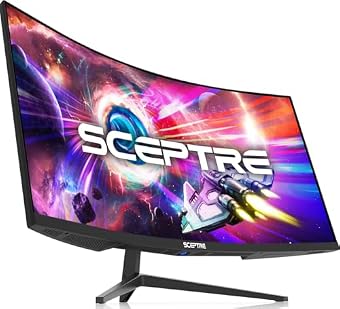
The Sceptre Prime Curved 30-inch Gaming Monitor brings an expanded horizontal field of view to desks that cannot accommodate a full-sized 34-inch frame. Built around a 21:9 aspect ratio with a 2560 x 1080 resolution, this display delivers 200Hz capability over DisplayPort alongside AMD FreeSync support. Sceptre equips the panel with custom FPS and RTS display modes, Blue Light Shift eye protection, and built-in speakers aimed at office conference calls. In this sceptre 30 inch curved monitor comparison, the panel distinguishes itself by providing integrated Picture-by-Picture functionality, allowing users to view side-by-side video feeds from two discrete hardware inputs on a single screen surface.
From a hardware reliability perspective, the sceptre c305b-200un balances high-speed capability against modest vertical pixel density. The 300 cd/m² brightness and VA panel contrast ratio—rated between 1000:1 and 3000:1—provide deep black reproduction, though the 170-degree horizontal and vertical viewing angles mean off-center color consistency shifts more noticeably than on wider-angle IPS alternatives. The 5ms gray-to-gray response time is capable for general gaming, though fast dark-scene transitions may exhibit subtle trailing when pushed to the full 200Hz ceiling. Buyers evaluating sceptre curved monitor reliability should note that driving high refresh rates over DisplayPort generates moderate heat along the lower bezel, making clean cable management and adequate rear ventilation essential.
This sceptre 30 inch ultrawide curved gaming monitor suits sim-racers, flight hobbyists, and multitaskers who want ultrawide peripheral immersion without monopolizing desk surface. However, users who require razor-sharp text rendering for dense spreadsheets will find the vertical 1080p limit restrictive, making the brand larger 1440p displays a more sensible alternative.
Sceptre 34-Inch Curved Ultrawide WQHD Monitor for High-Detail Productivity
Best for: Detailed multitasking and high-resolution productivity
Pros
- Sharp 3440 x 1440 WQHD
- 165Hz FreeSync Premium
- 1500R immersive curve
Cons
- Modest 280-nit brightness
- Wide desk footprint
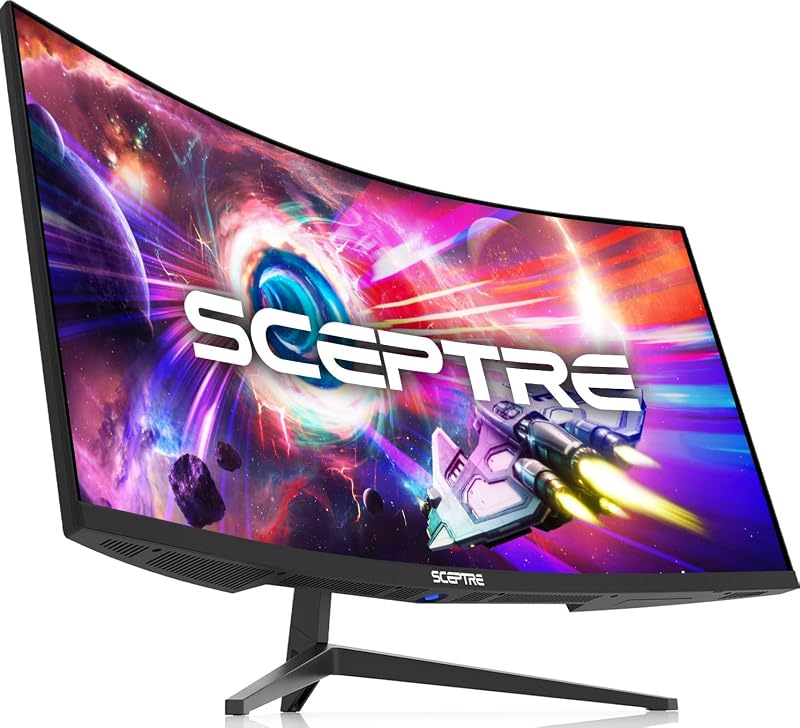
Stepping up in both physical dimensions and pixel density, the Sceptre 34-Inch Curved Ultrawide WQHD Monitor features an expansive 3440 x 1440 resolution wrapped in a 1500R curve. The sceptre c345b-qut168 uses a VA panel with a 1,000,000:1 dynamic contrast rating, 280 cd/m² brightness, and 99% sRGB coverage. It delivers up to a 165Hz refresh rate, AMD FreeSync Premium synchronization, and a 1ms MPRT rating designed to suppress motion blur during demanding gaming scenarios. On the rear chassis, Sceptre integrates luminous backcover LED lighting and houses dual HDMI and dual DisplayPort inputs.
For buyers evaluating prolonged durability, the mechanical design of this 34-inch model must handle substantial leverage on its mounting points. The wide 21:9 structure benefits greatly from a rigid desk mount, especially if the factory stand is exposed to desk vibrations. The 1ms MPRT setting achieves rapid pixel response by strobing the backlight, which can reduce visible luminance below the standard 280 cd/m² spec. Shoppers comparing ultrawide models may also cross-reference general panel longevity with enterprise alternatives like samsung viewfinity 34 inch curved displays, noting that Sceptre focuses strictly on high-refresh gaming utilities rather than integrated USB-C docking hubs.
This display is ideal for video editors, data analysts, and immersion gamers who demand true WQHD detail across multiple concurrent windows. It yields to the higher-tier 240Hz model for esports players who demand the utmost frame rate headroom on modern graphics cards.
New! Sceptre Curved 34-inch Prime Gaming for Ultra-High Frame Rates

Best for: General office productivity and casual play
Pros
- Fluid 100Hz refresh rate
- Includes legacy VGA input
- Eye Care blue light filter
Cons
- Basic 1080p resolution
- Modest gaming spec ceiling

Best for: High-end competitive gaming on ultrawide panels
Pros
- Blazing 240Hz refresh rate
- 100% sRGB color gamut
- Four digital inputs
Cons
- Demanding GPU hardware required
- Heavier monitor frame
The New! Sceptre Curved 34-inch Prime Gaming pushes the 3440 x 1440 ultrawide format to competitive speed tiers, offering an exceptional 240Hz refresh rate. Identified as the sceptre c345b-qu240t, this 14-pound monitor combines a 1500R curvature with 100% sRGB color gamut reproduction. Physical connectivity is generous, featuring two DisplayPort connections, two HDMI ports, built-in speakers, and an audio out jack. Sceptre also incorporates Adaptive Sync to eliminate visual tearing and a 1ms response time implementation with blur reduction.
Operating a WQHD panel at 240Hz places heavy demands on internal timing controllers and interface cables. Sceptre relies on high-bandwidth DisplayPort links to deliver these frames smoothly, and buyers must ensure their graphics hardware and interface cables support full Display Stream Compression or native bandwidth to prevent momentary blackouts. Sceptre includes Blue-Light Shift technology to minimize eye strain during extensive gaming or workstation sessions, while the matte screen finish effectively prevents localized glare from washing out dark gaming scenes.
This flagship ultrawide suits serious sim-racing enthusiasts and performance-driven PC gamers possessing high-tier graphics cards capable of outputting extreme frame counts at 1440p. For shoppers who prioritize routine office administration over bleeding-edge frame rates, the 165Hz sibling offers identical visual workspace without demanding high-end drive hardware.
New! Sceptre Curved 27-inch Gaming Monitor for General Daily Computing
Designed as a versatile desktop display, the New! Sceptre Curved 27-inch Gaming Monitor blends modern curve geometry with everyday connectivity. Designated under the sceptre c275w-1920rn designation, the monitor incorporates a 1920 x 1080 Full HD panel running at a fluid 100Hz refresh rate. It boasts a gentle 1500R curvature, 100% color gamut rating, integrated speakers, and a contrast ratio between 1000:1 and 3000:1. Video inputs include two HDMI ports alongside a legacy VGA connector, making it compatible with older desktop towers and modern systems alike.
In terms of component reliability, the 100Hz refresh rate places minimal thermal stress on internal display boards and power adapters compared to overclocked gaming panels. The inclusion of Eye Care picture modes and a matte screen finish helps suppress reflections in brightly lit study environments. Shoppers reviewing modern curved form factors often contrast standard office displays against scepter 27” curved monitors to evaluate how curvature radius interacts with 1080p pixel pitch at a typical viewing distance of two feet.
This monitor is best suited for students, remote workers, and casual gamers seeking a curved screen for everyday productivity. It gives way to the 240Hz 27-inch model when competitive first-person shooter titles demand ultra-low input latency and rapid pixel transitions.
Sceptre 27-Inch Curved Gaming Monitor for High-Speed Esports
Best for: Competitive esports players demanding maximum speed
Pros
- Rapid 240Hz refresh rate
- 1ms blur reduction
- Deep 3000:1 contrast
Cons
- Lower pixel density at 27 inches
- Weak integrated speakers
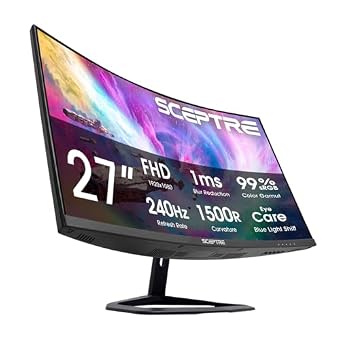
The Sceptre 27-Inch Curved Gaming Monitor trades legacy ports for pure gaming speed, pairing a 1920 x 1080 resolution with an ultra-fast 240Hz refresh rate. Known as the sceptre c275b-fwt240, the monitor utilizes a 1500R curved VA panel delivering a 3000:1 static contrast ratio for deep, rich black levels. The listing specifies a 1ms blur reduction response time, 99% sRGB color gamut coverage, AMD FreeSync Premium adaptive synchronization, and built-in speakers. Dual DisplayPort inputs and dual HDMI ports allow multiple gaming consoles and personal computers to remain connected simultaneously.
From an advocate perspective, running 1080p resolution across a 27-inch panel results in a larger pixel pitch than on 24-inch or 1440p displays. Text rendering appears softer, which makes this model less optimal for intense text formatting. However, the high contrast VA panel excels in darkened rooms, provided the user views the screen directly from the center to prevent contrast roll-off. Overdrive tuning on rapid 240Hz VA panels requires careful adjustment in the on-screen display menu to balance moving object clarity against faint inverse ghosting trails in fast-paced competitive titles.
This model is an excellent match for competitive esports players focusing on games like shooters and battle royales where high refresh rates take precedence over resolution. Users who want immersive field width or multi-window workspace should instead examine the 30-inch or 34-inch ultrawide alternatives.
Sceptre Prime Curved 32 inch Gaming for Large-Format Immersion
The largest 16:9 display in this roundup, the Sceptre Prime Curved 32 inch Gaming monitor expands gameplay onto an expansive 1500R curved canvas. Known as the sceptre c325b-fw260d, this screen features a 1920 x 1080 resolution with a native 240Hz refresh rate capable of overclocking up to 260Hz. It provides AMD FreeSync Premium support, a 1ms blur reduction response time, 110% sRGB color gamut volume, and a 1,000,000:1 contrast rating. Physical connectivity includes two DisplayPort connections, two HDMI ports, built-in speakers, and standard wall mount support.
Deploying 1080p across a 32-inch surface creates a visible pixel grid if seated close to the panel, making this screen best suited for setups where the user sits at arm length or further back. Shoppers exploring large displays often review general category metrics on sceptre 32 inch monitor alternatives to confirm desk depth before purchasing. Pushing internal panel timings up to the 260Hz overclock boundary may introduce minor display stability quirks depending on the quality of the DisplayPort connection, so operating at the native 240Hz setting is recommended for long-term stability.
This monitor is tailored for gamers who play arcade titles, flight games, or console games from a relaxed seating position where large screen size outweighs tight pixel density. Desk-bound workers who require sharp typography should skip this model in favor of the higher-density 34-inch WQHD panels.
How to Choose the Right Sceptre Curved Monitor
Selecting which sceptre curved monitor to buy comes down to understanding your physical desk geometry, daily software tasks, and graphics hardware limits. Sceptre categorizes its curved monitors into two distinct aspect ratios: 21:9 ultrawide screens and traditional 16:9 widescreen formats. The ultrawide models, including the 30-inch and 34-inch variants, physically expand horizontal screen space without requiring dual-monitor bezels. If multi-document editing or simulation gaming is your primary focus, ultrawide panels provide distinct workflow benefits that standard 16:9 displays cannot replicate.
Resolution and pixel density should guide your decision next. While the Sceptre Prime Curved 30-inch Gaming Monitor and the 27-inch and 32-inch options rely on 1080 vertical lines of resolution, the 34-inch panels upgrade to 3440 x 1440 WQHD. Stretched across large diagonal dimensions, 1080p displays exhibit a coarser pixel pitch that softens fine text and interface elements. If your daily routine includes extensive spreadsheet review or high-precision design, the higher pixel density of the 34-inch models provides essential clarity. Conversely, if your PC runs a modest graphics card, driving 1080p at high refresh rates is significantly less taxing on internal components.
Refresh rate and connectivity requirements also differentiate these displays. Daily office tasks and light entertainment run comfortably on the 100Hz panel found on the Sceptre C275W-1920RN, which also offers a legacy VGA port for older computer hardware. Competitive gamers, however, should target the 200Hz, 240Hz, or 260Hz offerings to ensure smooth tracking during frantic motion. Keep in mind that reaching 200Hz and above requires using DisplayPort cables rather than standard HDMI, meaning your source computer must have modern video outputs available.
Finally, consider the curvature radius and desk footprint. All 1500R curved screens in this guide pull the outer edges inward, reducing peripheral eye strain and keeping off-axis viewing angles consistent across VA panels. However, deep curves require sturdier stands with greater depth. Check your desk clearance carefully to ensure the monitor stand does not crowd your keyboard or mouse space.
FAQ
How reliable are Sceptre curved monitors for long daily work sessions
Sceptre displays utilize established VA panel technology with solid static contrast and integrated Blue Light Shift eye protection to reduce fatigue. For continuous work environments, operating the monitor at standard factory refresh rates rather than push-boundary overclocks ensures stable thermal performance and protects the internal power supply over years of service.
Can I run the Sceptre 30-inch ultrawide at 200Hz using an HDMI cable
The listing states that the 200Hz refresh rate is delivered via DisplayPort. While HDMI connections support fluid frame rates, achieving the top 200Hz threshold requires connecting your computer through the DisplayPort input with an appropriately rated high-bandwidth cable.
What does the 1500R curvature mean on Sceptre monitors
The rating 1500R indicates that if the monitor screen curve were continued in a complete circle, the radius would measure 1,500 millimeters. This curve mirrors the natural peripheral vision of the human eye, reducing the need to turn your head when glancing at the screen edges.
Do all Sceptre curved gaming monitors have built-in speakers
Yes, all six models evaluated in this roundup include integrated internal speakers. The audio output is designed for basic system sounds, video streaming, and office conference calls, but external desktop speakers or headsets remain recommended for rich, immersive gaming audio.
Is 1080p resolution sharp enough on a 32-inch curved monitor
On a 32-inch monitor, 1920 x 1080 resolution results in a lower pixel density, which means individual pixels are easier to see up close. While fast-paced games and full-screen video look vivid and immersive, fine desktop text appears softer than it would on a 1440p screen of the same physical size.