As Amazon Associates, we earn from qualifying purchases. This means we may receive a small commission at no extra cost to you if you click through and make a purchase.
LG has long served as a leading innovator in desktop display hardware, establishing the 21:9 aspect ratio as an industry standard for productive workstations, editing setups, and panoramic desktop computing. Known for reliable panel manufacturing across both in-plane switching (IPS) and vertical alignment (VA) technologies, the brand produces monitors designed to replace inefficient dual-display arrangements with continuous horizontal screen space. In this comprehensive lg 34 inch ultrawide monitor comparison, we evaluate panel longevity, stand construction, power management, and firmware stability by reviewing specifications and intended use cases rather than subjective marketing claims.
While these six displays share an expansive 34-inch diagonal measurement, they diverge considerably in native resolution, panel curvature, refresh rates spanning 100Hz to 120Hz, standalone smart operating systems, and single-cable laptop docking capabilities. Choosing which lg 34 inch ultrawide monitor to buy requires understanding how specific panel characteristics and interface configurations align with your daily workload and hardware longevity expectations. Readers examining setup ergonomics often explore an lg 34 inch curved monitor to reduce peripheral eye fatigue during long desk shifts.
LG 34-Inch Ultrawide Monitors Compared
| Model | Resolution & Panel | Refresh Rate | Brightness & Contrast | Key Connectivity |
|---|---|---|---|---|
| LG 34U530A-W 34-inch UltraWide WFHD | 2560 x 1080 (IPS Flat) | 100Hz | 400 cd/m² / 1000:1 | USB Type-C, DisplayPort, HDMI |
| LG 34WR55QK-B 34-inch UltraWide WQHD | 3440 x 1440 (VA Curved) | 100Hz | 300 cd/m² / 3000:1 | USB Type-C (65W PD), DisplayPort, 2x HDMI, 2x USB |
| LG 34U60ZB-B 34-inch UltraWide WQHD 120Hz | 3440 x 1440 (VA 1800R Curved) | 120Hz | 250 cd/m² / 3000:1 | DisplayPort, HDMI, Headphone Out |
| LG 34SR60QC-W 34-inch QHD | 3440 x 1440 (VA 1800R Curved) | 100Hz | 300 cd/m² / 3000:1 | 2x HDMI, 3x USB, webOS23, AirPlay 2 |
| LG 34″ Curved UltraWide WQHD(3440×1440) Smart | 3440 x 1440 (1800R Curved) | 100Hz | Not listed / Not listed | webOS23, Magic Remote, AirPlay 2 |
| LG 34WR55QC-B 34″ Curved UltraWide WQHD | 3440 x 1440 (Curved) | 100Hz | 400 cd/m² / 1300:1 | USB Type-C, AMD FreeSync, DisplayHDR 400 |
LG 34U530A-W 34-inch UltraWide WFHD for Everyday Multitasking
Best for: Multitaskers needing flat IPS color and audio
Pros
- Vibrant IPS panel with DisplayHDR 400
- Tilt height and swivel adjustable stand
- Integrated Waves MaxxAudio stereo speakers
- Smooth 100Hz refresh rate
Cons
- Lower 1080p vertical resolution
- USB-C charging wattage not specified
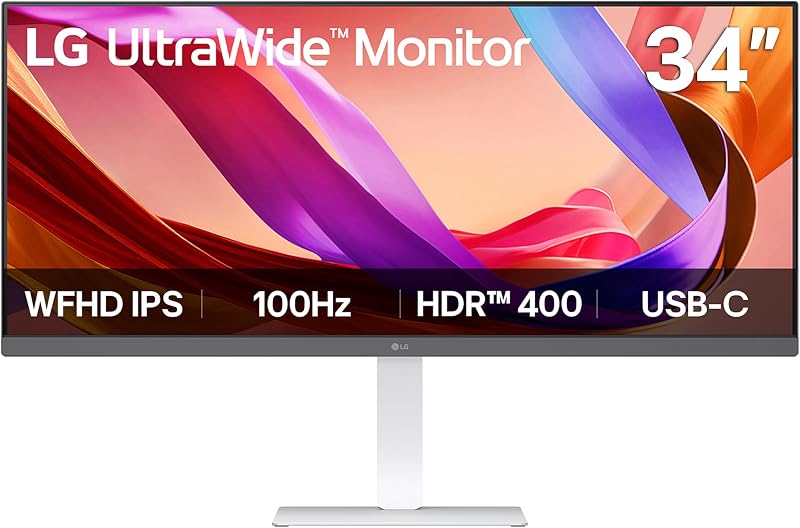
The LG 34U530A-W 34-inch UltraWide WFHD provides a flat 21:9 workspace designed for professionals who prioritize consistent color fidelity and wide viewing angles over extreme pixel density. Featuring an IPS display panel with 178-degree horizontal and vertical viewing angles, this display achieves 400 candela per square meter of brightness alongside VESA DisplayHDR 400 certification and 99 percent sRGB color gamut coverage. Because it operates at a native resolution of 2560 x 1080 with a 0.31 mm pixel pitch, text remains large and legible without intensive operating system interface scaling, making it a dependable workhorse for document editing, administrative workflows, and video calls.
Hardware flexibility is a primary strength of the LG 34U530A-W. Its mechanical stand supports full ergonomic adjustment, including tilt, height, and swivel mechanisms, which helps users maintain proper spinal alignment during marathon work sessions. Connectivity includes HDMI, DisplayPort, and a USB Type-C port that supports both display output and data transfer through a single connection to reduce desktop cable clutter. Audio is handled natively by integrated stereo speakers featuring Waves MaxxAudio processing, while desktop management is streamlined through the LG Switch app, allowing operators to divide the display into up to six customized window sections or launch video calls with a designated hotkey.
This display is best suited for administrative workers, educators, and office users who want expansive horizontal screen space alongside reliable color rendering and integrated sound. However, users who require ultra-sharp rendering for detailed spreadsheet modeling or graphic design will find that the 1080p vertical resolution gives way to higher-density 1440p models in the lineup, such as the curved LG 34WR55QK-B.
LG 34WR55QK-B 34-inch UltraWide WQHD for Single-Cable Laptop Docking

Best for: Laptop users wanting single-cable 65W charging
Pros
- USB-C with 65W power delivery
- High 3000 to 1 contrast ratio
- Sharp 3440 by 1440 WQHD resolution
- Hardware Picture-by-Picture dual source support
Cons
- Moderate 300 nit maximum brightness
- VA viewing angles narrower than IPS
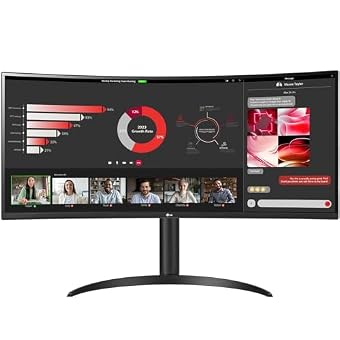
For professionals managing modern USB-C laptops, the LG 34WR55QK-B 34-inch UltraWide WQHD delivers a substantial boost in workspace clarity and power integration. This model features an expansive 3440 x 1440 WQHD curved panel that delivers sharp text and crisp imagery across an ultrawide canvas with a tighter 0.23 mm pixel pitch. Utilizing VA display technology with a high 3000:1 static contrast ratio, this screen excels at rendering deep blacks and vibrant media, supported by HDR10 processing and 99 percent sRGB color gamut reproduction.
The defining hardware advantage of the LG 34WR55QK-B is its integrated docking capability. It features a reliable LG 34WR55QK-B hub with an lg 34 inch monitor usb-c power delivery system capable of providing up to 65W of charging power to connected laptops while simultaneously transmitting video signals and data. The physical interface array also includes two HDMI ports, a DisplayPort input, two standard USB ports, and a headphone jack. LG OnScreen Control software further expands functionality by supporting hardware Picture-by-Picture (PbP), enabling users to view and manage two distinct computer inputs simultaneously on a single uninterrupted screen.
This monitor is the ideal choice for corporate multitaskers, financial analysts, and programmers who need single-cable laptop docking, dual-source inputs, and high contrast for long workdays. It gives way to the 120Hz LG 34U60ZB-B for users who prioritize faster refresh rates for casual gaming or prefer an alternative base footprint without integrated USB-C power delivery.
LG 34U60ZB-B 34-inch UltraWide WQHD 120Hz for Smooth Dual-Window Productivity

Best for: Fluid 120Hz desktop workflows and gaming
Pros
- Fast 120Hz refresh rate
- Subtle 1800R curved immersion
- Compact square base space-saving stand
- Deep 3000 to 1 contrast ratio
Cons
- Lacks USB-C connectivity
- Modest 250 nit screen brightness
Engineered for users who appreciate ultra-smooth motion in both office environments and recreational gaming, the LG 34U60ZB-B 34-inch UltraWide WQHD 120Hz elevates panel responsiveness across a sweeping 1800R curved profile. With a 3440 x 1440 resolution, 5ms response time, and an upgraded 120Hz refresh rate, this VA monitor renders document scrolling, rapid window navigation, and video playback with exceptional fluidness. A 3000:1 contrast ratio, HDR10 compliance, and up to 99 percent sRGB color gamut coverage ensure that multimedia content appears deep and balanced without washed-out shadows.
Hardware reliability and ergonomic utility are emphasized in the chassis engineering. The LG 34U60ZB-B incorporates a space-saving slim stand with a flat square base designed to reclaim valuable desk depth while offering fluid height and tilt adjustments. Connectivity includes DisplayPort, HDMI, and an analog headphone output. Software integration is powered by the LG Switch application, which enables up to 11 custom window layout configurations and rapid hotkey adjustments, while gaming-specific utilities like Black Stabilizer enhance visibility in dark on-screen scenes.
This screen is best suited for hybrid professionals and casual gamers who value elevated refresh rates and minimal desk encroachment. Because it omits USB Type-C connectivity and caps brightness at 250 candela per square meter, users who require integrated laptop charging or brighter ambient illumination will prefer the feature-rich connectivity of the LG 34WR55QK-B or the high-output LG 34WR55QC-B.
LG 34SR60QC-W 34-inch QHD for Standalone Streaming and Cloud Work
Best for: Standalone streaming and cloud office computing
Pros
- Built-in webOS23 with streaming apps
- PC-free cloud office productivity
- Apple AirPlay 2 and Bluetooth support
- High 3000 to 1 VA contrast
Cons
- No dedicated USB-C video input
- Stand adjustability details not listed
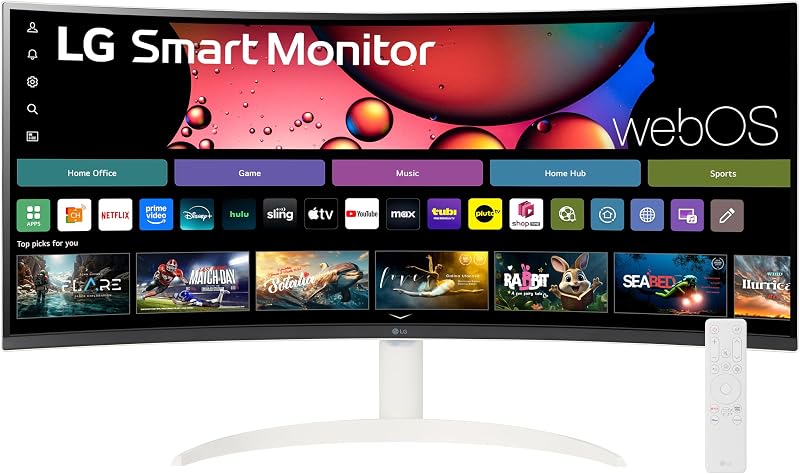
The LG 34SR60QC-W 34-inch QHD breaks away from conventional monitor architecture by integrating smart television capabilities directly into an ultrawide productivity canvas. Featuring a 34-inch 1800R curved VA panel with 3440 x 1440 WQHD resolution, 100Hz refresh rate, and 3000:1 contrast ratio, this white-chassis display operates as both an expansive PC monitor and an autonomous entertainment hub. It runs LG webOS23 natively, giving users immediate access to major streaming services such as Netflix, Prime Video, Apple TV, Disney+, and over 300 free LG Channels without booting an external computer.
Beyond passive media consumption, the LG 34SR60QC-W supports cloud computing workflows through webOS, allowing direct access to Microsoft 365 and Google workspace applications without a physical PC connected. Connectivity includes two HDMI ports, three USB ports, built-in stereo speakers, Apple AirPlay 2, HomeKit compatibility, screen sharing, and Bluetooth wireless pairing. The display also syncs with the LG ThinQ mobile application for centralized smart ecosystem management across connected smart home devices.
This smart monitor is ideally suited for dorm rooms, studio apartments, and modern home offices where one display must serve as a professional workstation, cloud terminal, and standalone television. Users looking for high-wattage single-cable laptop charging or extensive physical ergonomic stand articulation may find it yields to dedicated business monitors like the LG 34WR55QK-B.
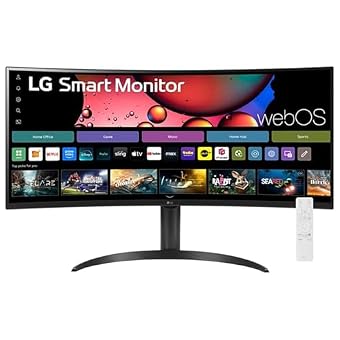
LG 34" Curved UltraWide WQHD(3440×1440) Smart for Media and Voice Control
Best for: Smart entertainment seekers wanting Magic Remote control
Pros
- Bundled LG Magic Remote with voice control
- Integrated webOS23 streaming platform
- Ergonomic adjustable stand included
- Immersive 1800R curved panoramic panel
Cons
- Port selection details not listed
- Panel contrast and nit specs omitted
Expanding on the smart workstation concept, the LG 34″ Curved UltraWide WQHD(3440×1440) Smart monitor merges high-resolution 1440p ultrawide computing with advanced consumer navigation. Built around an anti-glare curved panel boasting a 3440 x 1440 resolution, 21:9 panoramic field of view, and 100Hz refresh rate, this unit provides 34 percent more horizontal screen real estate than conventional 16:9 displays. Picture quality is backed by HDR10 decoding and 99 percent sRGB color gamut coverage, producing balanced color for streaming video and desktop multitasking.
What sets this model apart in everyday operation is the inclusion of the LG Magic Remote, which enables intuitive pointer-style menu navigation and built-in voice commands. Running webOS23, the display provides instant access to native streaming platforms including Netflix, Prime Video, Apple TV, Disney+, HBO Max, and over 300 free streaming channels. Wireless integration is comprehensive, featuring Apple AirPlay 2 support alongside an adjustable ergonomic stand designed to ensure comfortable viewing angles during extended sessions.
This display is tailored for users who desire an effortless blend of work and entertainment with handheld remote control convenience. Shoppers who require detailed technical port specifications, verified analog audio jacks, or high-power USB-C upstream laptop charging will find more transparent hardware documentation and business docking ports on the LG 34WR55QK-B.
LG 34WR55QC-B 34" Curved UltraWide WQHD for High-Brightness Color Work
Best for: Bright environments requiring DisplayHDR 400 clarity
Pros
- High 400 nit peak brightness
- Crisp 3440 by 1440 WQHD resolution
- AMD FreeSync tear-free motion
- Integrated USB Type-C connectivity
Cons
- USB-C power wattage not listed
- Color gamut rated at 95 percent
The LG 34WR55QC-B 34″ Curved UltraWide WQHD brings potent visual illumination and fluid motion to bright professional workspaces. Built with a 3440 x 1440 curved ultrawide panel featuring a matte screen surface, this display delivers a robust peak brightness of 400 candela per square meter alongside VESA DisplayHDR 400 and HDR10 compliance. The listing specifies Display Type VA and Display Technology IPS with a 1300:1 contrast ratio, 178-degree viewing angles, and a 0.23 mm pixel pitch, ensuring that text and visuals remain crisp and easily visible even under harsh fluorescent office lighting.
Smooth performance and clean connectivity anchor the hardware profile of the LG 34WR55QC-B. The monitor supports a 100Hz refresh rate synchronized with AMD FreeSync technology to prevent screen tearing during fast graphical transitions or video playback. It features an integrated USB Type-C interface to simplify system hookups, alongside a three-side virtually borderless bezel aesthetic that maximizes active screen area. While the listing notes a 95 percent color gamut rating, the high luminance output compensates effectively in brightly lit studios.
This monitor is best for creative freelancers and office professionals working in sunlit spaces who require maximum screen brightness and curved ultrawide immersion. However, professionals who require guaranteed 99 percent sRGB precision or specified high-wattage laptop charging will find the LG 34WR55QK-B better configured for standard docking station reliability.
How to Choose the Right LG 34-Inch Ultrawide Monitor
Selecting the best lg 34 ultrawide monitor requires balancing display resolution, panel chemistry, physical ergonomics, and power delivery against your daily computing requirements. The first fundamental decision involves screen resolution. Standard Full HD ultrawide displays like the LG 34U530A-W run at 2560 x 1080 with a 0.31 mm pixel pitch, allowing easy readability without OS scaling, but limiting the total data density on screen. Higher-resolution WQHD displays like the LG 34WR55QK-B and LG 34U60ZB-B operate at 3440 x 1440 with a 0.23 mm pixel pitch, packing significantly more spreadsheet rows and side-by-side browser windows onto the canvas. Those who evaluate massive multi-display setups often weigh an lg ultragear 49 inch monitor curved ultra wide option before recognizing that a 34-inch footprint fits standard office desks far more comfortably.
Panel architecture directly influences color fidelity, contrast, and curvature. IPS technology, featured on the flat LG 34U530A-W, offers broad 178-degree viewing angles and precise color consistency, making it well-suited for general creative tasks and office collaboration. Conversely, VA panels like those found on the LG 34WR55QK-B, LG 34U60ZB-B, and LG 34SR60QC-W provide superior 3000:1 contrast ratios for deep shadow detail. Because VA viewing angles can shift at extreme peripheries, LG pairs these panels with an 1800R curvature to keep the entire display equidistant from your eyes, reinforcing lg ultrawide curved monitor reliability over long work sessions.
Connectivity dictates whether your monitor can replace a dedicated desktop docking station. If you work primarily from a modern laptop, choosing a model with USB Type-C power delivery is critical. The LG 34WR55QK-B delivers up to 65W of charging power over a single cable while handling high-resolution video and peripheral data. Other models, such as the LG 34U530A-W and LG 34WR55QC-B, provide USB Type-C video and data connectivity without specifying charging wattage in their technical sheets, while the LG 34U60ZB-B omits USB-C entirely in favor of dedicated DisplayPort and HDMI inputs.
Operating system integration separates standard PC monitors from hybrid smart displays. Traditional displays rely on connected computers and local software utilities like LG Switch or OnScreen Control to manage window snapping and hardware Picture-by-Picture inputs. In contrast, smart models like the LG 34SR60QC-W and the LG 34″ Curved Smart Monitor incorporate webOS23, granting direct access to streaming applications, wireless casting via Apple AirPlay 2, and cloud productivity platforms like Microsoft 365 without turning on an external computer.
FAQ
What is the difference between WFHD and WQHD resolution on an LG 34-inch ultrawide monitor?
WFHD (Wide Full HD) features a native resolution of 2560 x 1080 pixels, whereas WQHD (Wide Quad HD) features 3440 x 1440 pixels. On a 34-inch screen, WFHD results in a pixel pitch of 0.31 mm, which renders UI elements and text larger by default. WQHD offers a sharper 0.23 mm pixel pitch, delivering approximately 77 percent more screen pixels. This additional resolution allows users to place three full-sized application windows side by side with crisp text clarity.
Does every LG 34-inch ultrawide monitor support USB-C power delivery?
No, USB Type-C implementations differ across models. The LG 34WR55QK-B specifically includes USB-C with up to 65W power delivery, capable of charging compatible laptops while transmitting video. Models such as the LG 34U530A-W support USB-C display output and data transfer, but the listing does not specify power delivery wattage. Other models, including the LG 34U60ZB-B, do not feature USB Type-C ports and rely exclusively on HDMI and DisplayPort connections.
How does LG ultrawide curved monitor reliability hold up over long-term daily use?
LG ultrawide curved monitors utilize durable matte anti-glare coatings and structural 1800R panel curvatures designed to prevent edge-peeling and internal stress during prolonged operation. Solid-state LED backlights provide consistent brightness, while onboard firmware features such as Reader Mode reduce panel strain and blue light exposure. To ensure hardware longevity, users should mount the display securely on its provided stand or an appropriate VESA arm and maintain adequate airflow around the rear chassis vents.
Can LG smart monitors replace a desktop PC for basic office work?
LG smart monitors running webOS23, such as the LG 34SR60QC-W, allow users to access web-based cloud productivity suites including Microsoft 365 and Google applications directly through the onboard browser without connecting a computer. When paired with Bluetooth input peripherals, these displays function as standalone cloud workstations. However, specialized software, local file compilation, and intensive creative applications still require a connected desktop PC or laptop.
Which LG 34-inch ultrawide monitor is best for multitasking across two computers?
The LG 34WR55QK-B is the premier choice for managing two systems simultaneously. Through LG OnScreen Control software, it supports hardware Picture-by-Picture (PbP) functionality, allowing the screen to display content from two separate input sources side by side. Combined with its diverse port selection, including two HDMI ports, DisplayPort, and a 65W USB-C interface, it enables smooth switching between a corporate laptop and a personal desktop on one continuous display.