


As Amazon Associates, we earn from qualifying purchases. This means we may receive a small commission at no extra cost to you if you click through and make a purchase.
Dell has maintained a prominent role in portable gaming hardware, establishing both the workhorse Dell G gaming series and high-performance Alienware systems. Across this category, Dell balances high-wattage computing components, copper heat pipe architectures, and dense chassis frames engineered to handle persistent processor loads. For buyers assessing long-term hardware health, understanding how cooling layouts, port selections, and structural materials interact is critical for avoiding thermal throttling or premature motherboard fatigue over extended ownership.
This Dell G gaming comparison spans from legacy budget portable systems to modern high-tier desktop replacements, contrasting modest mobile graphics packages against advanced multi-fan cooling configurations.
Dell Gaming Computers Compared
| Model | Processor | Graphics | Display | Memory and Storage |
|---|---|---|---|---|
| Dell Alienware 16 Aurora Gaming Laptop | Intel Core 7 240H | NVIDIA GeForce RTX 5060 8GB GDDR7 | 16-inch WQXGA (2560×1600) 120Hz | 32GB DDR5, 1TB PCIe SSD |
| Dell G15 5520 15.6″ FHD 165Hz | Intel Core i7-12700H | NVIDIA GeForce RTX 3060 6GB GDDR6 | 15.6-inch FHD (1920×1080) 165Hz | 32GB DDR5, 1TB PCIe SSD |
| Dell Alien-Ware 16X Aurora Gaming AI | Intel Ultra 9 275HX | NVIDIA GeForce RTX 5070 8GB GDDR7 | 16-inch WQXGA (2560×1600) 240Hz | 32GB RAM, 2TB SSD |
| Dell Gaming G3 15 3500-15 Inch | Intel Core i5-10300H | NVIDIA GeForce GTX 1650 Ti 4GB GDDR6 | 15-inch FHD (1920×1080) 120Hz | 8GB DDR4, 512GB SSD |
| Dell G16 7620 Gaming Laptop | Intel Core i9-12900H | NVIDIA GeForce RTX 3070 Ti 8GB GDDR6 | 16-inch QHD (2560×1440) 165Hz | 32GB DDR5, 1TB SSD |
| Dell Alienware 16X Aurora Gaming AI | Intel Ultra 9 275HX | NVIDIA GeForce RTX 5070 | 16-inch WQXGA (2560×1600) 240Hz | 64GB RAM, 2TB SSD |
Dell Alienware 16 Aurora Gaming Laptop for Balanced Performance

Best for: Balanced everyday gaming and technical productivity
Pros
- Anodized aluminum lid
- RTX 5060 GDDR7 graphics
- ComfortView Plus display
Cons
- 120Hz refresh ceiling
- Subdued 300 nits brightness
The Dell Alienware 16 Aurora Gaming Laptop combines modern processing components inside an aluminum-capped shell designed to reduce panel twist and protect the internal display assembly. Featuring an Intel Core 7 Processor 240H with 10 cores spanning up to 5.20 GHz alongside 32GB of DDR5 system memory and a 1TB PCIe SSD, this configuration delivers reliable bandwidth for multitasking and modern gaming workloads. The 16-inch WQXGA panel offers a 2560×1600 resolution at 120Hz with ComfortView Plus and complete 100 percent sRGB coverage, delivering crisp visual output backed by a dedicated NVIDIA GeForce RTX 5060 graphics card with 8GB of high-speed GDDR7 video memory.
Durability advocates will appreciate the port selection built into the blue chassis, which distributes peripheral stress across multiple physical interfaces. Connectivity includes two USB 3.2 Gen 1 Type-A ports, a dedicated USB 3.2 Gen 2 Type-C port with DisplayPort 1.4a capability, an additional USB 3.2 Gen 2 Type-C connector with Power Delivery, and an HDMI 2.1 port with Discrete Graphics Controller Direct Output. For stationary LAN environments, the integrated RJ45 Ethernet port provides stable 1GbE networking, reducing the wear and strain often placed on modular USB dongles over multi-year deployments.
This dell alienware 16 aurora machine suits gamers and technical workers requiring solid graphics rendering alongside a full numeric keypad and backlit keyboard running Windows 11 Pro. While its 300-nit panel brightness and 120Hz refresh profile fall below the extreme refresh standards found on dedicated esports hardware, its robust external chassis design makes it a dependable everyday option before moving to higher-wattage enthusiast chassis.
Dell G15 5520 15.6" FHD 165Hz for Mainstream Midrange Gaming
Best for: Mainstream high-refresh 1080p competitive gaming
Pros
- Fluid 165Hz FHD display
- Generous 32GB DDR5 RAM
- Thunderbolt 4 connectivity
Cons
- Confined 6GB VRAM limit
- Plastic chassis construction
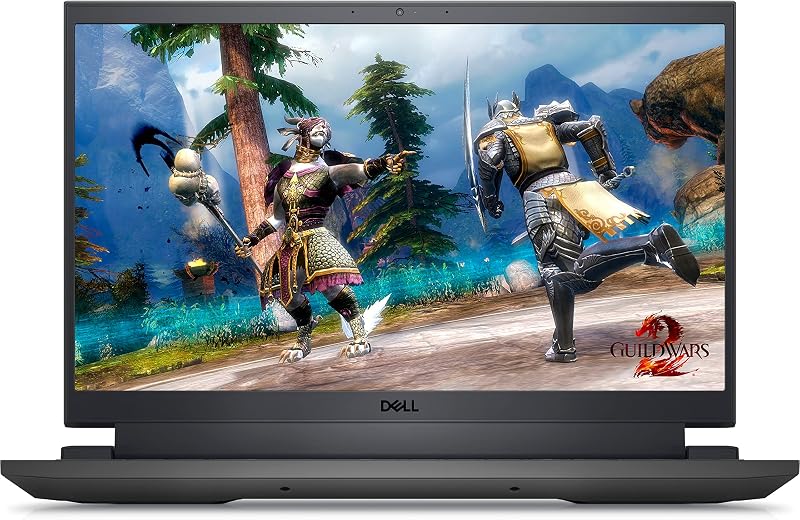
The Dell G15 5520 15.6″ FHD 165Hz represents a core pillar of the mainstream Dell G series reliability discussion, using an angular Dark Shadow Grey exterior housing a 14-core Intel Core i7-12700H Alder Lake processor. Equipped with 32GB of DDR5 4800MHz memory and a 1TB M.2 PCIe Gen 4 solid-state drive, this platform delivers capable computational throughput. The system pairs its 15.6-inch FHD 1920×1080 anti-glare display with a fluid 165Hz refresh rate and 300 nits of brightness, powered by an NVIDIA GeForce RTX 3060 graphics processor carrying 6GB of GDDR6 memory.
Thermal mitigation on this chassis relies on rear and side exhaust ventilation to keep operating temperatures regulated under heavy processing loads. Physical connectivity includes a high-speed Thunderbolt 4 port with DisplayPort capability, three SuperSpeed USB 3.2 Gen 1 ports, an HDMI 2.1 port, Killer E2600 wired networking, and a combo audio jack. For shoppers cross-shopping higher chassis tiers, an alien ware lap top comparison illustrates how ventilation differs, but this dell g15 5520 gaming laptop holds its ground through functional utility and a balanced 101-key backlit keyboard layout.
This model is ideal for college students, esports players, and general creators who want dependable high-refresh 1080p rendering without complex external adapters. Where it defers to larger 16-inch variants is in vertical aspect ratio and GPU memory headroom, making it a reliable mainstream pick for standard FHD computing.
Dell Alien-Ware 16X Aurora Gaming AI for Competitive Esports
Best for: High-end esports and demanding AI workloads
Pros
- Rapid 240Hz G-SYNC screen
- 24-core Ultra 9 processor
- Cutting-edge Wi-Fi 7 support
Cons
- Heavy 4 kg chassis
- Substantial desk footprint
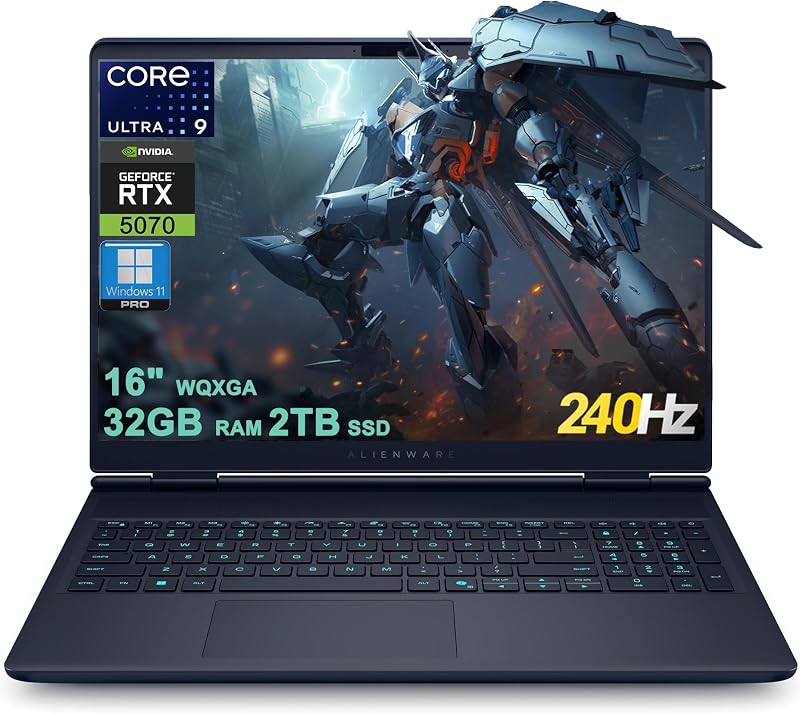
The Dell Alien-Ware 16X Aurora Gaming AI is engineered for severe compute loads, pairing an Intel 24-core Ultra 9 275HX processor with an NVIDIA GeForce RTX 5070 graphics card housing 8GB of GDDR7 memory. Configured with 32GB of RAM and an expansive 2TB SSD, this platform is suited for intensive computational tasks, delivering up to 798 AI Tops for accelerated workflows. Its 16-inch WQXGA 2560×1600 panel steps up to an esports-grade 240Hz refresh rate, delivering complete 100 percent DCI-P3 color reproduction alongside NVIDIA G-SYNC synchronization to prevent visual tearing.
The physical structure of this dell alienware 16x aurora machine reflects its desktop-replacement identity, weighing 4 kg within a black clamshell frame measuring 10.45 inches by 14.05 inches by 0.92 inches. Peripheral durability is reinforced with a balanced array of ports, including two USB-A 3.2 ports, one USB-C 3.2 connector, an ultra-fast Thunderbolt 4 port, HDMI 2.1 video output, and a dedicated RJ45 Ethernet jack. The inclusion of Wi-Fi 7 and an FHD RGB-IR HDR camera ensures high-bandwidth connectivity and crisp video capture during remote broadcasting or competitive play.
This system suits high-end gamers and data practitioners needing peak single-threaded and multi-threaded CPU horsepower. However, its substantial 4 kg chassis weight limits everyday shoulder-bag portability, marking it as a transportable desktop substitute that gives way to lighter models for users who commute daily.
Dell Gaming G3 15 3500-15 Inch for Budget Secondary Computing

Best for: Budget computing and retro gaming libraries
Pros
- User-upgradeable SODIMM slots
- Lightweight 5.2-pound frame
- Fast 120Hz display panel
Cons
- Dated quad-core processor
- Modest 4GB graphics buffer
The Dell Gaming G3 15 3500-15 Inch is an entry-level legacy gaming notebook powered by an Intel Core i5-10300H 10th Gen quad-core processor and NVIDIA GeForce GTX 1650 Ti graphics with 4GB of GDDR6 memory. The machine is configured with 8GB of DDR4 RAM and a 512GB SSD, running Windows 10 Home within an Eclipse Black polymer chassis that weighs 5.2 pounds. Its 15-inch anti-glare display provides a 1080p resolution with a 120Hz refresh rate and a 250-nit brightness rating.
From an advocate perspective, out-of-warranty serviceability remains a practical highlight on the dell gaming g3 15 3500 platform. The listing specifies that the internal memory can be expanded up to 16GB via two 8GB DDR4 2933MHz SODIMM slots, allowing owners to upgrade their memory capacity manually over time. Readers researching entry-level chips often reference our guide to dell laptop i5 machines to understand generational jumps, and this configuration demonstrates how modest hardware remains viable for older software libraries and secondary workstations.
This notebook serves buyers who need a basic computing terminal for low-impact games, office paperwork, or media consumption. It steps back when matched against modern multi-core titles and ray tracing tasks, yielding ground to newer G-series platforms with greater cooling reserves and updated DDR5 architectures.
Dell G16 7620 Gaming Laptop for Heavyweight Rendering and Play
Best for: Creative workstation rendering and intensive play
Pros
- Four-vent cooling layout
- Tall 16:10 QHD screen
- Dedicated Game Shift key
Cons
- Bulky 240W power brick
- Noticeable fan noise profile
The Dell G16 7620 Gaming Laptop is a specialized workstation built to squeeze a 16-inch 16:10 QHD 2560×1440 display into a compact 15-inch form factor. Under the hood, this Obsidian Black system packs a 14-core Intel Core i9-12900H processor, 32GB of DDR5 memory, a 1TB SSD, and an NVIDIA GeForce RTX 3070 Ti graphics processor backed by 8GB of GDDR6 video memory. The panel delivers a fluid 165Hz refresh rate, providing ample vertical canvas for creative timelines and expansive field-of-view gaming.
Thermal design takes center stage in the dell g16 7620 specs, engineered to offset extreme temperatures using dual air intakes, copper heat pipes, and four independent exhaust vents. Dell integrates a Game Shift macro key in the F9 position, allowing users to trigger a dynamic high-fan performance mode during extended rendering sessions to stave off severe heat build-up. The laptop features a 6-cell 86WHr integrated battery, powered by an external 240W AC adapter, while wireless duties are managed via an Intel Wi-Fi 6 AX201 module with Bluetooth support.
Weighing 5.4 pounds, this laptop suits creative professionals and power users who need workstation-grade rendering power without switching to full enthusiast tower PCs. Users pairing this QHD system with an external display like the alienware oled 34 can expand their desktop screen area, though mobile users should account for the physical footprint of the 240W power brick during daily transport.
Dell Alienware 16X Aurora Gaming AI for Extreme Memory Workloads
Best for: Extreme multitasking and massive memory workflows
Pros
- Massive 64GB RAM capacity
- Fast 240Hz DCI-P3 panel
- Spacious 2TB solid-state storage
Cons
- Missing detailed port specifications
- Demands high desk clearance
The Dell Alienware 16X Aurora Gaming AI is an elevated performance package designed for extreme compute workflows, featuring an Intel 24-core Ultra 9 275HX processor and an NVIDIA GeForce RTX 5070 graphics module capable of up to 798 AI Tops. This configuration is built with an extensive 64GB memory array and a massive 2TB solid-state drive, running Windows 11 Pro to handle virtualization, simulation models, and dense multitasking environments. Visuals are driven through a 16-inch WQXGA 2560×1600 panel operating at 240Hz with 100 percent DCI-P3 color gamut coverage.
The listing highlights Thunderbolt connectivity for rapid external data transfer, though specific auxiliary port counts, internal battery capacities, and chassis dimensions are not detailed in the listing specifications. With its 64GB memory baseline, this build removes memory capacity limits that might otherwise throttle high-end development environments, machine learning prototypes, or uncompressed media pipelines operating locally on the hardware.
This variant is specifically tailored for technical creators, engineers, and competitive gamers who demand vast memory capacity out of the box without immediate disassembly. For general gaming tasks where 32GB of RAM is more than sufficient, buyers may find equivalent gaming framerates on lower-capacity configurations across the Dell lineup.
How to Choose the Right Dell Gaming Computers
Deciding which dell g gaming to buy requires evaluating thermal solutions, chassis construction, and long-term upgradeability rather than focusing purely on raw processor model numbers. Gaming hardware generates tremendous heat within confined laptop frames, making thermal dissipation the primary factor in determining overall operational longevity.
- Thermal Management and Airflow Routing: High-wattage graphics cards and multi-core processors generate significant heat. Look for chassis configurations with multiple exhaust vents and copper heat pipe layouts, such as the four-vent cooling system found on the Dell G16 7620, or integrated fan profiles like Dell’s Game Shift macro to reduce the risk of long-term component wear.
- Chassis Rigidity and Hinge Durability: The mechanical construction of a laptop dictates how well it handles regular lid adjustments. Models featuring anodized aluminum lids, like the Dell Alienware 16 Aurora, provide superior torsional resistance against panel flex compared to all-plastic frames. However, high-grade internal bracing can increase total weight, as demonstrated by the 4 kg Dell Alien-Ware 16X Aurora.
- Display Metrics and Resolution Targets: Screen selection directly influences GPU thermal loading. While a 1080p panel at 120Hz or 165Hz on the G3 or G15 reduces graphics rendering strain, 16-inch WQXGA (2560×1600) and QHD panels provide 16:10 productivity benefits and sharper imagery at the expense of higher power draw. Competitive players should prioritize the 240Hz 100 percent DCI-P3 panels present on the Alienware 16X series.
- Memory Expandability and Future Maintenance: Ensure the laptop’s RAM capacity matches your multi-year computing plans. While the legacy Dell G3 15 3500 explicitly supports dual-channel DDR4 SODIMM upgrades up to 16GB, modern platforms range from fixed 32GB allotments to factory-installed 64GB memory configurations for advanced technical tasks.
- Power Delivery and Port Strain: Systems equipped with high-tier GPUs require heavy-duty power supplies, such as the 240W AC adapter utilized by the Dell G16. Buyers should also verify that port arrays include reinforced RJ45 Ethernet and Thunderbolt connections to minimize physical wear on standard USB-C charging points.
FAQ
What causes Dell gaming laptop overheating issues during long sessions?
Excessive heat typically develops when high-wattage CPUs and GPUs operate under sustained processing loads inside compact chassis frames. Dell gaming laptop overheating issues can also stem from dust accumulation within copper heatsink fins, blocked lower intake grilles, or operating on soft surfaces that impede airflow. Utilizing built-in high-performance fan modes like Dell’s Game Shift and keeping ventilation zones elevated helps ensure air circulates efficiently across internal cooling components.
How do Dell G series laptops compare to Dell Alienware machines?
The Dell G series focuses on functional, straightforward gaming performance using durable polymer chassis and standard cooling channels suited for daily multimedia and mainstream gaming. Dell Alienware laptops incorporate premium structural materials, such as anodized aluminum exterior panels, advanced display panels with wide color gamuts up to 100 percent DCI-P3, higher refresh rates reaching 240Hz, and expanded connectivity options including Wi-Fi 7 and Thunderbolt 4.
Can internal storage and memory be serviced or upgraded?
Most Dell gaming chassis provide accessible internal bays for component maintenance, though exact upgrade paths depend on the specific motherboard generation. For instance, the Dell Gaming G3 15 3500 documentation explicitly outlines support for up to 16GB of DDR4 memory via dual SODIMM slots, while platforms like the Alienware 16X can be acquired with up to 64GB of pre-installed system memory and multi-terabyte NVMe solid-state drives.
What should buyers consider regarding Dell gaming computer warranty support?
When reviewing Dell gaming computer warranty support, buyers should inspect the duration and scope of the initial hardware coverage, such as the standard 1-Year Limited Warranty listed for the Dell G15 5520. Because gaming notebooks house tightly integrated motherboards and dedicated graphics chips, having access to official replacement parts, fan assemblies, and repair services is vital for maintaining hardware reliability beyond the first year of operation.
Which display aspect ratio is most practical for both gaming and daily productivity?
While traditional 15.6-inch 16:9 displays running at 1920×1080 resolution remain practical for standard video playback and competitive 1080p gaming, modern 16-inch 16:10 screens offering 2560×1600 or 2560×1440 resolutions provide extra vertical screen space. This added height improves workflow efficiency when viewing spreadsheets, editing creative timelines, and reading technical code without sacrificing horizontal gaming field of view.


