


As Amazon Associates, we earn from qualifying purchases. This means we may receive a small commission at no extra cost to you if you click through and make a purchase.
Lenovo has built an enduring reputation across corporate IT departments and home offices for manufacturing dependable enterprise docking stations designed to withstand demanding daily operational workflows. Engineered to pair with professional laptops ranging from lightweight enterprise ultrabooks to heavy-duty mobile workstations, Lenovo docking hardware focuses on high-speed data transmission, unified peripheral connectivity, robust multi-display management, and pass-through charging. By routing display signals, peripheral accessories, gigabit network data, and electrical power through a single tethered cable, these hubs turn portable systems into fully equipped desktop command stations.
While each option in this guide shares Lenovo commercial hardware DNA, they diverge significantly in their total electrical output, bundled accessory profiles, display capabilities, and whether they cater to everyday dual-screen productivity or high-wattage mobile workstation computing.
Lenovo Docking Stations Compared
Selecting the right hub requires weighing power supply wattage, physical port assortment, external monitor resolution limits, and included video cabling. The comparison table below highlights key specifications derived directly from each model listing to help you identify the right desktop hardware.
| Model | Wattage Rating | Total Ports | Display Interfaces | Included Cables and Accessories |
|---|---|---|---|---|
| 40B00135US Lenovo Thinkpad Docking Station USB | 135W | 12 | HDMI, DisplayPort, Thunderbolt | 135W AC adapter, Thunderbolt cable, 4K HDMI cable, 4K DisplayPort cable, microfiber cloth |
| 40B00135US Lenovo Docking Station | 135W | 12 | HDMI, DisplayPort, Thunderbolt | Not listed |
| 40B00300US Thinkpad Docking Station USB C | 300W | 9 | 1 HDMI, 2 DisplayPort, 1 Thunderbolt 4 | 300W power supply (delivers up to 230W) |
| 40B00300US Lenovo Docking Station USB C | 300W | 9 | HDMI, DisplayPort, Thunderbolt 4 | 230W power adapter, DisplayPort cable, HDMI cable, USB-C cable, microfiber cloth |
| 40AY0090US Lenovo Thinkpad Docking Station Dual | 90W | 11 | HDMI, DisplayPort | 90W AC adapter, USB-C cable, 4K HDMI cable, 4K DisplayPort cable, microfiber cloth |
40B00135US Lenovo Thinkpad Docking Station USB for Enterprise Multi-Display Workspaces
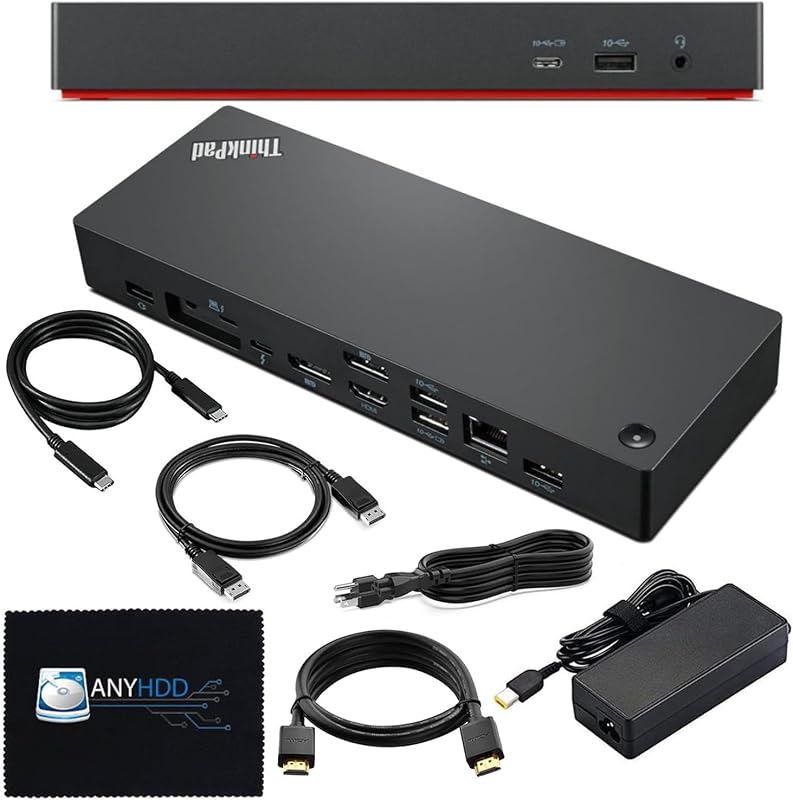
Best for: Multi-monitor enterprise desks needing complete cables
Pros
- Complete video cable bundle included
- Supports up to 8K resolution
- Generous 12-port expansion layout
Cons
- 135W adapter limits heavy workstations
- Requires Windows 10 minimum
The 40B00135US Lenovo Thinkpad Docking Station USB is designed for professionals who require a complete, deployment-ready desktop hub for intensive commercial workflows. Built around the proven lenovo 40B00135US architecture, this unit features a 12-port layout designed to streamline peripheral management. Its connectivity suite includes 7 total USB ports, dedicated HDMI and DisplayPort video outputs, Thunderbolt capability, and wired Ethernet. The listing highlights broad system compatibility spanning Lenovo IdeaPad S500 models, IdeaPad Pro 5 14AHP9, Lenovo Flex 7 series laptops, and standard Windows 10 notebooks with appropriate USB-C or Thunderbolt connections.
A primary operational strength of this package is its display flexibility and bundled convenience. The hardware supports either a single high-resolution 8K display or multiple 4K displays to expand desktop visual space. Unlike standalone units that require separate cord purchases, this bundle supplies a 135W AC power adapter, a host Thunderbolt cable, dedicated 4K HDMI and 4K DisplayPort cables, and a microfiber cleaning cloth. The listing also notes support for up to 230W power delivery to compatible workstations when paired with sufficient external power supplies, though it ships standard with the 135W adapter. If users experience display recognition or connectivity issues upon initial setup, the manufacturer notes that updating the dock firmware directly resolves common host handshake bugs.
This model is ideal for corporate users, remote analysts, and creative staff who want an all-in-one peripheral solution without buying supplementary video cables. It delivers reliable power for mainstream office laptops, though users operating top-tier workstation machines demanding full native charging out of the box will want to consider the dedicated 300W bundles below.
40B00135US Lenovo Docking Station for Everyday Dual-Screen Setups
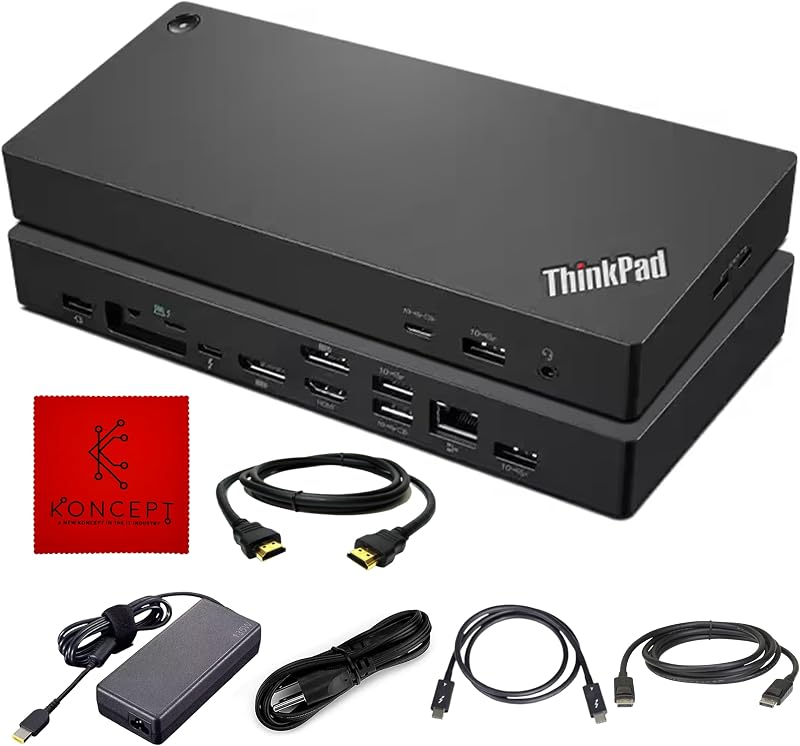
Best for: Standard office setups needing dual monitors
Pros
- 12 versatile hardware ports
- Substantial 1.46 kg desk stability
- Reliable dual display support
Cons
- Listing omits video cables
- Adapter wattage unsuited for workstations
The 40B00135US Lenovo Docking Station offers a focused desktop footprint centered on the core capabilities of the lenovo thinkpad thunderbolt 4 dock platform. Housing 12 total functional ports, this unit integrates 7 USB ports alongside HDMI, DisplayPort, Ethernet, Thunderbolt, and USB-C connectivity. Weighing 1.46 kg, the sturdy black chassis provides substantial desktop stability, ensuring connected peripheral cables do not drag or tilt the dock when placed along the back of a workstation.
Power management is driven by a 135-watt supply designed to sustain both host charging and peripheral accessories throughout the workday. The hardware emphasizes reliable dual display capability, allowing office users to span spreadsheets, terminal sessions, and browser dashboards across two external monitors. The listing emphasizes universal compatibility across varying laptop builds equipped with compatible modern ports, delivering steady energy supply and rapid data transfer rates to keep peripherals operating smoothly.
This dock suits workers who already possess their own external monitor cables and prefer a straightforward hardware hub for standard business multitasking. Where it steps back is in package inclusions: the listing does not specify bundled HDMI or DisplayPort cords. Shoppers outfitting completely new desks from scratch may find the cable-complete bundles more practical.
40B00300US Thinkpad Docking Station USB C for Power-Hungry Mobile Workstations

Best for: High-performance workstation users running heavy loads
Pros
- Massive 300W total power supply
- Delivers up to 230W workstation power
- Drives up to four 4K monitors
Cons
- Total USB ports limited to 4
- Bulky workstation power adapter
For users operating heavy computing loads, the 40B00300US Thinkpad Docking Station USB C provides the specialized power capacity necessary to prevent system throttling. Built for high-performance setups, this unit utilizes an immense 300W system supply capable of delivering up to 230W directly to compatible ThinkPad workstation laptops. This substantial overhead addresses the common pitfall where standard 65W or 90W docks leave discrete-GPU laptops in battery-drain states under heavy rendering or compiling workloads.
Connectivity is geared specifically toward advanced multi-display installations. The hardware provides 9 dedicated ports, featuring 2 DisplayPort connections, 1 HDMI port, 4 USB-A 3.2 Gen 2 ports, 1 USB-C port, a Thunderbolt 4 port, a Gigabit Ethernet jack, and a 3.5mm audio jack. This configuration supports either a single 8K monitor or up to four 4K monitors simultaneously. As with other advanced docks, the listing highlights a compatibility reminder: verify that your host system supports USB-C or Thunderbolt protocols, and install available dock firmware updates to smooth out handshake issues across mixed peripheral environments.
This model is the benchmark choice for 3D animators, software engineers, and data scientists using high-draw ThinkPads. While shoppers seeking a plugable thunderbolt 4 dock often look for universal office compatibility, this 300W Lenovo unit is tailored explicitly to satisfy the high wattage demands of performance workstations. For standard ultraportable notebooks that cap intake at 65W, however, this dock’s massive power brick adds unnecessary bulk.
40B00300US Lenovo Docking Station USB C for High-Wattage Cable Bundles
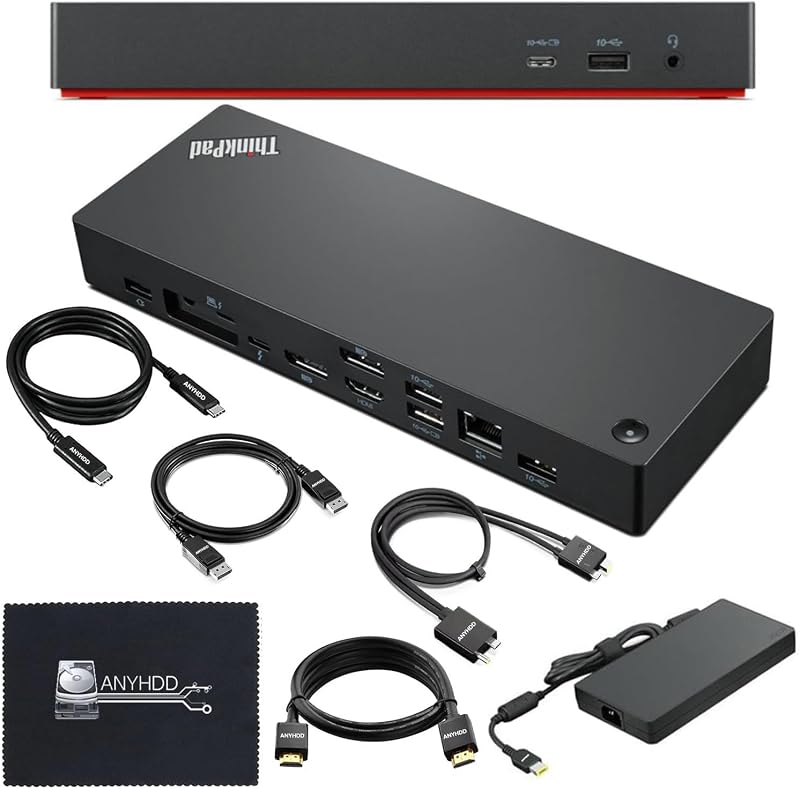
Best for: Workstation owners wanting an all-in-one cable bundle
Pros
- Includes dedicated 230W power adapter
- HDMI and DisplayPort cables included
- Thunderbolt 4 workstation performance
Cons
- Conflicting port counts in listing
- Unnecessary bulk for slim ultrabooks
The 40B00300US Lenovo Docking Station USB C bundle delivers workstation-tier electrical performance paired with a ready-to-deploy cable package. Built around the lenovo 40B00300US architecture, this black docking hub is rated for 300W total capacity and explicitly includes a 230W power adapter in the package. This ensures dedicated workstation notebooks receive adequate continuous current during intensive simulation, rendering, and calculation tasks.
Physical interfacing is comprehensive. The technical specifications list 9 primary operational ports, including 4 USB ports, 1 HDMI port, DisplayPort, Ethernet, Thunderbolt 4, and high-speed USB 3.2 Gen 2 connectivity, while the listing overview also notes a 12-port specification profile. To streamline multi-monitor installation, the kit bundles a DisplayPort cable, an HDMI cable, an upstream USB-C cable, and a cleaning cloth. This eliminates the guesswork of matching monitor interface standards separately.
This package is ideal for enterprise workstation deployers who need immediate multi-screen hardware out of the box. Users pairing their setup with a lenovo thinkpad docking station dual monitor 2 hdmi workflow should note this unit utilizes 1 HDMI port alongside 2 DisplayPorts, making the included DisplayPort and HDMI cables essential. If your laptop requires only modest charging current, the smaller 135W or 90W alternatives remain more compact choices.
40AY0090US Lenovo Thinkpad Docking Station Dual for Compact Desktop Connectivity
Best for: Everyday ultrabook users wanting lightweight docking
Pros
- Lightweight 16-ounce chassis
- Includes 4K display cables
- 6 total USB peripheral ports
Cons
- 90W adapter cannot power workstations
- Restricted to Windows 10 or later
The 40AY0090US Lenovo Thinkpad Docking Station Dual offers an efficient desktop solution tailored for standard office productivity and lightweight business laptops. Powered by a compact 90W AC adapter, this unit targets systems that operate comfortably on conservative charging profiles. The chassis weighs only 16 ounces, making it noticeably lighter and more portable than the substantial 300W workstation docks.
Despite its smaller electrical profile, this hub features 11 total ports to support comprehensive daily connectivity. It provides 6 USB ports—including USB 3.1 Type-A and USB 3.1 Type-C interfaces—along with 1 HDMI port, DisplayPort, and wired Ethernet. The package includes the 90W power supply, a host USB-C cable, 4K HDMI and DisplayPort cables, and a microfiber cloth. The listing specifies Windows 10 as the minimum required operating system and notes that updating the dock firmware resolves potential host communication hurdles.
This dock is the practical choice for corporate fleets running standard enterprise notebooks, administrative staff, and students who need crisp dual-screen output without a massive power brick taking up space. It gives way to the 135W and 300W models whenever discrete graphics workstations enter the equation, as 90W will fail to sustain high-draw computing hardware.
How to Choose the Right Lenovo Docking Stations
Conducting a thorough lenovo thunderbolt 4 dock comparison requires looking past aesthetic similarities to examine power ratings, video port combinations, and accessory provisions. Understanding how your laptop draws power and drives external displays ensures your chosen hub delivers seamless long-term stability.
The primary consideration when deciding which lenovo docking station to buy is host wattage demand. Mobile workstations equipped with dedicated graphics cards often require 170W to 230W of continuous power. Plugging a 90W or 135W dock into such machines results in slow charging warnings, battery drainage under load, or CPU throttling. Conversely, ultraportable notebooks require far less power, meaning a 300W workstation brick is an unnecessary desk encumbrance. Matching the dock’s power adapter to your laptop’s specific power intake profile is critical.
External display capability represents the second decision pillar. Users seeking a lenovo workstation dock dual monitor setup should check the physical display ports on the dock against their monitors. Most Lenovo models feature 1 HDMI port alongside 1 or 2 DisplayPorts. If your desk relies on older dual-HDMI monitors without DisplayPort inputs, you will need active adapter cables or a specific dual-HDMI layout. Furthermore, if you plan to drive 8K content or high-refresh multi-screen 4K arrays, verify that your host laptop’s graphics processing unit supports DisplayPort multi-stream transport across Thunderbolt connections.
Package contents and firmware reliability also dictate long-term satisfaction. Bundles that provide 4K-rated HDMI and DisplayPort cords save time and prevent display dropouts caused by sub-par generic cables. While shoppers looking across the market often compare Lenovo hardware against third-party solutions like an anker thunderbolt 4 dock, genuine Lenovo docking units provide specialized compatibility advantages for ThinkPad systems. Always verify whether your laptop utilizes native Thunderbolt 4 or standard USB-C, and plan to apply official firmware updates immediately to maintain reliable display sleep and wake states.
FAQ
Can a 90W Lenovo dock power a high-performance ThinkPad workstation?
A 90W dock like the 40AY0090US cannot adequately power a high-performance ThinkPad workstation that utilizes dedicated graphics. While the laptop may recognize the connection for data and video, it will typically display a slow charger warning and may continue to drain battery power while plugged in under heavy computing loads. High-performance workstations require 300W dock bundles that supply 170W to 230W directly to the host.
Why do some Lenovo Thunderbolt 4 docks include 300W power adapters?
Lenovo supplies 300W power bricks with models like the 40B00300US to provide massive electrical headroom. These docks deliver up to 230W directly to high-draw mobile workstations while reserving remaining wattage to power multiple connected USB accessories, high-speed external drives, and active video conversion hardware simultaneously without voltage dips.
What should you do if an external monitor flickers or fails to connect through a Lenovo dock?
The most effective initial step is updating the docking station firmware, as highlighted across the product listings. Firmware updates resolve handshake bugs between the dock’s display controller and the host laptop’s graphics drivers. Additionally, ensure you are using certified 4K or 8K video cables and confirm your host port supports DisplayPort Alternate Mode or Thunderbolt 4 protocols.
Can Lenovo USB-C and Thunderbolt 4 docks work with non-Lenovo laptops?
Yes, Lenovo Thunderbolt and USB-C docks adhere to industry-standard protocols, allowing them to connect with various compatible Windows notebooks and Type-C devices. However, proprietary enterprise features such as MAC address pass-through, wake-on-LAN, and integrated power button synchronization are frequently limited to supported Lenovo ThinkPad laptops.
What is the primary difference between the 40B00135US and 40B00300US docking stations?
The defining difference lies in their power delivery architecture and display port density. The 40B00135US utilizes a 135W power adapter geared toward mainstream enterprise notebooks and provides 7 USB ports. The 40B00300US uses a heavy-duty 300W power supply engineered to deliver up to 230W to demanding workstations, and features 2 DisplayPorts alongside HDMI to support advanced multi-monitor arrays up to four 4K screens.


