


As Amazon Associates, we earn from qualifying purchases. This means we may receive a small commission at no extra cost to you if you click through and make a purchase.
Dell has long remained a cornerstone in commercial workspaces and institutional deployments, earning its reputation through standardized desktop configurations, reliable physical airflow management, and enterprise-focused security features like hardware Trusted Platform Module (TPM) chips. For small office environments and procurement specialists, the desktop tower format balances physical serviceability against spatial efficiency, avoiding the thermal throttling typical of ultra-compact mini-PCs while retaining standard desktop port selections. However, investing wisely in Dell desktop tower reliability requires evaluating the hardware beneath the outer badge, particularly regarding proprietary chassis form factors, unlisted or entry-level power supply wattages, and expansion trade-offs that can dictate equipment lifespan.
Across this lineup, configurations diverge sharply: entry-level builds provide responsive quad-core processing for administrative duties, unlocked multi-core systems tackle heavy local data crunching, cutting-edge units introduce dedicated neural processing units (NPUs) for local artificial intelligence workflows, and discrete graphics models deliver dedicated GPU compute power for visual rendering.
Dell Tower Desktop Computers Compared
Best for: Creative video editors and 3D specialists
Pros
- Dedicated NVIDIA GeForce RTX 5060 GPU
- 20-core Intel Core Ultra 7 processor
- 32GB high-speed 5600MT/s DDR5 RAM
Cons
- Processor lacks integrated graphics fallback
- Power supply wattage is not listed
Best for: Home office users needing modern AI efficiency
Pros
- Intel Core Ultra 7 AI acceleration
- Includes 1-Year Onsite Service
- Tool-less chassis access
Cons
- 180W power supply restricts GPU upgrades
- Pre-installed with Windows 11 Home
| Model | Processor | Memory & Storage | Video Outputs | Power Supply & Networking |
|---|---|---|---|---|
| Dell Tower Desktop | Intel Core Ultra 7-265 | 32GB RAM / SSD | HDMI 2.1, DisplayPort (Daisy Chain) | 180W PSU, Wi-Fi, Bluetooth, Gigabit Ethernet |
| Dell 2026 Edition Tower Desktop Computers | Intel Core i3-14100 (4 cores, up to 4.7GHz) | 8GB DDR5 / 512GB PCIe NVMe SSD | HDMI 2.1, DisplayPort 1.4a (Dual 4K) | MediaTek Wi-Fi 6, Bluetooth, RJ45 Ethernet, PSU not listed |
| Dell Desktop Tower | Intel Core i7-12700K (12 cores, up to 5.0GHz) | 32GB DDR5 / 1TB PCIe M.2 SSD | HDMI 2.1, DisplayPort 1.4a | Intel Wi-Fi, Bluetooth, Gigabit Ethernet, PSU not listed |
| Dell 2026 Edition Desktop Computers Tower | Intel Core i3-14100 (4 cores, up to 4.7GHz) | 16GB DDR5 / 1TB PCIe SSD | HDMI 2.1, DisplayPort 1.4a (Quad FHD / Dual 4K) | MediaTek Wi-Fi 6, Bluetooth, RJ45 Ethernet, PSU not listed |
| Dell Tower Desktop Computer 2026 | Intel Core Ultra 7 265F (20 cores) | 32GB DDR5 / 1TB PCIe NVMe SSD | HDMI 2.1, DisplayPort 1.4a (RTX 5060 8GB GDDR7) | Wi-Fi 6, Bluetooth 5.4, Gigabit Ethernet, PSU not listed |
| Dell Pro Tower Plus Core Ultra | Intel Core Ultra 7 265 (20 cores, 13 TOPS NPU) | 32GB DDR5 / 1TB PCIe NVMe SSD | 3x DisplayPort 1.4a (Triple 4K) | 260W Bronze PSU, Gigabit Ethernet (No Wi-Fi) |
Dell Tower Desktop for Modern AI Productivity
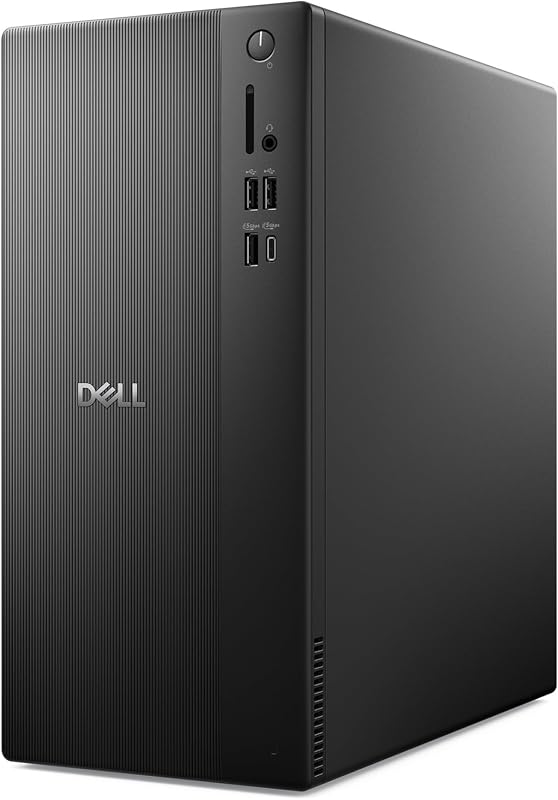
The Dell Tower Desktop represents the brand’s shift toward next-generation silicon, integrating an Intel Core Ultra 7-265 processor designed with dedicated architecture for artificial intelligence workloads. Accompanied by 32GB of system RAM and high-speed solid-state storage, this tower focuses on rapid response times during heavy multitasking across education, multimedia, and daily office tasks. Physical access is engineered for convenience via tool-less entry and a removable side panel, while physical security is reinforced with a chassis lock slot, a padlock loop, and an integrated hardware TPM security chip. The chassis is built using recycled materials with refined corners, measuring 11.54 by 6.06 by 12.77 inches.
For display connectivity, the system supports dual 4K monitors through an HDMI 2.1 port and DisplayPort, with the DisplayPort supporting daisy chaining for up to four Full HD monitors when paired with compatible multi-stream displays. A major practical asset of this specific configuration is Dell Services coverage: it includes 1 Year Onsite Service, dispatching a technician to your home or office if a hardware defect covered under the Limited Hardware Warranty cannot be remedied through remote diagnostic procedures. Peripheral connectivity is well-rounded, featuring Bluetooth, Gigabit Ethernet, standard USB ports, and a front memory card reader.
This desktop is well-matched for home office professionals, educators, and general corporate staff who want an efficient workstation backed by fast onsite warranty support. However, hardware expandability faces a hard limit: the included power supply is rated at 180 watts, which provides no electrical headroom for adding high-draw discrete graphics cards down the road. Additionally, the unit ships with Windows 11 Home rather than an enterprise-focused operating system, which may require an OS upgrade for networks needing active directory integration.
Dell 2026 Edition Tower Desktop Computers for Lean Office Workstations

Best for: Standard corporate workstations and office teams
Pros
- 16GB DDR5 memory eliminates bottlenecks
- Spacious 1TB PCIe solid-state drive
- Supports up to four FHD displays
Cons
- Quad-core CPU limits heavy rendering
- Power supply rating is not listed

Best for: Light administrative tasks and reception desks
Pros
- Fast 14th Gen Core i3 processor
- Dual 4K display output capability
- Pre-loaded with Windows 11 Pro
Cons
- 8GB RAM limits heavy multitasking
- Chassis power supply wattage not listed
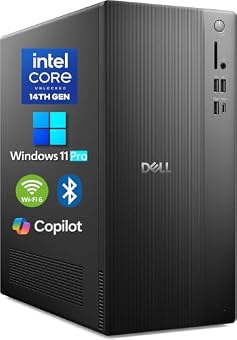
The Dell 2026 Edition Tower Desktop Computers delivers focused performance for standard administrative tasks, powered by a 14th Gen Intel Core i3-14100 processor with 4 cores, 8 threads, a 3.5 GHz base clock, and a turbo frequency reaching up to 4.7 GHz. The processing unit is paired with 8GB of high-speed DDR5 RAM and a 512GB PCIe NVMe solid-state drive, providing snappy boot times and quick retrieval of business databases. Housed in an optimized thermal airflow chassis measuring 12.76 by 6.06 by 11.53 inches, the unit includes Windows 11 Pro pre-loaded, giving business managers immediate access to enterprise security configurations and IT manageability tools right out of the box.
Visual output is handled by integrated Intel UHD Graphics 730, driving up to dual 4K displays through HDMI 2.1 and DisplayPort 1.4a outputs for data analysts and financial workers who require dual-screen real estate. Network connectivity features MediaTek Wi-Fi 6 and Bluetooth alongside an RJ45 Gigabit Ethernet port. Front and rear I/O is comprehensive, hosting USB 3.2 Gen 1 Type-C, several USB-A ports, an SD media card reader, and an audio jack. When monitoring IT inventory and exploring dell computers desktops on sale, small businesses frequently target this class of hardware for general administrative duties.
This configuration suits reception stations, client check-in counters, light accounting roles, and dedicated single-application workstations where software overhead remains light. However, the 8GB memory allocation serves as a strict bottleneck for modern browsing and heavy spreadsheets. Users operating memory-heavy databases or dozens of background browser tabs should expect memory pressure, making a memory upgrade or stepping up to a 16GB tier necessary for larger workloads.
Dell Desktop Tower for High-Thread Data Processing
Best for: Local data compiling and high-thread processing
Pros
- 12-core Intel Core i7-12700K processor
- Generous 32GB DDR5 RAM installed
- Includes wired keyboard and mouse
Cons
- Relies strictly on integrated graphics
- Power supply headroom is not specified
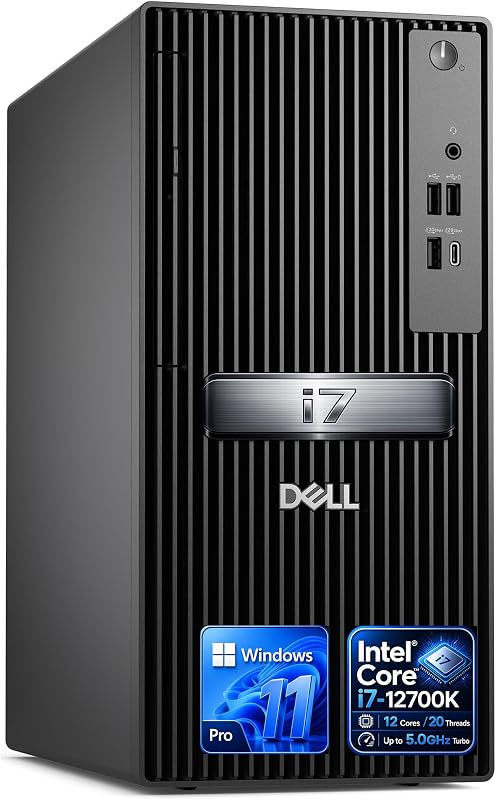
Equipped with an unlocked enthusiast processor, the Dell Desktop Tower leverages an Intel Core i7-12700K featuring 12 cores (8 Performance cores and 4 Efficient cores), 20 threads, 25MB of Intel Smart Cache, and clock speeds up to 5.0 GHz. Supported by 32GB of DDR5 memory and a 1TB PCIe M.2 SSD, this machine is configured for dense multitasking, content manipulation, and raw computation. The platform provides extensive headroom, noting configuration compatibility for up to 64GB of DDR5 memory and solid-state drives scaling to larger capacities. Windows 11 Pro is factory installed, and the package includes a wired USB keyboard and mouse.
Chassis connectivity is extensive, dividing ports between front and rear panels to simplify cable organization. The front face houses a USB 3.2 Gen 2 Type-C port, a USB 3.2 Gen 1 Type-A port, and a headset audio jack. The rear I/O panel includes two USB 3.2 Gen 1 ports, two USB 2.0 ports, DisplayPort 1.4a, HDMI 2.1, and RJ-45 Gigabit Ethernet, with wireless connectivity supported by an internal Intel Wi-Fi and Bluetooth card. Visuals are driven by integrated Intel UHD Graphics 770, allowing dual 4K monitor configurations. Physical hardware security matches corporate requirements with a hardware TPM chip, padlock loop, and security cable slot.
This high-core system is engineered for developers compiling code locally, data analysts managing extensive localized spreadsheets, and office power users running demanding multi-threaded business software. The primary trade-off involves power and graphics constraints: the listing does not specify the power supply wattage, and graphic tasks rely entirely on integrated graphics without dedicated video memory, making it unsuited for heavy 3D rendering unless internal power headroom allows a discrete GPU addition.
Dell 2026 Edition Desktop Computers Tower for General Business Multitasking
The Dell 2026 Edition Desktop Computers Tower expands upon entry-level office towers by resolving memory bottlenecks, incorporating 16GB of high-speed DDR5 RAM alongside a spacious 1TB PCIe SSD. It is powered by the 14th Gen Intel Core i3-14100 processor, featuring 4 cores, 8 threads, a 3.5 GHz base frequency, and a 4.7 GHz turbo limit with 12MB of cache (listed with 24MB cache in detailed specifications). Windows 11 Pro 64-bit comes pre-installed, ensuring direct domain joining, BitLocker device encryption, and standard enterprise remote management protocols are operational without software upgrades.
The tower chassis measures 11.54 by 6.06 by 12.77 inches and is designed for quiet, steady thermal dissipation across long operating shifts. Its integrated Intel UHD Graphics 730 supports multi-display productivity, capable of running dual 4K monitors through HDMI 2.1 and DisplayPort 1.4a, or up to four Full HD screens over DisplayPort configurations. Peripheral connections include front-facing USB 3.2 Gen 1 Type-C, USB 3.2 and 2.0 Type-A ports, an SD media card reader, an audio headset jack, MediaTek Wi-Fi 6, Bluetooth, and Gigabit Ethernet. Evaluating a dell core i5 desktop alongside this 14th Gen i3 reveals that modern architectural efficiencies and 16GB of DDR5 provide comparable or superior responsiveness for standard office suites.
This tower is the most balanced choice for general office personnel, customer support agents, and growing small businesses that require reliable daily processing without paying for unused performance tiers. The 16GB RAM and 1TB storage profile handles expansive productivity suites with ease. The main concession remains the quad-core ceiling: while exceptionally quick in single-threaded software, it will trail high-core alternatives when rendering heavy media or compiling large databases.
Dell Tower Desktop Computer 2026 for Dedicated GPU Acceleration
For operations demanding substantial graphical and compute acceleration, the Dell Tower Desktop Computer 2026 combines an Intel Core Ultra 7 265F 20-core processor with a dedicated NVIDIA GeForce RTX 5060 graphics card featuring 8GB of high-speed GDDR7 memory. The system is equipped with 32GB of DDR5 memory operating at 5600MT/s and a 1TB PCIe NVMe SSD, delivering rapid load times for large video assets, design projects, and computational files. Windows 11 Pro is pre-installed, ensuring business manageability alongside creative performance.
Because visual processing is offloaded to the discrete RTX 5060 GPU, the system natively accelerates workloads within video editing suites, photo processing applications, 3D rendering pipelines, and modern creative software. Display outputs include HDMI 2.1 and DisplayPort 1.4a connections on the graphics card, supporting high-resolution 4K displays. The chassis integrates USB-C, multiple USB 3.2 Type-A ports, Wi-Fi 6, Bluetooth 5.4, and wired Gigabit Ethernet for high-bandwidth local file transfers from external storage drives and network-attached servers.
This desktop is suited for digital media specialists, video editors, architectural draftspersons, and technical professionals who rely on hardware-accelerated rendering. A key hardware detail to note is the “F” suffix on the Core Ultra 7 processor, which indicates the CPU lacks integrated display silicon; display outputs must be connected directly to the dedicated graphics card. Furthermore, the listing does not specify the power supply wattage, meaning any future graphics card upgrades will likely be constrained by Dell’s factory power delivery design.
Dell Pro Tower Plus Core Ultra for High-Density Corporate Environments
Best for: Enterprise deployments requiring security and optical media
Pros
- Dedicated 13 TOPS Intel AI NPU
- Drives three 4K monitors natively
- Built-in DVD-RW optical disc drive
Cons
- No built-in wireless networking
- 260W Bronze PSU limits internal additions
The Dell Pro Tower Plus Core Ultra is engineered specifically for corporate workstations and enterprise IT deployments, anchored by the Intel Core Ultra 7 265 processor featuring 20 cores (8 Performance cores, 12 Efficiency cores), 20 threads, up to a 5.3 GHz turbo clock, and a 30MB cache. It includes an integrated Intel AI Boost NPU delivering 13 TOPS (trillion operations per second) of dedicated local artificial intelligence acceleration. Memory and storage are configured with 32GB of DDR5 RAM and a 1TB PCIe NVMe SSD. Notably, the chassis also houses an internal DVD+/-RW optical disc drive, preserving support for physical media archiving and legacy software installation.
Operating system integration centers around Windows 11 Pro 64-bit with Microsoft Copilot, complete with enterprise-level BitLocker encryption, Remote Desktop hosting, domain joining capabilities, and Hyper-V virtualization. Display outputs are distinct from consumer configurations: the system drives up to three 4K monitors simultaneously via three dedicated DisplayPort 1.4a outputs powered by integrated Intel Graphics. Connectivity is exceptionally dense, offering a front USB-C 20Gbps port, front USB 3.2 10Gbps, rear USB-C 10Gbps, three rear USB 3.2 5Gbps ports, four USB 2.0 ports (including SmartPower On support), and a Gigabit Ethernet jack. When administrators compare enterprise chassis against an alternative hp pc desktop computer, this model stands out for its extensive high-speed I/O array.
This machine is built for enterprise desks, legal practices, medical records administration, and IT departments requiring maximum data security, optical drive read/write access, and triple-monitor support. Buyers must note two important hardware characteristics: the machine does not include built-in Wi-Fi, relying strictly on hardwired Gigabit Ethernet, and internal electrical expansion is bounded by a 260W Bronze power supply, which prevents the installation of power-hungry discrete graphics cards.
How to Choose the Right Dell Tower Desktop Computers
Navigating a thorough dell tower desktop comparison requires assessing operational priorities against Dell’s chassis design standards. For business procurement, understanding power supply limitations is paramount. Dell’s commercial and compact towers frequently employ custom-dimension power supplies with proprietary motherboard power pinouts rather than standard ATX connectors. Models like the Core Ultra 7 desktop list an energy-efficient 180-watt power supply, while the Pro Tower Plus integrates a 260W Bronze unit. These ratings are calibrated precisely for the components installed at the factory, meaning you cannot easily swap in a high-wattage retail power supply or install an unverified discrete graphics card without running into power deficits.
Deciding which dell tower desktop to buy also hinges on calculating required memory bandwidth and storage volumes. While an 8GB DDR5 entry configuration handles light administrative tasks, modern multi-tab browser workloads and office software can quickly push memory consumption into paging files on the SSD. For standard enterprise desks, 16GB DDR5 represents the baseline for sustained productivity, while data analysis, programming, and media editing tasks require 32GB configurations. Storage capacities across these systems feature fast PCIe NVMe solid-state drives ranging from 512GB to 1TB, ensuring swift boot times and fast operating system responsiveness.
Display outputs and networking configurations vary significantly across the lineup. If your workstation requires driving multiple high-resolution displays, verify the physical video outputs. Standard models feature HDMI 2.1 and DisplayPort 1.4a, with some DisplayPort connections supporting multi-stream daisy chaining for up to four Full HD panels. The Pro Tower Plus features three dedicated DisplayPort connectors to drive three independent 4K monitors natively. Networking is another critical separator: while most models integrate Wi-Fi 6 and Bluetooth, select corporate models omit wireless cards entirely, requiring a physical Gigabit Ethernet drop.
Finally, evaluate operating system licensing and warranty support structures. Deployments needing Active Directory integration, BitLocker drive encryption, and Hyper-V virtualization necessitate Windows 11 Pro, which is standard on five of the six models reviewed here. For environments where unexpected downtime represents serious business disruption, configurations backed by Dell 1 Year Onsite Service provide an essential safety net, sending technical assistance directly to your work location when remote diagnosis cannot resolve a hardware malfunction.
FAQ
Can you upgrade the power supply in Dell tower desktop computers with standard retail parts?
In most modern Dell desktop towers, upgrading the power supply using off-the-shelf retail ATX units is difficult or impossible. Dell frequently utilizes proprietary chassis mountings and custom motherboard power connectors instead of standard 24-pin ATX layouts. Furthermore, models like the 180W or 260W Bronze towers are engineered for specific thermal profiles. Component upgrades should generally be planned around the factory power budget rather than assuming a power supply swap is feasible.
What is the difference between Windows 11 Home and Windows 11 Pro on a Dell business desktop tower?
Windows 11 Pro includes critical enterprise management and data security features that are absent from Windows 11 Home. Key capabilities include BitLocker full-disk encryption, Group Policy management, Azure Active Directory joining, Remote Desktop server hosting, and Hyper-V virtualization. For corporate IT environments and secure office workstations, Windows 11 Pro is necessary to comply with standard security and network management policies.
Which Dell tower desktop is best for running multiple 4K monitors simultaneously?
For multi-monitor productivity using integrated graphics, the Dell Pro Tower Plus Core Ultra is the premier choice because it features three dedicated DisplayPort 1.4a outputs designed to drive three 4K monitors at once. Alternatively, the Dell Tower Desktop Computer 2026 utilizes an NVIDIA GeForce RTX 5060 graphics card with HDMI 2.1 and DisplayPort connections, handling dual 4K setups with hardware GPU acceleration for visual rendering.
Does the Intel Core Ultra processor provide noticeable benefits over 14th Gen Core processors in daily business use?
Intel Core Ultra desktop processors incorporate an updated architecture featuring built-in AI acceleration, including a dedicated Neural Processing Unit (NPU) rated at 13 TOPS on the Core Ultra 7 265. While 14th Gen Core i3 processors provide fast single-thread performance for standard spreadsheets and web tools, the Core Ultra platform offers superior energy efficiency, higher core counts for multi-threaded workloads, and dedicated hardware acceleration for local AI tasks in Windows 11.
Why do some Dell desktop tower configurations omit built-in Wi-Fi?
Certain corporate workstations, such as the Dell Pro Tower Plus, intentionally omit wireless cards to satisfy enterprise security protocols. In government, financial, and secure corporate environments, wireless networking can introduce security vulnerabilities or conflict with strict data policies that require hardwired Gigabit Ethernet. For setups requiring wireless access, a compatible USB or PCIe Wi-Fi adapter must be added separately.


