


As Amazon Associates, we earn from qualifying purchases. This means we may receive a small commission at no extra cost to you if you click through and make a purchase.
ASUS has established itself as one of the most versatile manufacturers in modern personal computing, engineering everything from ultra-dense dual-screen workstations to dedicated esports laptops and featherweight productivity notebooks. Choosing an asus premium laptop requires looking past headline specifications to evaluate real-world hardware reliability, chassis rigidity, and thermal management. Because sustained performance depends entirely on how effectively a laptop dissipates internal heat, understanding the brand’s cooling architectures and component choices is essential for making an informed long-term investment.
When executing an in-depth asus laptop comparison across the brand’s modern portfolio, the six models analyzed below reveal distinct engineering trade-offs: two configurations feature third-party performance upgrades that alter original factory warranty coverage, two utilize color-accurate Lumina OLED panels with high refresh rates, one adopts power-efficient ARM-based silicon for extended battery life, and one deploys extreme liquid-metal cooling for sustained graphical workloads.
ASUS Premium Laptops Compared
| Model | Processor | Display | Memory & Storage | Thermal & Cooling Strategy |
|---|---|---|---|---|
| ASUS Vivobook 15 Laptop | Intel Core i9-13900H | 15.6-inch FHD (1920 x 1080) Non-Touch | 48GB DDR4 RAM, 2TB SSD | Internal cooling system with bundled PCO Cooler |
| ASUS Zenbook Duo Laptop | Intel Core Ultra 9 386H | Dual 14-inch 3K 144Hz OLED Touch | 32GB RAM, 1TB SSD | Integrated chassis cooling with elevated kickstand |
| ASUS Zenbook 14 OLED Touchscreen Laptop,14″ | AMD Ryzen AI 9 465 | 14-inch WUXGA (1920 x 1200) OLED Touch | 16GB DDR5 RAM, 1TB SSD | Compact internal fan and heat pipe assembly |
| ASUS ROG Strix G16 | Intel Core i7-14650HX | 16-inch FHD+ 165Hz Nebula Display | 16GB DDR5 RAM, 1TB Gen 4 SSD | Tri-fan system, vapor chamber, liquid metal |
| ASUS Vivobook 16 Laptop | Qualcomm Snapdragon X 8-Core | 16-inch WUXGA (1920 x 1200) Non-Touch | 16GB RAM, 512GB SSD | Low-wattage energy-efficient thermal profile |
| ASUS Vivobook S16 Laptop | AMD Ryzen AI 7 350 | 16-inch 3K 120Hz Lumina OLED | 16GB RAM, 1TB SSD | Ultrathin all-metal chassis heat dissipation |
ASUS Vivobook 15 Laptop for Heavy Multitasking

Best for: Heavy multitasking office professionals and analysts
Pros
- Massive 48GB memory capacity
- Bundled external cooling accessory
- Expansive 2TB solid-state storage
Cons
- Split warranty through third-party upgrader
- Integrated graphics limits 3D performance
The ASUS Vivobook 15 Laptop is configured for intensive data processing and professional business multitasking. Built around the 14-core Intel Core i9-13900H processor, this Blue notebook is outfitted with an expansive 48GB of DDR4 RAM and a high-capacity 2TB PCIe M.2 solid-state drive. Visuals are powered by integrated Intel UHD Graphics outputting to a 15.6-inch Full HD (1920 x 1080) anti-glare display. Practical workspace additions include a physical webcam privacy shutter, a backlit keyboard for low-light typing, and an integrated fingerprint reader for secure Windows 11 Pro sign-in, all encased in a 3.8-pound portable chassis. Connectivity covers broad office requirements with one USB Type-C port, two USB Type-A 3.X ports, one USB 2.0 port, an HDMI port for 4K external monitors, and a 3.5mm audio jack.
From a hardware reliability perspective, packing a high-wattage Core i9 processor into a thin 3.8-pound clamshell presents significant thermal challenges. High-frequency computation generates substantial heat, which can trigger thermal throttling during sustained data rendering or virtual machine management. To manage this thermal load, this package includes an external PCO Cooler designed to sit beneath the laptop and supply continuous forced airflow to supplement the internal fan. As detailed in our broader asus – vivobook guide, maintaining external airflow is vital when demanding sustained peak clock frequencies from compact chassis architectures.
Warranty administration is another critical factor that buyers must understand. The listing explicitly states that the original factory packaging was opened specifically to install the upgraded 48GB RAM and 2TB SSD. As a result, PCOnline US provides a three-year warranty covering the upgraded internal components, while the remainder of the laptop is backed by the original one-year manufacturer warranty. This split-coverage model makes this machine an excellent choice for data analysts, financial modelers, and office administrators who need massive RAM capacity immediately, though shoppers seeking unified factory support channels should look toward standard production configurations.
ASUS Zenbook Duo Laptop for Dual-Screen Productivity

Best for: Mobile dual-screen multi-taskers and power users
Pros
- Dual 3K 144Hz Lumina OLED touchscreens
- Rugged Ceraluminum chassis with kickstand
- High-capacity 99Wh battery with fast charging
Cons
- Higher battery drain running two displays
- Complex multi-screen mechanical moving parts
The ASUS Zenbook Duo Laptop redefines mobile productivity by pairing dual 14-inch 3K (2880 x 1800) 144Hz ASUS Lumina OLED touch displays within a single unified form factor. Computing power stems from the 16-core Intel Core Ultra 9 Processor 386H, integrated Intel graphics, and an onboard NPU delivering 50 TOPS of local processing for Copilot AI functions. Accompanied by 32GB of RAM and a 1TB solid-state drive, this Moher Gray convertible laptop includes an integrated kickstand, an active stylus, a protective travel sleeve, and a detachable magnetic keyboard. Port options are expansive, offering two Thunderbolt 4 ports, one USB 3.2 Gen 2 port, HDMI 2.1 FRL, Wi-Fi 7, and Bluetooth 5.4, powered by an integrated 99Wh battery that fast-charges to 60 percent in 49 minutes.
For mobile professionals debating which asus laptop to buy for maximum on-the-go screen area, the asus zenbook duo stands as the best asus laptop for build quality among dual-screen portables. ASUS engineered the chassis, hinge mechanism, and rear kickstand from Ceraluminum, an advanced ceramic-aluminum composite developed to withstand continuous physical repositioning between laptop, dual-screen, and presentation sharing modes. Both OLED screens deliver 1000 nits of peak HDR brightness, 100 percent DCI-P3 color reproduction, and an anti-reflective coating to prevent visual fatigue during marathon work sessions, supported by a six-speaker Dolby Atmos audio array.
Hardware longevity and power consumption require realistic expectations with this dual-screen design. Powering two 144Hz 3K OLED panels simultaneously places high demands on the 99Wh battery system, requiring thoughtful display brightness management when working unplugged. Regarding asus oled laptop longevity, displaying static taskbars or permanent tool windows across both screens calls for disciplined use of built-in pixel-shifting utilities and dark interface themes to avoid uneven pixel aging. Furthermore, users must ensure the pogo-pin magnetic keyboard contacts remain clear of dirt to preserve instant typing response. This machine remains unmatched for software developers, financial researchers, and traveling executives who depend on desktop-like multi-window multitasking.
ASUS Zenbook 14 OLED Touchscreen Laptop,14" for Portable Computing

Best for: Frequent business travelers and university students
Pros
- Ultra-lightweight 2.8-pound portable chassis
- Vibrant 500-nit WUXGA OLED touchscreen
- Modern AMD Ryzen AI 9 processor
Cons
- Warranty handled through third-party upgrader
- Standard 60Hz display refresh rate
The ASUS Zenbook 14 OLED Touchscreen Laptop,14″ is an ultra-portable business notebook built for remote professionals, traveling executives, and university students. The laptop is driven by an efficient AMD Ryzen AI 9 465 processor featuring 10 cores reaching up to 5.0GHz, complemented by integrated AMD Radeon 880 Graphics with 8GB of allocated graphics memory. The internal configuration includes 16GB of DDR5 memory and a 1TB M.2 NVMe PCIe solid-state drive. Visual output is anchored by a 14-inch WUXGA (1920 x 1200) OLED touchscreen boasting 500 nits of brightness, 100 percent DCI-P3 color gamut coverage, and a 16:10 productivity aspect ratio. Finished in Jasper Gray, the entire machine weighs just 2.8 pounds and features a 1080p webcam with a physical shutter, a backlit keyboard, Wi-Fi 6E, Bluetooth 5.4, USB-C, USB-A, and HDMI 2.1.
A central consideration for this asus zenbook 14 oled model is its customized hardware status. The product listing discloses that the brand-new computer has been opened and resealed to install the upgraded solid-state drive, with warranty coverage backed by a one-year warranty through Issaquah Highlands Tech. Operating under Windows 11 Pro, the laptop provides enterprise tools such as BitLocker disk encryption, Hyper-V virtualization, and Group Policy controls. However, buyers should be aware that warranty claims for internal drive failures must be processed through the third-party provider rather than standard direct ASUS repair facilities.
On an everyday performance level, the AMD Ryzen AI processor delivers responsive multitasking while maintaining whisper-quiet operation during office document workflows and streaming meetings. The Lumina OLED screen offers exceptional black levels and precise color reproduction, making it an attractive platform for content review and light design work. However, the integrated Radeon 880 graphics processor cannot match the sustained performance of a dedicated graphics chip for heavy 3D rendering or high-refresh gaming. For mobile operators who need an ultra-lightweight chassis that fits easily into a briefcase while offering modern security tools, this 2.8-pound portable notebook represents an efficient, highly focused solution.
ASUS ROG Strix G16 for High-End Gaming

Best for: Competitive esports gamers and simulation creators
Pros
- Dedicated RTX 5060 graphics performance
- Advanced tri-fan liquid metal cooling
- Fluid 165Hz Nebula gaming display
Cons
- Heavy 2.65 kg travel weight
- Substantial battery drain under high loads
The ASUS ROG Strix G16 is a full-sized gaming notebook engineered for high-frame-rate rendering, esports competition, and heavy creative computing. Under the hood, it pairs an Intel Core i7-14650HX processor with an NVIDIA GeForce RTX 5060 Laptop GPU powered by NVIDIA Blackwell architecture, utilizing 8GB of dedicated VRAM, DLSS 4, and Max-Q optimizations. System memory consists of 16GB of DDR5-5600MHz RAM alongside a 1TB PCIe Gen 4 solid-state drive. Visuals are rendered on a 16-inch FHD+ (1920 x 1200) 16:10 ROG Nebula display running at 165Hz with a rapid 3ms response time, treated with an anti-reflective ACR film. Finished in Eclipse Gray at 2.65 kg, it incorporates an esports-ready keyboard, a 360-degree Aura RGB light bar, Dolby Atmos sound, and Wi-Fi 7.
Thermal stability is the fundamental engineering highlight of the asus rog strix g16. To sustain elevated clock rates on both the Intel HX-series processor and the dedicated RTX GPU, ASUS integrated ROG Intelligent Cooling. This system combines an end-to-end vapor chamber, a tri-fan design for directed chassis airflow, and Conductonaut Extreme liquid metal applied directly to the processing silicon. This liquid metal interface dramatically accelerates heat transfer away from processor dies compared to standard thermal pastes. Shoppers reading our asus tuf gaming comparisons will recognize that the Strix series provides superior thermal headroom and structural reinforcement for prolonged, high-wattage gaming sessions.
Long-term serviceability is well supported thanks to tool-free internal access to the dual DDR5 memory slots and M.2 PCIe storage bays, allowing straightforward component upgrades as future gaming or storage demands expand. The primary operational trade-off is portability: weighing 2.65 kg (over 5.8 pounds) without factoring in its heavy external power brick, the Strix G16 is designed for stationary desk setups rather than mobile commutes. In office or classroom environments, activating Stealth Mode shuts off all ambient RGB lighting to maintain an understated appearance. It stands as the premier option for gamers, 3D artists, and engineering students who prioritize dedicated graphics processing and advanced cooling over battery endurance.
ASUS Vivobook 16 Laptop for Efficient Battery Life
Best for: Efficiency-focused remote workers and writers
Pros
- Power-efficient Qualcomm Snapdragon X processor
- Integrated 45 TOPS Hexagon NPU
- Expansive 16-inch 16:10 workspace
Cons
- Standard 60Hz screen refresh rate
- Emulation overhead on legacy x86 applications
The ASUS Vivobook 16 Laptop takes an alternative hardware approach by integrating the Qualcomm Snapdragon X 8-Core processor and an integrated Qualcomm Adreno GPU. Designed around the Windows 11 Home Copilot+ architecture, the laptop features a Qualcomm Hexagon NPU capable of up to 45 TOPS of local artificial intelligence processing. The system includes 16GB of memory, a 512GB PCIe 4.0 solid-state drive, and a 16-inch WUXGA (1920 x 1200) anti-glare display running at a standard 60Hz refresh rate with 300 nits of sustained brightness. Encased in a Quiet Blue finish and weighing 3.9 pounds, this full-sized notebook is built for cool, quiet, day-long productivity.
The standout mechanical benefit of this Qualcomm ARM-based configuration is exceptional thermal efficiency. Because the Snapdragon X processor consumes significantly less electrical power under routine office multitasking than traditional x86 architecture chips, it produces very little internal heat. This lower thermal output drastically reduces internal fan noise, lowers chassis surface temperatures, and minimizes internal dust accumulation over months of use. When evaluating alternatives in an asus vivobook 16gb ram 1tb ssd configuration, the thermal efficiency of this ARM platform stands out as a major reliability advantage for users working in quiet settings.
Potential buyers must balance this thermal advantage against software compatibility. While native ARM64 Windows applications, web browsers, media players, and cloud suites execute with outstanding speed and minimal battery drain, older legacy 32-bit applications or specialized commercial tools relying on x86 hardware drivers must operate through emulation. Furthermore, the integrated Adreno graphics engine and standard 60Hz panel are tailored for standard business applications rather than fast-paced 3D gaming or professional 4K video editing. For students, writers, and remote workers whose daily routine centers on web research, office suites, and communication platforms, this Vivobook 16 provides an impressively cool and durable daily workstation.
ASUS Vivobook S16 Laptop for Creator Workflows
Best for: Digital creators needing long battery life
Pros
- Sharp 3K 120Hz Lumina OLED display
- Generous 75Wh battery for extended use
- Slim 0.55-inch all-metal construction
Cons
- Single-zone keyboard backlighting
- Non-touch display configuration
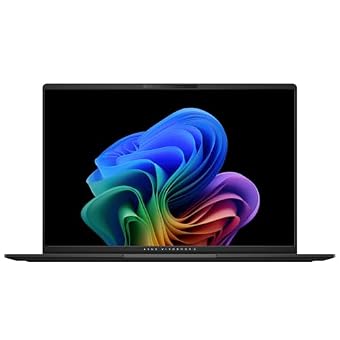
The ASUS Vivobook S16 Laptop combines sleek metal industrial design with modern AI-ready silicon tailored for creative professionals. The system runs on the AMD Ryzen AI 7 350 processor featuring an AMD XDNA NPU delivering up to 50 TOPS of AI processing, paired with integrated AMD Radeon 860M graphics. Memory is specified at 16GB of DDR5 RAM alongside a spacious 1TB solid-state drive. Visuals are delivered through a 16-inch 3K (2880 x 1800) 16:10 Lumina OLED display featuring a smooth 120Hz refresh rate, 600 nits of peak HDR brightness, and full 100 percent DCI-P3 color gamut coverage. Finished in Neutral Black anti-fingerprint metal, the chassis is an ultra-slim 0.55 inches thin, weighs 3.31 pounds, and includes a lay-flat 180-degree display hinge.
Despite its slim profile, the asus vivobook s16 houses a substantial 75Wh battery capable of delivering up to 14 hours of continuous productivity. Prolonged battery endurance contributes directly to long-term hardware reliability by minimizing frequent thermal stress associated with continuous high-wattage charging. Practical hardware features include a single-zone RGB backlit keyboard with a dedicated numeric keypad, an oversized multi-touch pad, and an ASUS AiSense 1080p Full HD IR webcam that supports Windows Hello facial recognition, automated background blur, eye-tracking, and Microsoft Pluton hardware encryption.
Evaluating asus laptop reliability in an ultrathin format requires attention to display care and heat dissipation. The high-resolution 120Hz Lumina OLED display provides stunning clarity and contrast for photo retouching, video timelines, and digital illustration. However, preserving long-term panel health requires utilizing pre-installed OLED maintenance utilities, such as pixel refresh prompts and automated taskbar hiding, to prevent static interface elements from causing uneven panel wear over years of service. For digital creators and mobile professionals who need accurate color reproduction, a lightweight metal body, and exceptional battery life without the bulk of a gaming laptop, this Vivobook S16 represents a finely balanced machine.
How to Choose the Right ASUS Premium Laptops
Selecting the right ASUS laptop requires matching your computing demands, thermal tolerance, and portability requirements against the specific architecture of each machine. Begin by evaluating your processing and graphics workload. Users running heavy 3D simulation, CAD rendering, or competitive gaming must prioritize dedicated GPU power and expansive cooling systems, which points directly to the ROG Strix G16 with its liquid-metal interface and vapor chamber. Conversely, users handling office documents, spreadsheets, and web tasks will benefit far more from the silent thermal operation and extended battery life of the Qualcomm-powered Vivobook 16 or the efficient AMD Ryzen AI 7 in the Vivobook S16.
Display technology is another decisive factor. ASUS Lumina OLED panels—featured on the Zenbook Duo, Zenbook 14, and Vivobook S16—deliver peerless contrast, deep blacks, and 100 percent DCI-P3 color reproduction, making them essential for graphic artists, video creators, and multimedia users. However, OLED displays require mindful operational habits, such as using dark modes and screen-savers, to ensure balanced pixel longevity. For office environments where static spreadsheets and databases stay on screen for ten consecutive hours, traditional anti-glare FHD or WUXGA non-touch panels like those on the Vivobook 15 and Vivobook 16 completely remove pixel-wear concerns.
Finally, examine the warranty structure and reseller modifications before making your choice. Both the Vivobook 15 (upgraded by PCOnline US) and the Zenbook 14 OLED (resealed by Issaquah Highlands Tech) incorporate aftermarket memory and storage expansions that offer impressive out-of-the-box capacity, but they divide warranty obligations between the reseller and ASUS. If maintaining a unified, direct manufacturer warranty relationship is essential for your IT department or personal peace of mind, selecting unmodified factory configurations like the Zenbook Duo, ROG Strix G16, or Vivobook S16 ensures streamlined support.
FAQ
How do third-party memory and storage upgrades affect ASUS laptop warranties?
When an authorized reseller opens a brand-new ASUS laptop to install upgraded memory or solid-state storage, the original factory packaging seal is broken. The reseller typically provides independent warranty coverage for the upgraded components—such as the three-year coverage on RAM and SSD provided by PCOnline on the Vivobook 15, or the one-year coverage from Issaquah Highlands Tech on the Zenbook 14. Unmodified components generally retain their standard factory warranty. Buyers must direct technical claims regarding the upgraded parts to the third-party provider rather than ASUS customer service.
What measures protect ASUS OLED laptop longevity against screen burn-in?
ASUS incorporates several protective features into its Lumina OLED laptops to preserve panel health, including automated pixel-shifting algorithms, pixel refresh cycles, and low-blue-light hardware certifications. Users can maximize display longevity by activating dark mode across Windows, enabling automated taskbar hiding, setting short screen-sleep timers, and avoiding the continuous display of static, high-contrast images at maximum brightness for extended periods.
Why does the ASUS Vivobook 15 include a bundled external cooler?
The Intel Core i9-13900H is a 14-core high-wattage processor capable of significant computational output. Because the Vivobook 15 uses a standard 3.8-pound portable chassis, prolonged multithreaded rendering or complex simulations can generate high internal temperatures leading to thermal throttling. The bundled PCO Cooler provides continuous supplemental airflow across the bottom chassis vents to help the internal fan sustain peak boost frequencies during heavy workloads.
Is the Ceraluminum chassis on the ASUS Zenbook Duo durable for daily travel?
Yes, ASUS engineered the Zenbook Duo chassis, kickstand, and hinge assembly from Ceraluminum, an advanced ceramic-aluminum composite material. This material provides superior scratch resistance, structural rigidity, and tactile durability compared to standard anodized aluminum while keeping weight manageable. However, because the system relies on an active kickstand and a detachable magnetic keyboard, owners must ensure no debris rests between the screens when closing the device.
Can Qualcomm Snapdragon X laptops run standard legacy Windows applications?
Qualcomm Snapdragon X processors execute native ARM64 Windows applications with rapid responsiveness and exceptional energy efficiency. For conventional x86 and x64 software, Windows 11 includes an integrated emulation layer that runs standard office tools, web browsers, and productivity applications smoothly. However, legacy software requiring specialized kernel-level hardware drivers or older proprietary plugins may experience performance overhead or compatibility limitations, making verification important before deployment.


