


As Amazon Associates, we earn from qualifying purchases. This means we may receive a small commission at no extra cost to you if you click through and make a purchase.
Microsoft has set the benchmark for the modern 2-in-1 detachable computing category, combining tablet agility with desktop-class Windows productivity. Known for rigid unibody aluminum engineering, versatile integrated kickstands, and high-resolution PixelSense touchscreens, the Surface Pro lineup serves as Microsoft’s flagship showcase for mobile computing. Selecting a configuration with 32GB of memory provides the computational headroom required for intensive multitasking, virtualization, and complex creative workflows without falling victim to thermal throttling or background memory paging.
Across the four configurations evaluated here, the primary distinction lies in silicon architecture and enterprise deployment features: Qualcomm Snapdragon ARM platforms deliver high-efficiency AI processing, while traditional Intel Core Ultra and Core i7 hardware provide unbroken x86 software compatibility, different battery endurance profiles, and native commercial manageability.
Microsoft Tablets Compared
| Model | Processor Architecture | Storage Capacity | Operating System | Rated Battery Life |
|---|---|---|---|---|
| Microsoft Surface Pro 2-in-1 Laptop Tablet | Snapdragon X Elite (12-Core ARM) | 1 TB SSD | Windows 11 Home | Up to 14 hours |
| Microsoft Surface Pro for Business 2-n-1 | Intel Core Ultra 7 (Series 2 x86) | 1 TB NVMe SSD | Windows 11 | Up to 14 hours |
| Microsoft Surface Pro 10 Tablet | Intel Core Ultra 7 (12-Core x86) | 512 GB SSD | Windows 11 Pro | Up to 19 hours |
| Microsoft Surface Pro 9 Tablet | Intel Core i7-1265U (10-Core x86) | 1 TB SSD | Windows 11 Pro | Up to 15.5 hours |
Microsoft Surface Pro 2-in-1 Laptop Tablet for Modern AI Workflows
Best for: Enterprise buyers wanting an included keyboard bundle
Pros
- Includes keyboard accessory in box
- High-resolution 2880 x 1920 display
- Proven Intel Core i7 architecture
Cons
- Older 10th Gen Core i7 platform
- Lacks dedicated high-TOPS NPU
Best for: Mobile workers prioritizing maximum battery life
Pros
- Rated for up to 19 hours battery
- Dynamic refresh rate PixelSense screen
- Built-in Surface Studio microphones
Cons
- Smaller 512GB base storage
- Ships with modest 39W power supply

Best for: Corporate users needing native Intel x86 app compatibility
Pros
- Intel Core Ultra 7 Series 2
- Intel AI Boost with 48 TOPS
- Smooth 165-degree kickstand
Cons
- Heavier 3.3-pound profile
- Higher power draw under heavy load

Best for: Creative professionals wanting OLED and long battery life
Pros
- Vibrant 13-inch OLED touchscreen
- 12-core Snapdragon X Elite
- Spacious 1TB SSD storage
Cons
- Windows 11 Home pre-installed
- Potential ARM emulation issues with legacy apps
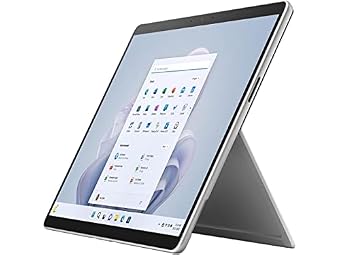
The Microsoft Surface Pro 2-in-1 Laptop Tablet marks a defining shift in Microsoft’s portable computing hardware, introducing the ARM-native Snapdragon X Elite 12-core processor to the flagship detachable format. Equipped with 32GB of high-speed system memory and a generous 1TB solid-state drive, this Platinum device weighs 1.5 kg and serves as an official Copilot+ PC. Its primary physical highlight is the 13-inch OLED touchscreen display, which features a 1,000,000:1 contrast ratio that produces deep black levels and vibrant dynamic range for visual editing, digital art, and multimedia consumption.
From an architectural standpoint, the Qualcomm silicon paired with the integrated Adreno graphics engine delivers efficient performance, enabling up to 14 hours of manufacturer-rated battery life alongside rapid charging via Surface Connect or USB-C. However, adopting an ARM-powered Windows machine introduces practical trade-offs. While native ARM64 applications execute smoothly, specialized enterprise utilities, proprietary VPN clients, and legacy x86 software must pass through the Windows Prism emulation layer, which can create compatibility friction. For an overview of how diverse mobile designs handle these software transitions, consult our microsoft surface tablet comparison guide.
This 32GB configuration is ideal for students, digital designers, and modern knowledge workers whose software stack consists primarily of web tools, creative suites with native ARM compilations, and cloud environments. It yields to the Intel-based commercial models when full enterprise fleet management, native legacy x86 peripheral drivers, or out-of-the-box Windows 11 Pro domain integration are mandatory operating requirements.
Microsoft Surface Pro for Business 2-n-1 for Enterprise Compatibility
Addressing corporate environments where software emulation poses operational risks, the Microsoft Surface Pro for Business 2-n-1 combines modern AI acceleration with native x86 application stability. Driven by Intel’s Core Ultra 7 (Series 2) processor, this 11th Edition convertible tablet houses 32GB of RAM and a responsive 1TB NVMe solid-state drive inside a 3.3-pound Platinum chassis. It integrates an Intel AI Boost neural processing unit capable of up to 48 TOPS, matching contemporary AI workflow standards without sacrificing backward compatibility with specialized enterprise software.
The mechanical design focuses on workplace versatility, featuring a fluid built-in kickstand that reclines up to 165 degrees to support ergonomic touch interaction, stylus notation, and presentations. Power delivery is flexible, delivering up to 14 hours of runtime supported by fast charging over either USB-C or the proprietary Surface Connect port. For desk-bound power users managing multiple displays and peripherals alongside rapid charging, external power options like those reviewed in our ugreen desktop charger breakdown provide stable power delivery for sustained computing sessions.
This configuration suits corporate IT deployments, data analysts, and enterprise professionals who require guaranteed support for legacy business suites, custom database tools, and proprietary corporate network adapters. It provides the AI acceleration of newer hardware platforms while maintaining total x86 instruction set fidelity, stepping aside only for users seeking the lighter overall carrying weight or the OLED panel of the consumer-tier Snapdragon model.
Microsoft Surface Pro 10 Tablet for Extended Field Productivity
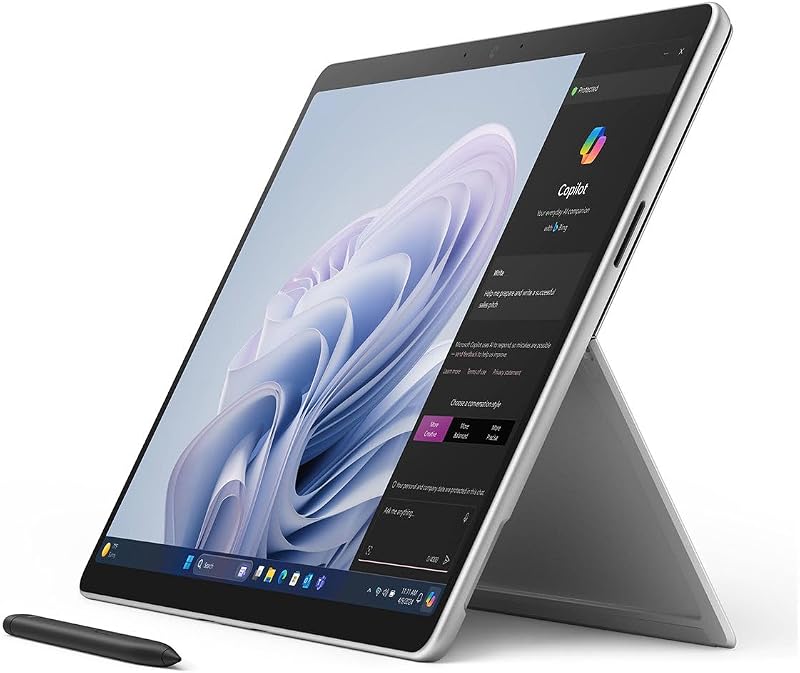
The Microsoft Surface Pro 10 Tablet (model Y6B-00001) is engineered specifically for commercial fieldwork and mobile executive duties. Under the hood, a 12-core Intel Core Ultra 7 processor operating at a 1.70 GHz base frequency works in tandem with 32GB of RAM and a 512GB solid-state drive. Shipped with pre-installed Windows 11 Pro, this 10th Generation business slate integrates enterprise-grade security protocols, BitLocker disk encryption, and direct corporate domain management straight out of the packaging.
Hardware durability and display quality are primary strengths. The 13-inch PixelSense touchscreen features Surface Dynamic Refresh Rate technology and high peak brightness intensity, maintaining sharp readability in brightly lit field offices or outdoor workspaces. Communications are supported by integrated Surface Studio microphones that isolate vocal clarity for virtual meetings and Copilot voice interactions. The system stands out with a manufacturer-rated battery life of up to 19 hours, backed by an included 39W power supply and a 1-year manufacturer warranty.
This model is an exceptional match for field auditors, traveling executives, and operations managers who prioritize maximum operational runtime on a single charge while retaining native Intel application compatibility. Its only distinct compromise relative to other high-tier options is the 512GB internal storage capacity, which may require disciplined cloud storage management or external drives for users handling large local media libraries.
Microsoft Surface Pro 9 Tablet for Proven Desktop Utility
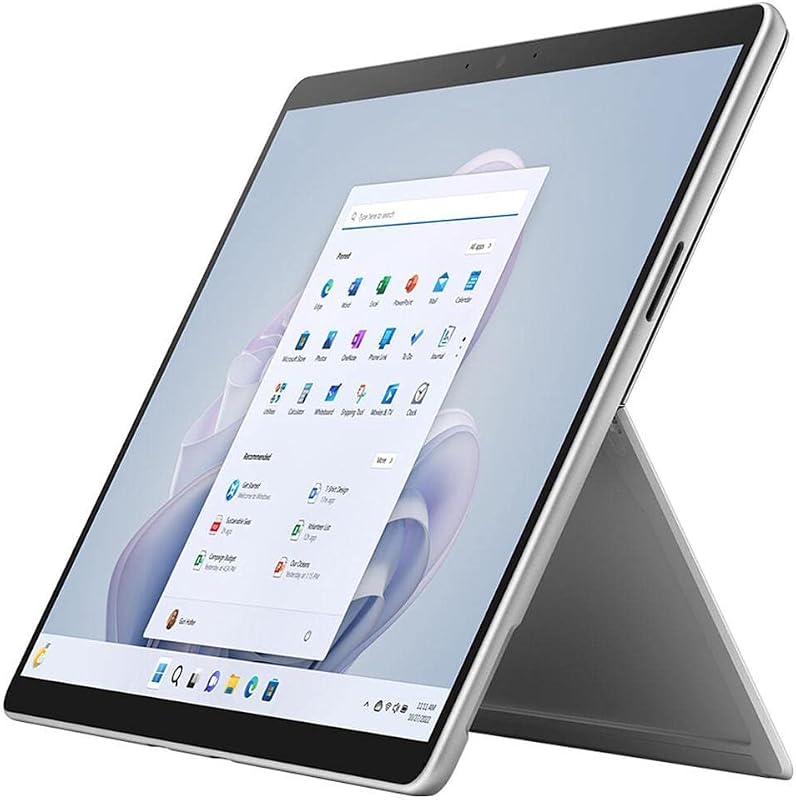
Representing a mature, thoroughly tested hardware iteration, the Microsoft Surface Pro 9 Tablet (model QLQ-00001) delivers enterprise-grade utility through established silicon architecture. Driven by an Intel Core i7-1265U 10-core processor, this configuration pairs 32GB of RAM with an expansive 1TB solid-state drive. Operating on pre-installed Windows 11 Pro, it provides an immediate, secure platform for business multitasking, corporate administration, and general entertainment.
The visual interface is built around a sharp 13-inch PixelSense display with a resolution of 2880 x 1920, ensuring crisp text rendering and precise color fidelity. Battery longevity is rated at up to 15.50 hours, providing reliable performance through extended workdays. A notable advantage of this specific listing is the inclusion of the detachable keyboard inside the box, eliminating the need to purchase typing accessories separately. For buyers calculating the full expense of a functional 2-in-1 workspace, our surface pro bundle 2025 overview offers helpful perspective on complete accessory packages.
This 1TB Surface Pro 9 suits budget-conscious corporate buyers, administrative professionals, and institutional users who need a turnkey 2-in-1 system complete with a keyboard and vast local storage. While it lacks the dedicated high-TOPS neural processing hardware found on the newer Core Ultra and Snapdragon models, its proven architecture guarantees zero software compatibility issues with legacy peripherals and standard x86 enterprise programs.
How to Choose the Right Microsoft Tablets
Selecting the ideal 32GB Surface Pro requires balancing processor architecture, software dependencies, and physical accessory configurations to ensure long-term hardware reliability.
- Architecture and Compatibility: The debate between Qualcomm Snapdragon ARM and Intel x86 silicon is the most significant decision. The Snapdragon X Elite offers impressive energy efficiency and dedicated NPU capabilities, but legacy corporate VPNs, specialized database drivers, and older audio plugins may encounter issues under emulation. Intel Core Ultra and Core i7 configurations guarantee native x86 execution, making them the safer choice for corporate environments.
- Memory and Multitasking Overhead: Opting for 32GB of system RAM protects your investment against modern software demands. Running local virtualization, demanding web stacks, and advanced data processing tools simultaneously requires substantial memory bandwidth. A 32GB footprint prevents aggressive memory paging to the SSD, preserving drive endurance over multi-year lifecycles.
- Operating System and Enterprise Support: Review whether your organization requires Windows 11 Pro or Windows 11 Home. The commercial models (Surface Pro for Business, Surface Pro 10, and Surface Pro 9) come standard with Windows 11 Pro, offering vital administrative tools like BitLocker, Hyper-V, and group policy management that consumer-focused editions omit.
- Display Tech and Battery Ratings: If visual contrast and media consumption take precedence, the OLED panel on the consumer Surface Pro 2-in-1 provides unmatched color depth. If battery longevity in the field is paramount, the Surface Pro 10 offers the highest endurance rating at up to 19 hours on its PixelSense display.
- Included Accessories and Storage Needs: While most modern Surface Pro configurations sell the tablet slate independently, certain packages like the featured Surface Pro 9 include the keyboard accessory in the box. Balance whether an included keyboard offsets the advantage of newer processor generations, and ensure you pick between 512GB and 1TB based on your local storage habits.
FAQ
Is 32GB of RAM necessary on a Surface Pro tablet?
For standard web browsing and document editing, 16GB is often sufficient. However, 32GB of RAM is highly recommended for professionals running virtual machines, compiling code, working with extensive data models, or running local AI tools. Having 32GB ensures the system does not need to page memory to the internal SSD during heavy multitasking, improving overall responsiveness and long-term hardware reliability.
What software compatibility differences exist between Snapdragon and Intel Surface Pro models?
Snapdragon models run on ARM64 architecture, meaning applications compiled natively for ARM run efficiently, while standard x86 and x64 applications operate via the Windows Prism emulation layer. Most standard desktop applications run without issue, but specialized kernel-level software, proprietary corporate VPNs, and legacy peripheral drivers may not function correctly on ARM. Intel Core Ultra and Core i7 models run x86 software natively with no emulation requirements.
Can I fast charge these Surface Pro models using third-party USB-C power adapters?
Yes, all modern Surface Pro models support fast charging over standard USB-C in addition to the proprietary Surface Connect interface. To achieve rapid charging speeds equivalent to the original equipment manufacturer chargers, you should use a USB Power Delivery (USB-PD) wall adapter rated at 65W or higher paired with an appropriate high-wattage cable.
What is the functional difference between Windows 11 Home and Windows 11 Pro on these tablets?
Windows 11 Home is tailored for consumer use, supporting personal Microsoft accounts, media playback, and standard software execution. Windows 11 Pro adds critical business infrastructure tools, including BitLocker full-disk encryption, Windows Information Protection, Remote Desktop hosting, Client Hyper-V virtualization, and seamless enrollment into corporate domain networks and Microsoft Intune environments.
Are typing keyboards and stylus pens included with all Surface Pro tablets?
In most instances, Microsoft sells the Surface Pro as a standalone tablet slate, requiring users to purchase the keyboard cover and Surface Slim Pen separately. However, specific configurations, such as the Surface Pro 9 listing detailed in this guide, explicitly include the keyboard accessory in the package. Always review the included components list to verify what accessories are bundled with the tablet.


