


As Amazon Associates, we earn from qualifying purchases. This means we may receive a small commission at no extra cost to you if you click through and make a purchase.
Sceptre has carved out a recognized niche in the desktop display market by making high-refresh panel specifications accessible without unnecessary cosmetic markups. In the competitive 24-inch category, the brand is known for delivering core gaming utilities—specifically rapid refresh rates, responsive IPS panels, and multi-port video connectivity—while keeping physical chassis designs straightforward and functional. However, taking an advocate’s perspective means looking past the headline refresh rates to assess long-term usability. Sceptre displays typically incorporate minimalist tilt-only desktop stands, basic internal speakers best reserved for operating system notifications, and varying port bandwidths that dictate whether your graphics hardware can actually achieve the advertised speeds.
While all six models evaluated here share a compact 1080p resolution across a 24-inch form factor, they diverge significantly in their refresh ceilings, screen surface coatings, and port arrangements, splitting between high-velocity 165Hz to 180Hz gaming displays and 75Hz everyday mixed-use monitors.
Sceptre Gaming Monitors Compared
| Model | Refresh Rate | Screen Finish & Panel | Video Connectivity | Variable Refresh Tech |
|---|---|---|---|---|
| Sceptre New IPS 24-inch Gaming Monitor | 180Hz | Matte IPS LED | 2x DisplayPort, 2x HDMI | FreeSync |
| Sceptre IPS 24″ LED Gaming Monitor | 165Hz (DP) / 120Hz (HDMI) | Glossy IPS LED | 1x DisplayPort, 2x HDMI | AMD FreeSync Premium |
| Sceptre IPS 24-Inch Computer LED Monitor | 75Hz | Glossy IPS LED | 2x HDMI, 1x VGA | Not listed |
| Sceptre IPS 24-Inch Business Computer Monitor | 75Hz | Matte IPS LCD | 2x HDMI, 1x VGA | Adaptive Sync |
| Sceptre 24-Inch Gaming Monitor | 180Hz (165Hz DP / 144Hz HDMI) | Glossy IPS | 1x DisplayPort, 3x HDMI | AMD FreeSync |
| New! Sceptre 24-inch Prime Gaming Monitor | 165Hz (180Hz mode noted) | Matte LED | 2x DisplayPort, 2x HDMI | Adaptive Sync |
Sceptre New IPS 24-inch Gaming Monitor for High-Refresh Esports
Best for: Competitive esports players needing multiple display inputs
Pros
- 180Hz refresh rate
- Dual DisplayPort and HDMI
- Matte anti-glare finish
Cons
- Basic integrated speakers
- Tilt-only factory stand
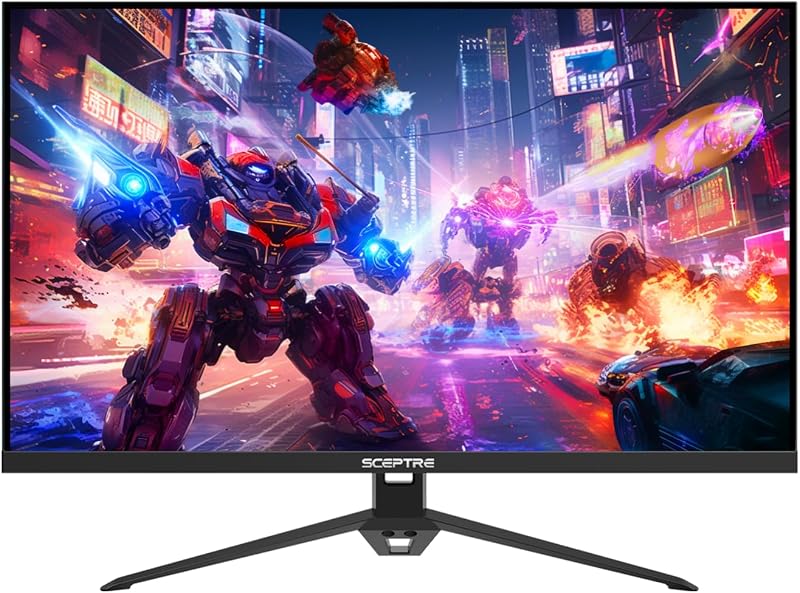
The Sceptre New IPS 24-inch Gaming Monitor represents the brand’s push into high-velocity competitive gaming displays, pairing a fast 180Hz refresh rate with a 1ms Blur Reduction (BR) mode. Built on a 1080p IPS panel, this unit is engineered for twitch shooters and fast-paced multiplayer arenas where smooth motion tracking directly impacts performance. The display features a matte anti-glare finish, an essential design choice for gamers working in bright rooms or rooms with direct overhead lighting. Sceptre also equips this model with 100% sRGB color gamut support and integrated Blue Light Shift technology to mitigate eye fatigue across extended viewing sessions.
Connectivity is a key strength on this unit, featuring two DisplayPort connections alongside two HDMI inputs. This generous arrangement lets you connect a primary gaming PC via DisplayPort while keeping modern consoles hooked up to the secondary ports without swapping cables. FreeSync support helps prevent frame pacing discrepancies and screen tearing. Like most compact gaming panels from the brand, integrated speakers are included directly in the housing, eliminating desktop clutter for basic voice calls or system sounds, though competitive audio still requires a dedicated gaming headset.
When considering the Sceptre New IPS 24-inch Gaming Monitor, also known under the E248B-FPT168 series designation, buyers should consider physical stability. Sceptre 24 inch 180hz monitor reliability relies heavily on keeping the unit well-ventilated, as compact high-refresh monitors run warmer than standard desktop panels. For players seeking maximum motion smoothness paired with a glare-resistant screen finish, this model serves as a direct upgrade over the brand’s older 75Hz business options.
Sceptre IPS 24" LED Gaming Monitor for DisplayPort Gamers

Best for: PC gamers connecting via DisplayPort
Pros
- 165Hz DisplayPort performance
- AMD FreeSync Premium support
- 1ms response time
Cons
- HDMI capped at 120Hz
- Reflective glossy screen
The Sceptre IPS 24″ LED Gaming Monitor, model number sceptre e248b-fpn168, targets PC gamers who want high-frame-rate fluidity supported by AMD FreeSync Premium. The panel utilizes In-Plane Switching technology to sustain wide 178-degree viewing angles and delivers a 1,000,000:1 dynamic contrast ratio with 300 nits of peak brightness. Its fast 1ms response helps minimize visible ghosting behind fast-moving objects, while an edgeless bezel housing creates a sleek, distraction-free appearance suited for multi-monitor desktop configurations.
Advocates must highlight an important hardware caveat regarding port bandwidth on this model: while the single DisplayPort interface drives the full 165Hz refresh rate, the two HDMI ports are hardware-limited to 120Hz at 1080p resolution. Console players or PC users relying strictly on HDMI will not access the top 165Hz capability. Additionally, this display utilizes a glossy screen finish rather than matte. Glossy panels provide heightened contrast perception and vibrant visual punch, but they reflect ambient lamps and window glare far more aggressively.
This display suits dedicated desktop PC gamers equipped with DisplayPort-capable graphics cards who operate in controlled lighting environments. For shoppers comparing options within the sceptre gaming monitor comparison matrix, this model offers AMD FreeSync Premium frame stabilization, though those needing full high-refresh bandwidth over HDMI should look toward the newer quad-port revisions.
Sceptre IPS 24-Inch Computer LED Monitor for Mixed Casual Use

Best for: Office productivity needing glare-free screens
Pros
- Matte anti-glare finish
- VESA wall mountable
- 99% sRGB color gamut
Cons
- 75Hz maximum refresh rate
- Modest pixel response

Best for: Everyday computing and legacy PC setups
Pros
- Dedicated VGA port
- Dual HDMI inputs
- 300 nits brightness
Cons
- 75Hz ceiling limits esports
- Glossy finish prone to glare
The Sceptre IPS 24-Inch Computer LED Monitor, designated as the sceptre e249w-fpt, addresses daily computing, web productivity, and entry-level gaming where ultra-high refresh speeds are not mandatory. Delivering 1080p Full HD resolution at a stable 75Hz refresh rate, this display represents a noticeable step up in fluidity compared to traditional 60Hz office panels. It outputs 300 cd/m² brightness across an IPS panel, ensuring dependable color reproduction and wide horizontal and vertical viewing angles.
Physical connectivity includes two HDMI ports alongside a legacy VGA input, giving users the versatility to link modern laptops alongside older desktop towers or secondary workstations. Sceptre includes dedicated Audio In and 3.5mm Headphone Out jacks to complement the built-in stereo speakers. Like its companion gaming sibling, this unit features a glossy screen finish that accentuates saturation but requires careful desktop positioning to avoid sharp light reflections from surrounding room fixtures.
The E249W-FPT suits students, remote workers, and casual gamers who balance document processing with light multimedia entertainment. Because it caps at 75Hz and the listing does not specify adaptive sync support, competitive esports players will find it lacking in motion clarity compared to the brand’s 165Hz and 180Hz models. However, for legacy video connections and reliable general computing, it serves as a straightforward, functional workspace display.
Sceptre IPS 24-Inch Business Computer Monitor for Glare-Free Productivity
Designed primarily for office deployment and productivity-focused desks, the Sceptre IPS 24-Inch Business Computer Monitor (model sceptre e248w-fpt) pairs a 75Hz refresh rate with a practical matte screen finish. Unlike glossy panels that transform into mirrors in bright office environments, this matte LCD panel diffuses incoming light effectively. The screen provides 99% sRGB color coverage, a 300 cd/m² brightness rating, and Anti-Flicker backlight technology paired with Blue Light Shift to keep long document sessions comfortable on the eyes.
Despite its business-oriented naming, Sceptre builds in several gaming-centric software enhancements, including custom FPS and RTS game picture presets, overdrive tuning, and Adaptive Sync support to reduce screen tearing during casual play. Port options mirror the E249W-FPT with two HDMI ports and one VGA port supporting up to 75Hz, alongside an audio line-in port and headphone jack. Crucially, this model includes a standard VESA wall mount pattern on the back panel, allowing users to discard the modest stock stand in favor of an ergonomic articulating desk arm.
This display suits office professionals and casual gamers who prioritize glare reduction, mounting flexibility, and accurate sRGB color reproduction over competitive refresh rates. When deciding which sceptre gaming monitor to buy for dual-monitor office desks, the E248W-FPT holds a noticeable ergonomic advantage over glossy 75Hz counterparts due to its anti-glare coating and VESA arm compatibility.
Sceptre 24-Inch Gaming Monitor for Multi-Device Desktops
Best for: Multi-console gaming setups needing three HDMI ports
Pros
- Three HDMI inputs
- Up to 180Hz refresh rate
- 99% sRGB color coverage
Cons
- HDMI capped at 144Hz
- Glossy panel reflections
The Sceptre 24-Inch Gaming Monitor, part of the established sceptre e248b-fpt168 series, is an adaptable high-refresh option configured specifically for multi-device desktop battle stations. This display features an IPS panel capable of pushing up to a 180Hz refresh rate with a rapid 1ms response time, 99% sRGB color coverage, and AMD FreeSync support. Sceptre integrates Anti-Flicker backlight modulation and Blue Light Shift filters to protect gamers from visual fatigue during extended gaming sessions.
Input connectivity is uniquely arranged on this model: it features one DisplayPort connection delivering up to 165Hz and three separate HDMI ports delivering up to 144Hz each. This port distribution makes the monitor an exceptional hub for players managing a PC alongside multiple gaming consoles or streaming boxes. Rather than purchasing external switchers, users can leave all four devices permanently wired. However, users must remember that reaching the top refresh performance requires the DisplayPort connection, as HDMI inputs max out at 144Hz.
Featuring an edgeless bezel layout and a glossy screen surface description, this display delivers striking contrast and deep color saturation in dimmed or dark gaming dens. Players who operate in sunlit rooms may struggle with surface glare, making the matte-finished B097FZG8QQ a safer alternative for bright spaces. However, for console-heavy desktop setups requiring three HDMI ports, this unit provides unmatched input flexibility in Sceptre’s 24-inch category.
New! Sceptre 24-inch Prime Gaming Monitor for Quad-Input Flexibility
Best for: Multi-device gaming setups wanting quad high-refresh inputs
Pros
- Two DP and two HDMI ports
- 165Hz across digital inputs
- VESA wall mountable
Cons
- Listing panel specs vary
- Basic integrated audio
The New! Sceptre 24-inch Prime Gaming Monitor represents the newest iteration in the company’s compact gaming lineup, designated under model code E248B-FW165T. Engineered for competitive gameplay, this 1080p display supports a 165Hz refresh rate—with secondary listing notes highlighting a 180Hz blur-reduction mode—alongside a 1ms Blur Reduction (BR) response setting. It features a matte screen finish to eliminate ambient reflections and incorporates 94% sRGB color gamut coverage alongside custom FPS and RTS game modes.
Connectivity on this unit is exceptionally balanced, featuring two DisplayPort connections and two HDMI ports that all provide up to 165Hz refresh rates. This eliminates the HDMI bandwidth throttling seen on earlier models, allowing console and PC gamers alike to achieve high frame rates across any digital port. The chassis includes integrated stereo speakers, an audio out jack for external sound routing, and standard VESA wall mount patterns to facilitate multi-monitor mounting on aftermarket monitor arms.
Buyers scrutinizing specifications should note a minor discrepancy in the product data: while the primary listing categorizes the display as LED technology, the extended description references a 24-inch VA panel with deep contrast. Regardless of internal panel sourcing, its matte anti-glare finish, balanced quad-port 165Hz architecture, and VESA mount capability make the New! Sceptre 24-inch Prime Gaming Monitor a compelling candidate for the best 24 inch sceptre monitor for gaming among multi-device users.
How to Choose the Right Sceptre Gaming Monitor
Selecting the ideal 24-inch Sceptre monitor requires looking past raw frame rates and matching display hardware to your daily use case, room lighting, and desktop configuration. The first major decision is determining the appropriate refresh rate tier. If your gaming involves fast-paced competitive titles such as first-person shooters, opting for a 165Hz or 180Hz model—such as the B097FZG8QQ, B08G3LXB5C, B088VMY23M, or B0H5FQ6J4J—provides essential motion clarity and low input delay. Conversely, if your primary tasks involve office software, document editing, and casual strategy titles, the 75Hz models (E249W-FPT and E248W-FPT) offer plenty of visual smoothness while including legacy inputs like VGA for older hardware.
Port specifications and bandwidth caps represent another critical checkpoint. Not all HDMI ports on Sceptre displays deliver identical refresh rates. For instance, the B08G3LXB5C limits HDMI connections to 120Hz, requiring DisplayPort for full 165Hz performance, while the B088VMY23M caps its three HDMI ports at 144Hz. In contrast, the newer B0H5FQ6J4J supports 165Hz across both of its HDMI and both of its DisplayPort connections. Carefully review your computer’s available video outputs to ensure you can reach the panel’s advertised refresh rate without purchasing unexpected adapters.
Ambient lighting in your room dictates whether you should select a matte or glossy screen finish. Sceptre models like the E248B-FPN168 and E249W-FPT feature glossy coatings that enhance perceived color depth and contrast, but they can be distracting in rooms with unshaded windows or intense overhead lights. If your desk sits in a bright environment, choosing a matte finish model—such as the B097FZG8QQ or the business-oriented E248W-FPT—prevents frustrating glare and reflections.
Shoppers debating whether a compact 24-inch panel fits their desktop or if a wider format makes sense can inspect our detailed breakdown of the sceptre 32 inch monitor lineup. For those who prioritize sweeping wrap-around immersion over flat desktop panels, reviewing our analysis of the sceptre curved 32 fhd 1080p gaming monitor up to 240hz 1ms 99% srgb amd freesync premium build-in sp provides a clear look at how larger curved displays handle high refresh rates.
Finally, consider sceptre monitor build quality and warranty realities before finalizing your setup. Sceptre maintains lightweight builds by utilizing plastic enclosures and compact, tilt-only stands that lack height, swivel, or pivot adjustments. If ergonomic positioning is important to your posture, verify that your chosen model includes VESA wall mount patterns—such as the E248W-FPT or B0H5FQ6J4J—so you can mount the panel directly to an adjustable gas-spring monitor arm. Furthermore, inspect the panel thoroughly upon arrival for dead pixels or backlight uniformity issues, as taking advantage of early retailer return policies is far more efficient than navigating manufacturer warranty claims later on.
FAQ
Can all Sceptre gaming monitors achieve their advertised refresh rates through HDMI?
No, maximum refresh rates on Sceptre monitors frequently depend on the specific port you utilize. On older or entry-level models like the B08G3LXB5C, HDMI inputs are capped at 120Hz, requiring a DisplayPort cable to reach 165Hz. Similarly, the B088VMY23M provides 144Hz across its HDMI ports while reserving higher refresh rates for DisplayPort. Only certain newer revisions, like the B0H5FQ6J4J, support 165Hz natively across both HDMI and DisplayPort inputs. Always verify the port specifications against your computer’s available video outputs.
What is the practical difference between Sceptre matte and glossy screen finishes?
Sceptre utilizes matte finishes on units like the B097FZG8QQ and E248W-FPT, which diffuse ambient lighting to prevent glare, making them ideal for brightly lit offices and rooms with open windows. Glossy finishes, found on models like the B08G3LXB5C and E249W-FPT, offer richer perceived contrast and punchier color saturation because there is no anti-glare etching over the glass. However, glossy screens reflect light sources easily and require controlled, dim room lighting to maintain an unobstructed view.
Are the integrated speakers on Sceptre monitors suitable for primary gaming audio?
The integrated speakers across Sceptre’s 24-inch display lineup are compact units intended for basic desktop duties, such as system alerts, conference calls, and casual video playback. Because they lack low-frequency bass response and physical acoustic depth, they cannot deliver the directional audio cues or punchy sound effects required for competitive gaming. Serious players should rely on dedicated desktop speakers or gaming headsets plugged directly into the audio pass-through jack or PC.
Does AMD FreeSync function properly over both HDMI and DisplayPort?
On Sceptre models equipped with variable refresh rate technology—such as AMD FreeSync or FreeSync Premium—the feature generally functions over both DisplayPort and HDMI, provided your graphics card drivers support adaptive sync across that interface. However, FreeSync capabilities are bound by the refresh rate limits of the port in use; if an HDMI port is hardware-limited to 120Hz or 144Hz, FreeSync will operate only within that supported range rather than the panel’s maximum DisplayPort ceiling.
How should buyers handle physical ergonomics and mounting on Sceptre monitors?
Most Sceptre 24-inch displays include basic desktop stands that offer forward and backward tilt adjustments but lack height adjustment, swivel, or landscape-to-portrait pivot. To avoid poor ergonomic posture, check if the model features standard VESA wall mount patterns, as seen on the E248W-FPT and B0H5FQ6J4J. Utilizing an aftermarket VESA desk arm allows you to adjust height, clear desk space, and isolate the monitor from desk vibrations.


