


As Amazon Associates, we earn from qualifying purchases. This means we may receive a small commission at no extra cost to you if you click through and make a purchase.
Lenovo has established a respected reputation in enterprise computing through its ThinkPad and ThinkVision hardware lineups, emphasizing structural reliability, functional design, and direct hardware synergy. In the mobile display category, the brand translates this business-first engineering into auxiliary screens built to handle frequent business travel, hybrid office commuting, and field collaboration. Rather than pursuing fragile decorative designs, these displays prioritize integrated mechanical kickstands, dual-port cable routing, and reliable USB-C interface protocols that allow mobile professionals to expand their digital workspaces without carrying bulky external power bricks.
Across this lineup, Lenovo distinguishes its mobile displays through screen size, panel surface treatments, aspect ratios, and port architectures, separating full-sized 15.6-inch office monitors from high-resolution 16:10 creative displays and featherweight matte travel screens with power pass-through charging. Choosing the right thinkpad portable monitor requires examining how these mechanical hinges, display finishes, and chassis weights handle daily wear over long-term deployment.
Lenovo Portable Monitors Compared
Selecting the best portable monitor for thinkpad deployments requires balancing diagonal workspace against chassis weight, contrast performance, and stand ergonomics. The comparison table below compiles verified technical specifications across all four current models to clarify key hardware distinctions.
| Model | Display Specs | Brightness and Contrast | Finish and Viewing Angle | Weight and Stand Design |
|---|---|---|---|---|
| Lenovo L15 | 15.6-inch FHD (1920×1080), 16:9, IPS LCD, 60Hz | 250 nits, 1000:1 to 3000:1 | Glossy, 178 degrees | 4.7 pounds (listing spec), Height-adjustable stand |
| Lenovo ThinkVision M15 | 15-inch FHD (1920×1080), 1.77:1, LCD, 60Hz | 250 cd/m², 600:1 | Flat, 90 degrees | Not listed, 0 to 90 degree tilt with adjustable foot |
| Lenovo ThinkVision M14t Gen2 | 14-inch 2240×1400, 16:10, IPS LCD, 60Hz | 270 cd/m², 1500:1 | Glossy, 178 degrees | 2 pounds, Integrated tilt stand |
| Lenovo ThinkVision M14 | 14-inch FHD (1920×1080), 16:9, IPS LED, 60Hz | 300 cd/m², 1000:1 | Matte, 90 degrees | 1.26 pounds (570g), Tilt-adjustable base with Kensington slot |
Lenovo L15 Portable Monitor for Everyday Office Multitasking

Best for: Stationary office multitasking and hot desk setups
Pros
- Height adjustable stand
- Flicker-free eye technology
- Broad 178 degree viewing
Cons
- Glossy screen finish
- Heavy 4.7 pound listing spec
The Lenovo L15 Portable Monitor is a full-sized 15.6-inch auxiliary screen designed primarily for home office desks and corporate hot-desking. Built in a grey chassis with a standard 16:9 aspect ratio, this display provides Full HD resolution across an IPS panel to ensure broad 178-degree viewing angles. It incorporates two USB-C ports delivering video input and device connectivity, simplifying dual-screen setups without requiring legacy display cables. For users organizing stationary desks alongside hardware like a lenovo thinkpad docking station dual monitor 2 hdmi, the L15 offers a reliable second screen for administrative dashboards and messaging apps.
Visual performance centers on a 60Hz refresh rate and a peak brightness rating of 250 nits. The listing highlights a contrast ratio from 1000:1 to 3000:1, which helps separate fine text from dark backgrounds during long document sessions. Lenovo also adds flicker-free technology to reduce eye strain during extended workdays. However, the display surface uses a glossy finish, meaning that positioning this screen near uncovered office windows or bright overhead fixtures can create distracting surface reflections that reduce legibility.
Ergonomics are an asset for this model thanks to its built-in height-adjustable stand, allowing users to elevate the screen plane to better align with an adjacent laptop. Buyers should note a weight discrepancy in the listing: while bullet points describe the unit as weighing just under two pounds, the specifications table lists item weight at 4.7 pounds. This physical presence makes the L15 best suited for stationary desktop use rather than constant travel. When ultra-low carrying weight or bilateral cable routing is required, shoppers should consider the ThinkVision lineup instead.
Lenovo ThinkVision M15 15" FHD Mobile for Field Collaboration and Power Pass-Through

Best for: Client collaboration and ambidextrous port routing
Pros
- Pass-through laptop charging
- Dual-sided USB-C ports
- 0 to 90 degree tilt hinge
Cons
- Modest 600:1 contrast ratio
- Narrow 90 degree viewing angle
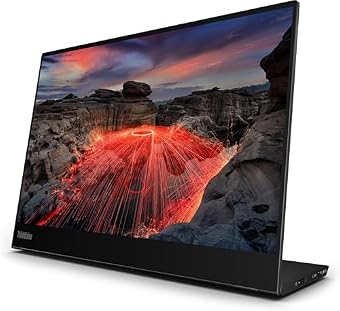
Engineered for enterprise mobility and collaborative client meetings, the Lenovo ThinkVision M15 15″ FHD Mobile delivers a 15-inch Full HD display housed in an understated black chassis. What distinguishes this lenovo usb-c mobile monitor is its bilateral connector layout: it houses advanced USB-C ports on both the right and left sides. This symmetrical arrangement eliminates cable strain by letting users place the monitor on either side of their notebook without twisting cords. In a broader lenovo portable monitor comparison, this ambidextrous port placement proves invaluable across crowded conference rooms and temporary client desks.
A key operational advantage of the ThinkVision M15 is its power pass-through design. Connecting a single compatible USB-C power adapter to one side of the screen allows users to simultaneously power the display and charge the attached laptop through the opposite port. This capability removes the burden of packing duplicate charging adapters while on the road. The mechanical base provides a versatile tilt range spanning from 0 to 90 degrees, complemented by an adjustable foot that enables precise height matching alongside corporate notebooks.
Visual specifications include a standard 60Hz refresh rate, AMD FreeSync support, a 0.28 pixel pitch, and a brightness of 250 cd/m². The contrast ratio is rated at 600:1, with a 90-degree viewing angle across its flat panel surface. While visual fidelity is well suited for spreadsheets, presentations, and general office software, it lacks the wider dynamic contrast needed for specialized color grading. The M15 is an excellent practical tool for field consultants, but professionals who need higher resolution or expanded vertical screen space will prefer the M14t Gen2.
Lenovo ThinkVision M14t Gen2 14-inch 2240×1400 for High-Resolution Productivity
Best for: Frequent travelers prioritizing low carrying weight
Pros
- Ultra-light 1.26 pound chassis
- Anti-glare matte screen finish
- Bright 300 nit display
Cons
- Standard 45 percent color gamut
- Traditional 16:9 vertical limit

Best for: Data analysis and detailed document review
Pros
- Sharp 2240×1400 16:10 resolution
- 100 percent color gamut
- High 1500:1 contrast ratio
Cons
- Glossy reflective display
- Moderate 270 nit brightness
The Lenovo ThinkVision M14t Gen2 14-inch 2240×1400 represents Lenovo’s premium tier for mobile professionals who require dense pixel clarity and expanded vertical workspace. Identified by manufacturer code 63FDUAT6WL, this 14-inch monitor adopts a modern 16:10 aspect ratio. Offering a sharp 2240×1400 resolution, this panel displays financial models, dense spreadsheets, and coding environments with crisp typographic definition, presenting significantly more vertical data than traditional 1080p panels. For shoppers considering which lenovo portable monitor to buy for intensive data analysis, this second-generation unit offers exceptional precision.
Under the hood, the M14t Gen2 features an IPS LCD panel with a 0.18 pixel pitch, a high 1500:1 contrast ratio, and full 100 percent color gamut coverage. These specifications provide deep black levels, rich color rendition, and wide 178-degree viewing angles without color shift. The display runs at 60Hz with a brightness of 270 cd/m² and incorporates Eye Caring technology to mitigate ocular fatigue. The screen finish is glossy, which enriches color saturation and image depth, though it calls for mindful placement in spaces with severe overhead lighting.
In terms of physical construction, the M14t Gen2 weighs a manageable 2 pounds and measures 14.96 inches deep by 11.02 inches wide by 3.15 inches high according to the listing. Its integrated tilt stand creates a firm platform that prevents panel wobble during use. While mobile workers who also evaluated a visionowl portable monitor may prioritize basic display utility, the M14t Gen2 targets serious professionals requiring uncompromising clarity. It stands out for spreadsheet analysis and executive reporting, though buyers seeking absolute minimal travel weight will lean toward the standard M14.
Lenovo ThinkVision M14 14" Full HD for Lightweight Travel Reliability
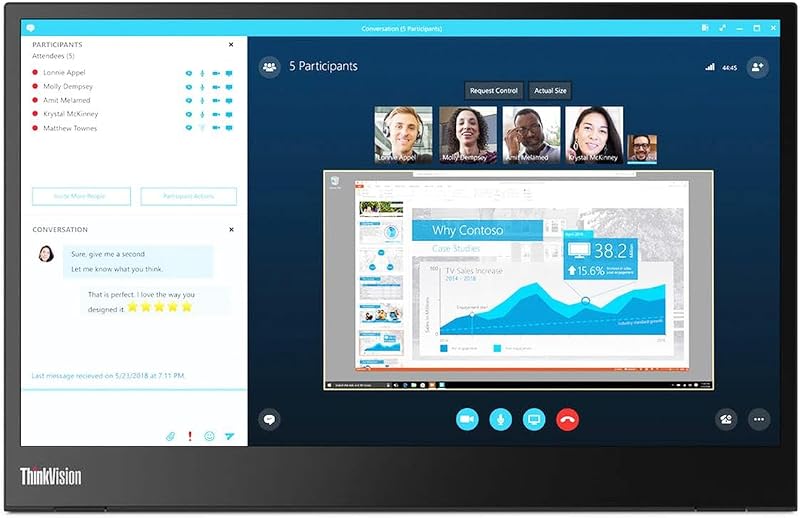
The Lenovo ThinkVision M14 14″ Full HD is a celebrated enterprise travel display, recognized as an industry benchmark for lightweight mobility. Weighing only 1.26 pounds (570 grams), this 14-inch Raven Black screen slips into slim briefcase sleeves without burdening frequent travelers. It provides a Full HD 1920×1080 IPS panel with 16.7 million colors, a 60Hz refresh rate, and a 6ms response time. Shoppers who previously evaluated generic mobile gear or reviewed an asus zen screen will appreciate the M14’s rigid fold-out kickstand base, which avoids unstable magnetic folio sleeves in favor of durable mechanical support.
A notable technical strength of the lenovo thinkvision m14 is its optical treatment. Unlike glossy panels, the M14 features a matte anti-glare finish coupled with a 300-nit (cd/m²) typical brightness and a 1000:1 contrast ratio. This matte coating diffuses harsh reflections, making it dependable in airport terminals, coffee shops, and sunlit offices. The screen includes Low Blue Light technology to guard eye comfort during late work hours, while its 90-degree viewing angle helps keep confidential company data shielded from wandering eyes in public transit.
Connectivity consists of two USB Type-C ports supporting DisplayPort 1.2 Alt Mode and Power Delivery 2.0. This pass-through system enables laptop charging and video transmission through one external power brick, while ports on opposing sides facilitate clean cable routing. Security is enhanced by an integrated Kensington lock slot, allowing travelers to secure the monitor to hot-desks. With a 45 percent color gamut, it is not built for fine visual art editing, but for lightweight travel reliability and documentation, it remains the standout choice among mobile screens.
How to Choose the Right Lenovo Portable Monitor
Selecting the right mobile monitor from Lenovo requires weighing panel dimensions, mechanical hinges, surface coatings, and port setups against your daily workflow. The catalog divides between 15.6-inch screens like the L15 and ThinkVision M15, and compact 14-inch screens including the M14 and M14t Gen2. A 15.6-inch panel provides an expansive canvas that mirrors standard office laptops but demands more desk area and bag space. By comparison, 14-inch displays match standard ThinkPad footprints and fit comfortably on narrow train trays and small cafe tables.
Hinge design directly determines ergonomics and long-term chassis durability. Lenovo builds solid mechanical kickstands into these monitors rather than using floppy magnetic covers. The Lenovo L15 provides height adjustment to raise the display plane and reduce neck fatigue on permanent desks. Meanwhile, the ThinkVision M15 offers 0 to 90 degree tilt with an adjustable foot, and the ThinkVision M14 employs an ultra-slim folding base. Consider your desk habits, as repeated angle repositioning places stress on internal hinge friction pads over years of travel.
Port engineering and power routing dictate everyday convenience. Both the ThinkVision M15 and ThinkVision M14 incorporate dual USB-C ports on opposing sides with power pass-through technology. This setup lets you plug an AC adapter into one side of the screen and run a single USB-C cable from the other side to charge your laptop while driving video. Choosing a model with bilateral ports prevents severe cable bends, which shields both the monitor ports and laptop receptacles from premature hardware failure.
Finally, match the panel finish and resolution to your operating environment. When traveling through unpredictable lighting conditions such as airports or brightly lit lobbies, the matte finish and 300-nit brightness of the ThinkVision M14 deliver dependable glare resistance. However, if your tasks involve dense financial tables, coding, or detailed document review in controlled lighting, the glossy 2240×1400 16:10 panel on the ThinkVision M14t Gen2 provides sharper text rendering and valuable vertical screen space.
FAQ
Can you power a ThinkPad laptop through these mobile monitors?
Yes, models equipped with power pass-through design, including the ThinkVision M15 and ThinkVision M14, allow pass-through charging. Connecting a compatible USB-C power adapter directly to one of the monitor ports allows the screen to draw its own power while sending charging current through the second port to the laptop. The ThinkVision M14 listing confirms support for Power Delivery 2.0 and DisplayPort 1.2 Alt Mode across its two USB Type-C ports.
Do Lenovo portable monitors require proprietary display drivers?
No proprietary drivers are needed for standard operation. These displays function over standard USB Type-C connections using DisplayPort Alternate Mode, transmitting video signals and power through a single cable. Provided your ThinkPad or laptop has a full-featured USB-C port supporting video output, the display connects immediately as a plug-and-play auxiliary screen.
How durable are the integrated USB-C ports against frequent cable movement?
Lenovo mounts its USB-C ports directly into the sturdy base kickstand rather than into the thin screen border. This lower center of gravity ensures that accidental cable pulls do not exert direct torsional force on the delicate panel edges. To maintain port longevity, avoid yanking cables at sharp angles and leave sufficient cable slack when adjusting monitor tilt.
What is the functional difference between 16:9 and 16:10 aspect ratios?
A standard 16:9 aspect ratio, present on the Lenovo L15, ThinkVision M15, and ThinkVision M14, matches standard widescreen video and everyday office multitasking. The taller 16:10 aspect ratio on the ThinkVision M14t Gen2 delivers additional vertical pixels (2240×1400 compared to 1920×1080). This extra height reveals more spreadsheet rows and lines of text without requiring constant scrolling.
Are these displays compatible with non-Lenovo laptops and hardware?
Yes, Lenovo portable monitors work with non-Lenovo laptops running Windows, macOS, or Linux, provided the host machine features a USB-C port enabled with DisplayPort Alt Mode. The listings confirm standard USB-C compatibility across all models, with the ThinkVision M14 specifically noting compatibility with any device equipped with an advanced USB-C port.


