

As Amazon Associates, we earn from qualifying purchases. This means we may receive a small commission at no extra cost to you if you click through and make a purchase.
Lenovo has long anchored the commercial computing sector through its ThinkPad brand, known for mechanical durability, tactile spill-resistant keyboards, and standardized enterprise deployment. The manufacturer segments its business catalog into clear operational tiers—the flagship T series, the balanced L series, the budget-conscious E series, and entry-level IdeaPad models—with each lineup targeting distinct trade-offs between chassis stiffness, screen brightness, and serviceability. Choosing the right machine requires understanding these structural differences, as modern corporate workflows demand varied balances of processing throughput, thermal management, and port longevity.
Across these six models, the key differences lie in processor tier, display brightness ranging from 300 to 400 nits, connectivity standards such as Thunderbolt 4 versus basic USB-C, and whether warranty support comes directly from the factory or through third-party upgrade specialists.
Lenovo Business Laptops Compared
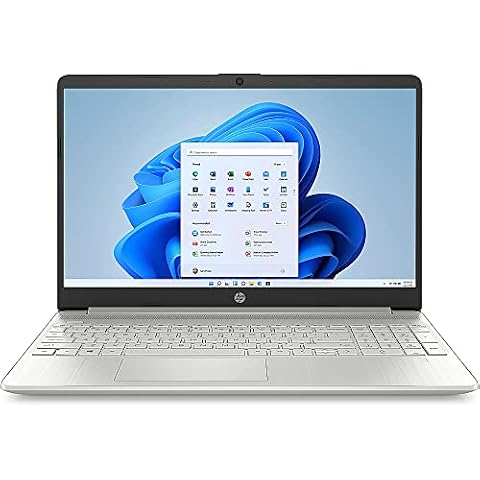
Best for: General office administration and students
Pros
- Lightweight 3.7-pound chassis
- Built-in SD card slot
- Full numeric keypad
Cons
- Windows 11 Home lacks BitLocker
- Older HDMI 1.4 port
| Model | Processor | Display Specs | Operating System | Weight |
|---|---|---|---|---|
| Lenovo ThinkPad L16 Business Enterprise AI | Intel Core Ultra 5 225U | 16-inch WUXGA (400 nits) | Windows 11 Pro | 4 pounds |
| Lenovo ThinkPad E16 Gen 3 Business (B0GL899FWV) | Intel Core Ultra 5 225H | 16-inch WUXGA (300 nits) | Windows 11 Pro | 3.8 pounds |
| Lenovo ThinkPad E14 Gen 7 Business | Intel Core 5 210H | 14-inch WUXGA (300 nits) | Windows 11 Pro | 3 pounds |
| Lenovo ThinkPad E16 Gen 3 Business (B0GTPM5X6X) | Intel Core Ultra 5 225H | 16-inch WUXGA (300 nits) | Windows 11 Pro | 3.8 pounds |
| Lenovo ThinkPad T16 Gen 4 AI | Intel Ultra 7 255U | 16-inch WUXGA (300 nits) | Windows 11 Pro | 6 pounds |
| Lenovo Business Laptop | Intel Core i5-13420H | 16-inch WUXGA (300 nits) | Windows 11 Home | 3.7 pounds |
Lenovo ThinkPad L16 Business Enterprise AI for Bright Workspaces
Best for: Professionals working in brightly lit spaces
Pros
- Bright 400-nit anti-glare display
- Dual Thunderbolt 4 ports
- Wi-Fi 6E connectivity
Cons
- Reseller warranty replaces factory coverage
- Integrated graphics only
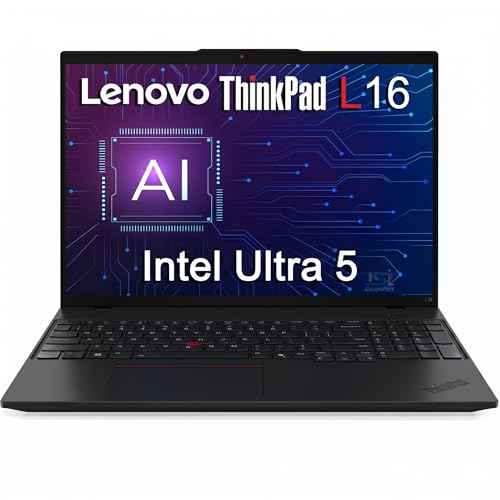
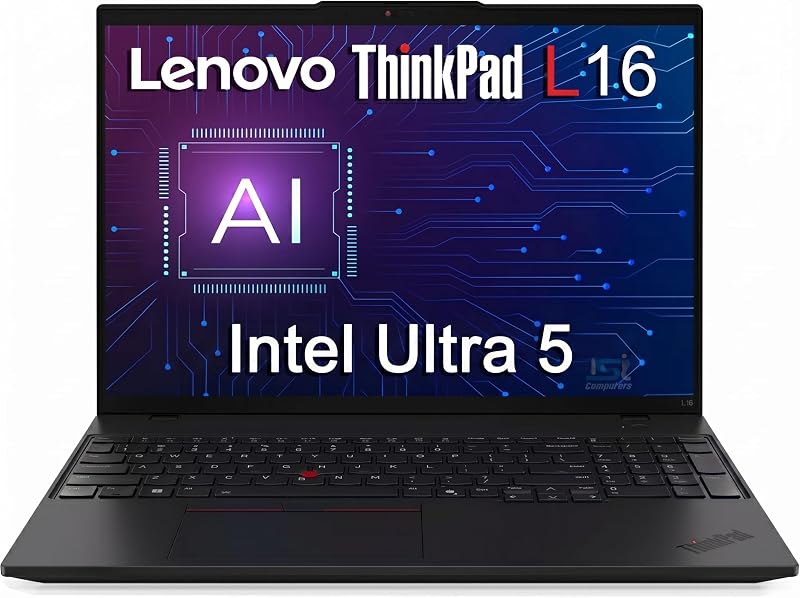
The Lenovo ThinkPad L16 Business Enterprise AI bridges the gap between value-focused commercial systems and top-tier enterprise hardware. Powered by a 12-core Intel Core Ultra 5 225U processor boosting up to 4.8 GHz with integrated Intel Graphics, this notebook focuses on power-efficient operation. Its standout physical feature is a 16-inch WUXGA anti-glare screen delivering 400 nits of brightness, making it easier to read near sunny office windows than common 300-nit screens. Physical connections are comprehensive, featuring two Thunderbolt 4 ports, two USB-A 3.2 Gen 1 ports, USB-A 2.0, HDMI 2.1, and an RJ-45 Ethernet jack for reliable wired office networks.
Shoppers evaluating this model must note its warranty disclosure. The listing explicitly states that the brand-new computer was resealed to upgrade memory and storage, meaning the included 1-year warranty is provided by Issaquash Highlands Tech rather than Lenovo directly. Built with a backlit keyboard, a numeric keypad, and a fingerprint reader, the 4-pound system runs Windows 11 Pro and supports up to three external displays for comprehensive desk setups.
This notebook is an excellent fit for office administrators and remote staff who work in high-glare environments and need dual Thunderbolt 4 ports. Those who require untouched factory warranty coverage or higher out-of-the-box system memory should look to the T16 Gen 4 instead.
Lenovo ThinkPad E16 Gen 3 Business for High-Efficiency Office Multitasking
Best for: Desk workers running multi-screen workstations
Pros
- Memory expandable to 64GB
- Triple 4K display support
- 14-core Intel Ultra 5
Cons
- Base 45% NTSC color coverage
- Standard 300-nit panel

Best for: Multitaskers needing high-performance H-series processing
Pros
- 14-core Ultra 5 225H processor
- Intel Arc 130T graphics
- Integrated 13 TOPS NPU
Cons
- Standard 300-nit brightness ceiling
- Single Thunderbolt 4 port
The Lenovo ThinkPad E16 Gen 3 Business brings performance-focused hardware into Lenovo’s mainstream commercial lineup. It runs on a 14-core Intel Core Ultra 5 225H processor that clocks up to 4.9 GHz and includes a 13 TOPS AI Boost NPU to accelerate multitasking. Supported by 16GB of DDR5 RAM and a 512GB NVMe SSD—configured as redundant 512GB storage in the listing—it handles complex data tables and simultaneous business applications smoothly. Graphics processing is managed by integrated Intel Arc 130T graphics, which handle light CAD tasks and presentation rendering.
The notebook includes a 16-inch WUXGA 300-nit anti-glare display, an FHD IR camera with a physical privacy shutter, a TPM 2.0 chip, and a power-button fingerprint reader. Ports include Thunderbolt 4, USB-C with Power Delivery, HDMI 2.1, and Ethernet. At 3.8 pounds, the jet black clamshell includes a backlit keyboard with a numeric keypad and runs Windows 11 Pro, establishing itself as a strong candidate for the best lenovo thinkpad for office work where raw CPU speed is a priority.
This model suits financial analysts, operations leads, and project coordinators who demand H-series processing throughput for data-heavy tasks. It gives way to the lighter E14 Gen 7 for professionals who travel constantly and prefer a smaller carrying footprint.
Lenovo ThinkPad E14 Gen 7 Business for Compact Mobile Productivity

Best for: Mobile professionals and frequent commuters
Pros
- Lightweight 3-pound chassis
- MIL-STD 810H durability
- Rapid Charge support
Cons
- Third-party upgrade warranty
- No dedicated numeric keypad
The Lenovo ThinkPad E14 Gen 7 Business delivers traditional ThinkPad durability in a compact, travel-friendly chassis. Weighing approximately 3 pounds, it meets MIL-STD 810H durability standards and includes Rapid Charge technology to minimize downtime. The 14-inch WUXGA IPS screen features 300 nits of brightness and TÜV Rheinland Low Blue Light certification to reduce eye fatigue. Processing is handled by an 8-core Intel Core 5 210H processor boosting up to 4.8 GHz, integrated Intel Graphics, and a 512GB NVMe SSD.
Peripheral connectivity is remarkably complete for a compact machine, offering Thunderbolt 4, USB-C 3.2 Gen 2×2, USB-A 3.2 Gen 2, USB-A 3.2 Gen 1, HDMI 2.1, and an RJ-45 Ethernet port. Buyers looking for portable productivity can review a lenovo thinkpad 14 inch laptop against 16-inch alternatives to weigh travel convenience against screen size. Note that this specific configuration is also disclosed as resealed and upgraded by IST Computers, with 1-year warranty support handled by Issaquash Highlands Tech.
This compact machine is ideal for traveling executives, field technicians, and auditors who need full port variety and a spill-resistant keyboard on the road. Users who spend long hours managing complex spreadsheets will likely prefer the larger display and numeric keypad on the E16.
Lenovo ThinkPad E16 Gen 3 Business for Multi-Screen Workstations
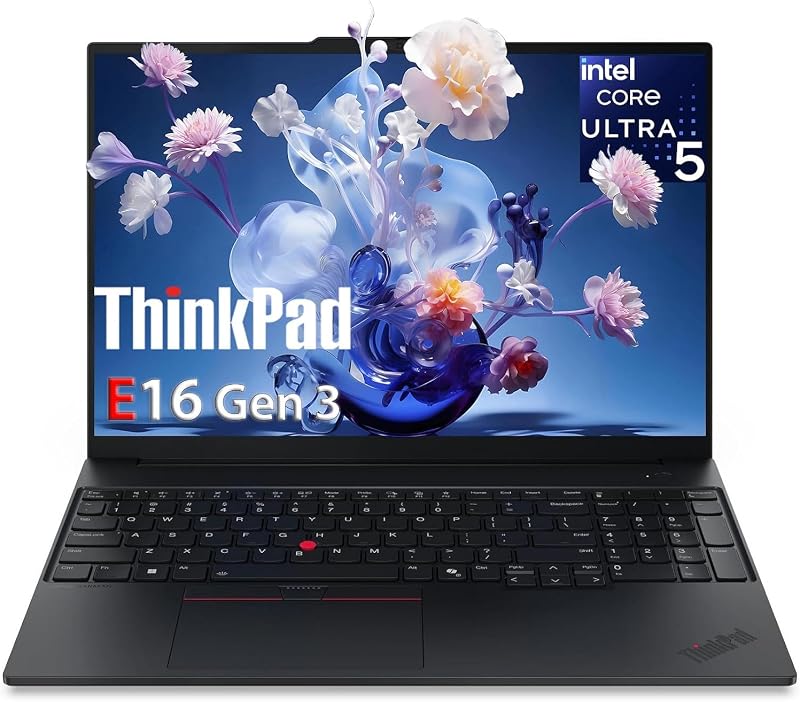
This alternate configuration of the Lenovo ThinkPad E16 Gen 3 Business emphasizes desktop productivity and future upgrade potential. It features the 14-core Intel Ultra 5 225H processor with a 13 TOPS NPU, 16GB of DDR5 RAM, and a 512GB NVMe PCIe SSD. The listing highlights memory expandability up to 64GB, giving technical staff a clear upgrade path as software requirements grow over time. Graphics duties are managed by an integrated Intel Arc subsystem.
The system is particularly well suited for multi-display office desks. In addition to its 16-inch WUXGA 300-nit anti-glare display with 45% NTSC color coverage, it can drive up to three external 4K monitors using its Thunderbolt 4, USB-C with Power Delivery, and HDMI 2.1 outputs. Essential security features include a discrete TPM 2.0 module, a power-button fingerprint scanner, a physical webcam privacy shutter, and Windows 11 Pro. The notebook weighs 3.8 pounds and features a full-size backlit keyboard with a numeric pad.
This configuration suits desk-based coordinators, accountants, and programmers who need multi-monitor support and room for memory expansion. It yields to the T16 Gen 4 for corporate users who require 32GB of RAM out of the box alongside an Intel Ultra 7 chip.
Lenovo ThinkPad T16 Gen 4 AI for Demanding Enterprise Deployments
Best for: Enterprise power users needing high memory
Pros
- 32GB DDR5 RAM included
- 1TB NVMe SSD storage
- High-resolution 5MP webcam
Cons
- Heavier 6-pound chassis
- Split dual-vendor warranty
The Lenovo ThinkPad T16 Gen 4 AI represents Lenovo’s premier corporate workhorse line, built for rigorous IT deployments. It features an Intel Ultra 7 255U processor reaching up to 5.2 GHz with a 12MB cache. Unlike entry-tier machines, this configuration arrives with 32GB of DDR5 RAM and a 1TB NVMe SSD directly installed, providing the capacity needed for virtual machines and heavy database processing. Buyers seeking a factory-ready lenovo 32gb ram 1tb ssd configuration will appreciate avoiding manual hardware installations.
Physical hardware includes a 16-inch WUXGA non-touch IPS screen with 300 nits brightness, an upgraded 5MP front-facing webcam for clear video conferencing, and a spill-resistant backlit keyboard with an integrated fingerprint reader. Connectivity covers Wi-Fi 6E AX211, Bluetooth 5.3, RJ-45 Ethernet, USB-A 3.2, USB-C 3.2, and USB-4 capabilities. The listing notes coverage from a 1-year Lenovo warranty paired with a 1-year Oemgenuine limited warranty. The notebook is listed at 6 pounds, reflecting its heavy-duty build.
This system suits enterprise power users, corporate managers, and system administrators who need generous memory and enterprise-level webcam hardware. Those who travel frequently will find the 3.8-pound E16 significantly easier to carry.
Lenovo Business Laptop for Everyday Administration
The Lenovo Business Laptop—identified in its listing as an IdeaPad Slim 3 16—offers a practical alternative for everyday office administration. Powered by an 8-core Intel Core i5-13420H processor running up to 4.6 GHz, it delivers dependable processing for web portals, communication tools, and document management. It includes 16GB of DDR5 RAM and a 512GB PCIe SSD, housed in an attractive Luna Grey chassis that weighs just 3.7 pounds. Shoppers looking for a reliable lenovo laptop i5 16gb ram 512 ssd setup will find solid core hardware here.
The laptop features a 16-inch WUXGA 300-nit anti-glare screen, an HD 720p webcam with a privacy shutter, and a full-size keyboard with a dedicated numeric keypad. Its port layout includes two USB-A ports, a USB-C port supporting Power Delivery and DisplayPort, an SD card reader, and an HDMI 1.4 port. Unlike the ThinkPad models, this unit ships with Windows 11 Home, which lacks native BitLocker drive encryption and remote domain management tools.
This system is ideal for small business owners, administrative assistants, and remote students who do not require corporate IT management. However, in any lenovo thinkpad vs ideapad business comparison, it steps aside for the ThinkPad E16 or L16 when enterprise security, spill resistance, or Thunderbolt connectivity are required.
How to Choose the Right Lenovo Business Laptops
Choosing the best machine from this lineup involves balancing chassis ruggedness, processor design, warranty source, and port selection against your daily workload.
- Chassis Tier and Longevity: The ThinkPad T16 Gen 4 represents enterprise-tier construction, engineered for corporate fleets. The ThinkPad L16 occupies the middle tier with balanced durability and a brighter 400-nit screen. The ThinkPad E16 and E14 deliver core ThinkPad styling in a lighter package, while the IdeaPad-based Lenovo Business Laptop offers consumer-grade styling suited for home-office tasks.
- Processor Selection (H-Series vs. U-Series): Processor suffixes indicate thermal priorities. The Intel Core Ultra 5 225H and Core 5 210H in the E-series models deliver higher sustained clock speeds for intensive processing. Conversely, the Ultra 5 225U in the L16 and Ultra 7 255U in the T16 focus on power efficiency and cooler operation for routine office software.
- Display Brightness: Every model reviewed features a 16:10 WUXGA (1920×1200) display, offering 11 percent more vertical reading area than standard 1080p screens. However, the ThinkPad L16 features a 400-nit panel that provides superior clarity in bright daylight, while the other five models feature 300-nit panels meant for indoor office lighting.
- Docking and Port Longevity: The ThinkPad models include Thunderbolt 4 and HDMI 2.1, supporting multi-monitor 4K desktop docking setups. In contrast, the IdeaPad-based Lenovo Business Laptop uses HDMI 1.4 and standard USB-C, which limits external monitor refresh rates.
- Warranty Origin and Upgrades: Listings such as the ThinkPad L16 and E14 from IST Computers, or the T16 from Oemgenuine, involve reseller-upgraded memory or storage. Buyers must verify whether warranty claims go through Lenovo or the selling merchant, as third-party modifications alter factory warranty terms.
FAQ
What is the difference between ThinkPad E series, L series, and T series laptops
The ThinkPad T series serves as Lenovo’s flagship enterprise tier, offering superior build materials, advanced cooling, and extensive corporate certifications. The L series occupies the middle ground, balancing enterprise features like 400-nit displays with practical pricing. The E series targets small-to-medium businesses, delivering essential ThinkPad typing and security features in a cost-effective build.
How do third-party upgrades impact Lenovo warranty coverage
When a third-party seller opens a notebook to upgrade the RAM or SSD, the original Lenovo factory warranty may no longer cover the modified components, or it may be replaced entirely by a reseller warranty, such as the 1-year Issaquash Highlands Tech coverage noted on several listings. Buyers should verify who provides hardware service before purchasing.
What is the practical difference between Windows 11 Pro and Windows 11 Home
Windows 11 Pro, pre-installed on all ThinkPad models in this guide, includes BitLocker drive encryption, Remote Desktop host capabilities, and corporate domain join features. Windows 11 Home, included on the IdeaPad-based Lenovo Business Laptop, omits BitLocker and domain management, making it best suited for personal use or independent contractors.
Can these Lenovo business laptops connect to multiple external monitors
Yes. The ThinkPad models feature Thunderbolt 4 and HDMI 2.1, allowing them to power up to three external displays at high resolutions. The IdeaPad-based Lenovo Business Laptop supports external displays through USB-C and HDMI 1.4, though with lower overall bandwidth.
Which Lenovo business laptop is best for mobile travel
The ThinkPad E14 Gen 7 is the most portable option in this guide, weighing approximately 3 pounds with a compact 14-inch footprint. The 16-inch models weigh between 3.7 and 6 pounds, making them better suited for dedicated desk setups or occasional commuting.