





As Amazon Associates, we earn from qualifying purchases. This means we may receive a small commission at no extra cost to you if you click through and make a purchase.
ASUS has established a distinct presence in the professional and high-performance display market, dividing its engineering between color-critical ProArt creative displays and gaming-oriented ROG OLED monitors. Buyers evaluating high-resolution monitors from this lineup often face critical technical considerations, including panel longevity, thermal behavior during continuous production hours, power delivery stability, and the practical enforcement of multi-year manufacturer warranties. Choosing among these models requires looking past top-line resolution figures to understand how panel coatings, subpixel structures, and backlighting designs hold up over years of continuous professional use.
Across these six displays, the hardware diverges between ultra-dense 6K and 5K productivity displays featuring 96W power delivery, established 4K IPS workstations backed by multi-year ProArt warranties, and extreme-refresh OLED panels utilizing proximity sensors and active pixel cleaning to mitigate long-term burn-in risks.
ASUS Monitors Compared
| Model | Resolution and Panel | Refresh Rate | Power Delivery | Warranty Coverage |
|---|---|---|---|---|
| ASUS ProArt PA32QCV | 6K (6016 x 3384) IPS | 60Hz | 96W (Thunderbolt 4) | Not listed |
| ASUS ProArt PA27JCV | 5K (5120 x 2880) IPS | 60Hz | 96W (USB-C) | 5 Years (3 plus 2 with registration) |
| ASUS ProArt PA279CRV | 4K (3840 x 2160) IPS | 60Hz | 96W (USB-C) | 5 Years (3 plus 2 with registration) |
| ASUS ProArt PA279CV | 4K (3840 x 2160) IPS | 60Hz | 65W (USB-C) | 5 Years (3 plus 2 with registration) |
| ASUS ROG XG32UCWMG | 4K (3840 x 2160) WOLED | 240Hz (480Hz Dual Mode) | 15W (USB-C) | 3 Years (with burn-in and ARR) |
| ASUS ROG PG27AQWP-W | 1440p (2560 x 1440) Tandem OLED | 540Hz (720Hz Dual Mode) | Not listed | Not listed |
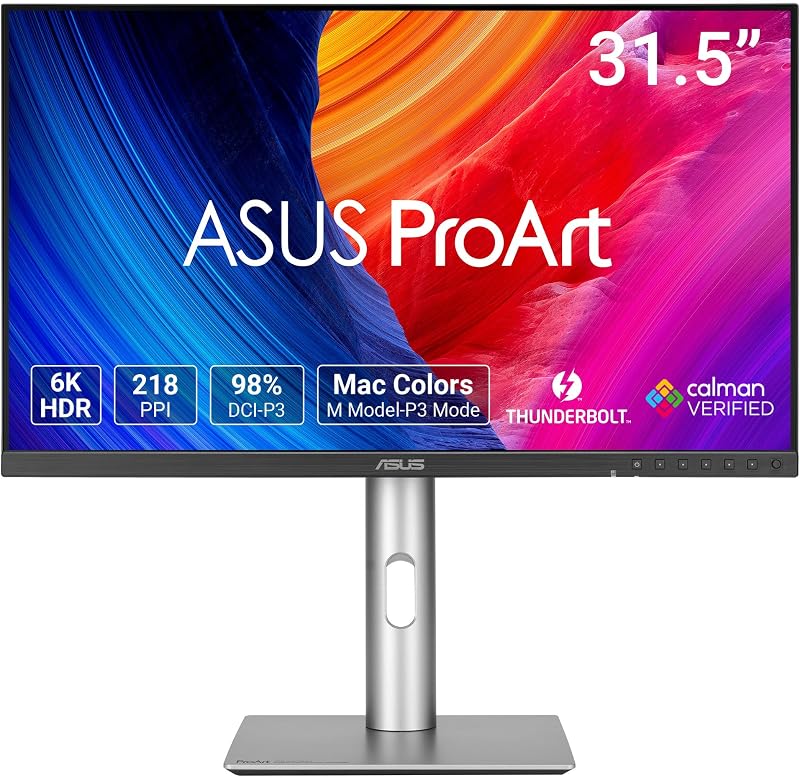
ASUS ProArt PA32QCV 32 Inch 6K for Studio Mac Workstations
Best for: Professional Mac workstation color grading
Pros
- 6K resolution with 218 PPI
- Dual Thunderbolt 4 with 96W charging
- Ambient and backlight sensors
Cons
- Standard 60Hz refresh rate
- Listing omits 5-year warranty terms
The ASUS ProArt PA32QCV 32 Inch 6K serves as the flagship high-density workspace for technical creators requiring native pixel density without software scaling artifacts. Built around a 31.5-inch 6K IPS panel outputting 6016 x 3384 pixels, it offers a fine 0.12 mm pixel pitch and a high 600 cd/m² brightness rating alongside VESA DisplayHDR 600 certification. The surface treatment relies on LuxPixel Anti-Glare Low-Reflection technology to minimize harsh ambient reflections while retaining color saturation across its 178-degree viewing angles. With 98% DCI-P3 and 100% sRGB coverage, the factory calibration delivers a verified Delta E under 2. The panel integrates an ambient light sensor and a backlight sensor within an intelligent light synchronization system to maintain uniform color performance against ambient room shifts.
Connectivity centers on dual Thunderbolt 4 ports capable of 96W Power Delivery, peripheral daisy-chaining, and integrated USB hub expansion, complemented by HDMI 2.1 and DisplayPort 1.4 video inputs. This infrastructure enhances asus macbook monitor compatibility by supplying full charging power and high-speed data transmission through a single cable while incorporating a dedicated M Model-P3 color preset mode to align rendering characteristics directly with modern laptop screens. The chassis integrates an Auto KVM switch, permitting seamless peripheral sharing between two host computers. An ergonomic stand supports full tilt, swivel, pivot, and height adjustments to accommodate strict studio posture requirements.
For technical directors and visual asset designers managing complex 4K and 6K timelines, the asus proart pa32qcv 6k provides native timeline real estate that standard resolution panels cannot match. Because the listing does not specify extended warranty years for this specific model, prospective buyers relying on long production cycles should weigh its advanced Thunderbolt 4 connectivity against the explicit multi-year warranty coverage documented on alternative ProArt models.
ASUS ProArt PA27JCV 27 Inch 5K for Precision Creative Retouching

Best for: Graphic designers needing 5K Mac scaling
Pros
- Native 5K pixel density
- 5-year warranty upon registration
- Built-in Auto KVM switch
Cons
- Moderate 400 nit brightness
- Limited to 60Hz refresh
The ASUS ProArt PA27JCV 27 Inch 5K provides a focused, high-density 27-inch canvas displaying 5120 x 2880 pixels, delivering the classic 218 pixels-per-inch density favored for high-DPI user interfaces. The IPS panel offers a 3000:1 contrast ratio, 400 cd/m² brightness, and LuxPixel matte anti-glare finishing. Color fidelity is maintained through factory pre-calibration delivering Delta E under 2 across 99% DCI-P3, 100% sRGB, and 95% Adobe RGB coverage spaces. Built-in ambient light and backlight sensors continuously monitor external illumination to adjust display temperature and luminance automatically, stabilizing output throughout extended grading sessions.
From a hardware interface perspective, the monitor incorporates a high-efficiency USB-C port supporting DisplayPort alternative mode, superfast data throughput, and 96W Power Delivery. Studio multi-tasking is streamlined through a built-in Auto KVM switch, which transfers keyboard and mouse input across two connected systems without software latency. As a dedicated asus proart monitor, this unit includes a 5-year warranty package structured as three standard years augmented by two additional years upon online product registration. It also ships with a complimentary 3-month Adobe Creative Cloud subscription valid through August 2028.
When conducting an asus 6k vs 5k monitor assessment, the asus proart pa27jcv 5k stands out as the optimal choice for graphic designers and photographers whose software interfaces scale cleanly at standard 5K dimensions. Its guaranteed five-year service coverage and 96W charging hub make it a reliable, lower-heat desk solution for single-cable computer setups.
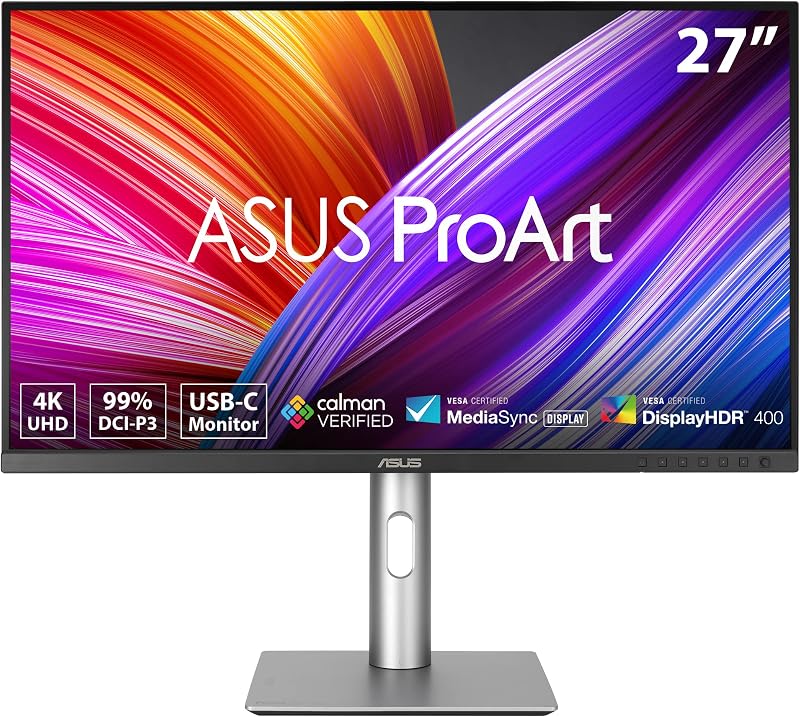
ASUS ProArt PA279CRV 27 Inch 4K for Video Production Suites
Best for: Video editors requiring wide Adobe RGB
Pros
- 99% Adobe RGB and DCI-P3
- DisplayPort daisy-chaining support
- 96W USB-C Power Delivery
Cons
- Lower density than 5K screens
- No built-in KVM switch
The ASUS ProArt PA279CRV 27 Inch 4K addresses mainstream production workflows requiring broad color space compliance without the rigorous system overhead of 5K or 6K processing. Featuring a 27-inch 3840 x 2160 IPS panel, it provides 400 cd/m² brightness, a 3000:1 contrast ratio, and a 0.16 mm pixel pitch behind a matte screen finish. The display achieves 99% DCI-P3 and 99% Adobe RGB coverage, validated through Calman Verified factory calibration to maintain Delta E under 2 out of the box. Integrated Eye Care technologies, including certified low blue light emission and flicker-free operation, reduce ocular fatigue during detailed timeline scrubbing.
Connectivity options are tailored for professional broadcast desks, providing DisplayPort over USB-C with 96W Power Delivery, standard DisplayPort inputs, HDMI connections, and an integrated multi-port USB hub. A notable hardware capability is DisplayPort daisy-chaining, which allows operators to drive multiple secondary displays over a single workstation video connection. The stand provides comprehensive mechanical adjustability, supporting tilt, swivel, pivot, and height adjustments. Like its 5K sibling, it includes a three-month Adobe Creative Cloud membership and is protected by a 5-year warranty structure through registration.
This asus 4k monitor is ideally suited for production facilities standardizing on UHD deliverable formats where 99% Adobe RGB reproduction and multi-screen daisy-chaining streamline hardware routing. While it trades away the extreme pixel densities of 5K and 6K screens, the asus proart pa279crv 4k delivers proven hardware stability backed by comprehensive long-term warranty provisions.
ASUS ProArt PA279CV 27 Inch 4K for Standard Color Grading Desks

Best for: Everyday sRGB and Rec. 709 mastering
Pros
- Factory calibrated Delta E under 2
- 5-year extended warranty coverage
- Ergonomic stand with full adjustments
Cons
- Limited to 65W power delivery
- Narrower sRGB color gamut
The ASUS ProArt PA279CV 27 Inch 4K targets entry-to-mid-tier colorists, layout artists, and digital content creators who require calibrated precision within broadcast standard color spaces. The 27-inch IPS panel delivers 4K UHD 3840 x 2160 visuals with wide 178-degree viewing angles and a non-glare matte coating. It features Calman Verified factory calibration achieving Delta E under 2, certified for 100% sRGB and 100% Rec. 709 color gamuts. (Note that while one bullet in the manufacturer’s listing text mentions a 23.8-inch Full HD spec line, the model name, specifications table, and listing title confirm this is a 27-inch 4K UHD professional display).
Hardware connectivity on this model provides a versatile docking solution with DisplayPort over USB-C, regular DisplayPort, HDMI, and a built-in USB 3.1 hub. The USB-C implementation delivers 65W Power Delivery, which efficiently charges smaller ultrabooks and compact workstation notebooks during daily office operations. The display holds TÜV Rheinland certifications for flicker-free performance and low blue light output, supporting long working sessions. ASUS extends a 5-year warranty package comprising three base years and two extension years upon warranty registration, alongside an included 3-month Adobe Creative Cloud promotional subscription.
For operations focused primarily on standard web and video deliverables, this asus pro art monitor provides verified calibration without redundant wide-gamut complexity. The asus proart pa279cv 4k serves creators needing an ergonomic, calibrated 4K canvas, though workstations requiring heavy 96W charging or DCI-P3 cinema master profiling should step up to the PA279CRV or PA32QCV.
ASUS ROG XG32UCWMG 32 Inch 4K for Hybrid Content and High-Frame Gaming
Best for: Hybrid content creators and high-refresh gamers
Pros
- TrueBlack Glossy 4K WOLED panel
- Dual-mode 240Hz and 480Hz switching
- 3-year warranty includes burn-in
Cons
- Low 15W USB-C charging
- Risk of static element burn-in
The ASUS ROG XG32UCWMG 32 Inch 4K bridges the gap between high-resolution creative mastering and high-frame-rate rendering by utilizing a 32-inch TrueBlack Glossy WOLED panel. The display features a native 4K 3840 x 2160 resolution running at 240Hz, but integrates a dual-mode technology switch that permits running Full HD at 480Hz for competitive motion tracking. With an astonishing 1,500,000:1 contrast ratio, true 10-bit color depth, 99% DCI-P3 gamut coverage, and a factory Delta E under 2, it meets VESA DisplayHDR 400 True Black standards for exacting shadow reproduction and accurate master monitoring.
To address panel longevity and prevent image retention, the monitor deploys the ASUS OLED Care Pro suite featuring a hardware Neo Proximity Sensor. This sensor detects when the operator steps away from the desk and shifts the panel to a true black screen to prevent static element burn-in. Adjustments can be managed directly through desktop mouse clicks via the DisplayWidget Center software. Rear connectivity includes DisplayPort 1.4 with Display Stream Compression, HDMI 2.1, and a USB-C port with 15W Power Delivery. To protect buyer investment, ASUS provides a dedicated 3-year warranty that explicitly covers burn-in phenomena alongside Advanced Replacement Return services.
This asus rog strix oled display is engineered for hybrid operators who transition between 4K color grading, HDR mastering, and fast frame testing. While the asus rog xg32ucwmg limits USB-C power delivery to 15W—precluding single-cable laptop dock operations—its zero-haze TrueBlack panel and rapid 0.03 ms response time provide superior black-level purity compared to standard IPS displays.
ASUS ROG PG27AQWP-W 27 Inch 1440p for Competitive Esports and Fast Rendering
Best for: Competitive esports and high-speed motion analysis
Pros
- Tandem OLED with 60% longer life
- Extreme 540Hz native refresh rate
- DisplayPort 2.1 UHBR20 bandwidth
Cons
- Lower 1440p resolution for text
- No USB-C docking power
The ASUS ROG PG27AQWP-W 27 Inch 1440p pushes screen refresh technology by utilizing a 26.5-inch Tandem OLED panel running QHD 2560 x 1440 resolution at an unprecedented 540Hz, with a dual-mode function offering HD resolution at 720Hz. The new Tandem OLED architecture stacks organic light-emitting layers to achieve significant reliability gains, including 15% higher peak brightness reaching up to 1500 cd/m², 25% larger color volume, and an estimated 60% longer OLED operating lifespan compared to previous-generation WOLED designs. It delivers a hyper-fast 0.02 ms gray-to-gray response time, eliminating motion blur on high-speed transitions.
Despite its focus on motion speed, the panel retains exceptional visual fidelity. It achieves VESA DisplayHDR 500 True Black compliance, covers 99.5% of the DCI-P3 color gamut, produces true 10-bit color gradations, and comes pre-calibrated with a color report showing Delta E under 2. The TrueBlack Glossy surface finish eliminates haze to optimize optical sharpness. Static image degradation is actively prevented by the OLED Care Pro utility with a built-in Neo Proximity Sensor, managed through DisplayWidget Center software. Physical interfaces are bleeding-edge, led by DisplayPort 2.1 UHBR20 offering full 80Gbps uncompressed bandwidth alongside HDMI 2.1 and USB 3.2 data connections.
The display package comes fully equipped with a DP 2.1 DP80 cable, HDMI Ultra High-Speed cable, USB 3.2 cable, VESA mount kit, ROG pouch, microfiber cloth, and calibration certification. Although the listing does not specify precise warranty years, an official warranty card is supplied in the box. This screen is engineered specifically for competitive simulation and high-speed motion analysis desks that require maximum panel longevity and ultra-high refresh headroom over raw 4K desktop scaling.
How to Choose the Right ASUS Monitor
Selecting the right high-resolution display requires balancing workflow resolution demands, power distribution infrastructure, panel surface coatings, and long-term warranty provisions. When considering an asus 6k monitor comparison, prospective buyers must assess whether their operating system and graphics hardware can leverage dense 6016 x 3384 resolutions without compromising render pipeline performance.
- Resolution Scaling and Desktop Space: Determining which asus 6k monitor to buy depends largely on screen size and text rendering preferences. The ASUS ProArt PA32QCV provides an expansive 31.5-inch 6K desktop that allows native 200% retina scaling in modern operating systems, ensuring crisp typography alongside full-resolution 4K previews. If your workspace is constrained to 27 inches, the 5K resolution of the PA27JCV delivers identical sharp density without graphic stretching. Meanwhile, the PA279CRV and PA279CV offer accessible 4K workflows with standard interface scaling.
- Docking Power and Connectivity: Single-cable workstation integration varies significantly across the lineup. The PA32QCV leads with dual Thunderbolt 4 ports supporting 96W charging and daisy-chaining, matched by the 96W USB-C delivery on the PA27JCV and PA279CRV. In contrast, the PA279CV supplies 65W, suitable only for lightweight ultrabooks, while the ROG XG32UCWMG provides only 15W of auxiliary power, necessitating a separate laptop power supply.
- Panel Technology and Longevity: Production professionals working on static application interfaces with persistent toolbars face different longevity risks than video editors viewing dynamic motion. Traditional IPS panels on the ProArt models carry zero risk of burn-in and are backed by an extensive asus proart monitor warranty providing up to 5 years of coverage upon registration. OLED alternatives like the ROG XG32UCWMG and PG27AQWP-W deliver infinite contrast and TrueBlack glossy surfaces, but rely on Neo Proximity Sensors and pixel-shifting algorithms to preserve panel health over time.
- Color Space Requirements: For print prepress, the PA279CRV and PA27JCV offer wide Adobe RGB coverage up to 99% and 95% respectively. For broadcast video and cinema mastering, the PA32QCV, XG32UCWMG, and PG27AQWP-W deliver over 98% to 99.5% DCI-P3 coverage, each verified with factory Delta E under 2.
FAQ
What makes the 6K resolution on the ASUS ProArt PA32QCV significant for Mac users?
The 6K (6016 x 3384) resolution across a 31.5-inch panel outputs approximately 218 pixels per inch, which matches the exact target pixel density for retina interface scaling in modern computer operating systems. This avoids the non-integer scaling penalties and GPU rendering overhead often associated with standard 27-inch or 32-inch 4K panels. Furthermore, the PA32QCV includes an M Model-P3 preset specifically programmed to harmonize tone curves and color rendering with laptop displays, while dual Thunderbolt 4 connections ensure reliable high-speed video passthrough and 96W power delivery.
How does the ASUS ProArt monitor warranty protect against panel failure?
ASUS provides an extended warranty program on select ProArt displays, including the PA27JCV, PA279CRV, and PA279CV. The baseline hardware coverage spans 3 years from purchase, but owners can unlock 2 additional years of coverage by completing online product registration, bringing total protection to 5 years. For gaming and hybrid displays like the ROG XG32UCWMG, ASUS supplies a 3-year warranty that explicitly covers burn-in issues alongside Advanced Replacement Return services, protecting against static image degradation on WOLED panels.
What is the difference between Tandem OLED and standard WOLED panel longevity?
The Tandem OLED panel featured on the ROG PG27AQWP-W utilizes a stacked organic emitter layer rather than a single emission layer found in conventional WOLED structures. According to manufacturer specifications, this dual-layer stack distributes electrical current and thermal load more efficiently, resulting in a 60% longer OLED operating lifespan, 15% higher peak brightness reaching 1500 cd/m², and 25% larger color volume. This architectural change directly combats premature panel fading while allowing extreme refresh rates up to 540Hz.
Can the USB-C port on ASUS ProArt monitors fully power a modern workstation laptop?
Power delivery capabilities differ between models. The ASUS ProArt PA32QCV, PA27JCV, and PA279CRV supply up to 96W of continuous Power Delivery over Thunderbolt 4 or USB-C, which is sufficient to charge demanding 14-inch and 16-inch high-performance notebooks under heavy compute workloads. However, the PA279CV provides a lower 65W output, which may lead to slower charging or battery drain during heavy GPU tasks, while the gaming-oriented ROG XG32UCWMG provides only 15W intended for mobile phone or accessory trickle charging.
Is an OLED gaming monitor color-accurate enough for professional photo or video editing?
Yes, the ROG XG32UCWMG and ROG PG27AQWP-W displays feature factory color pre-calibration with a Delta E under 2, true 10-bit color reproduction, and coverage spanning 99% to 99.5% of the DCI-P3 color space. Both monitors hold VESA DisplayHDR True Black certifications, making them viable for HDR video grading and deep shadow evaluation. However, operators working with static editing software interfaces must allow the integrated OLED Care Pro functions and Neo Proximity Sensors to manage screen blanking to prevent permanent interface burn-in.


