

As Amazon Associates, we earn from qualifying purchases. This means we may receive a small commission at no extra cost to you if you click through and make a purchase.
Apple laptops have long held a prominent place in personal and professional computing, recognized primarily for their rigid unibody aluminum enclosures, long-lasting battery performance, and exceptional processing efficiency driven by Apple silicon architecture. When investing in an Apple notebook, long-term reliability hinges on understanding the realities of fixed hardware: unified memory and solid-state storage are soldered directly to the system board, making post-purchase hardware upgrades impossible. For buyers seeking hardware that will endure five to seven years of evolving software demands, evaluating thermal performance under sustained load, memory overhead for intensive multitasking, and structural chassis durability is critical to preventing premature obsolescence.
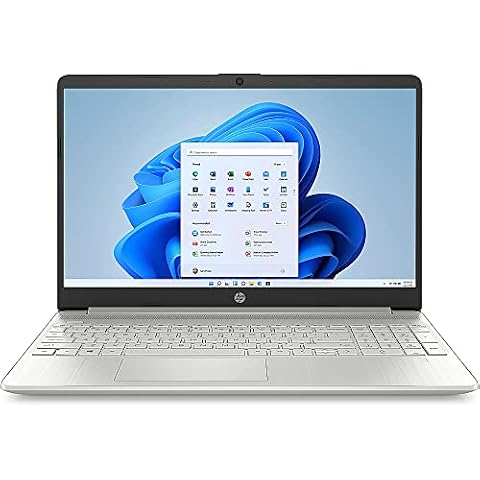
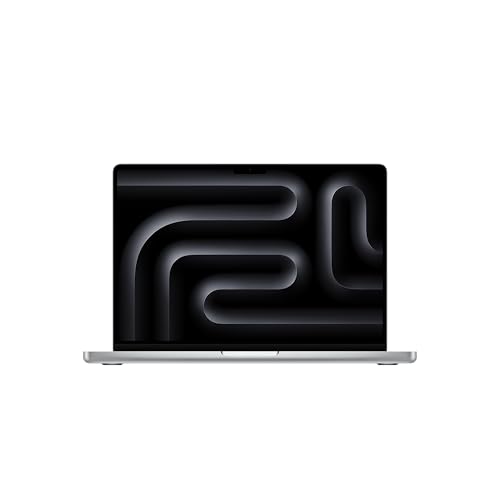
While all three machines share the architectural efficiencies of the M5 family, they differ substantially in thermal headroom, display capabilities, and memory configurations: the 14-inch MacBook Pro balances active thermal cooling with travel-friendly dimensions, the 16-inch MacBook Pro maximizes sustained multi-core output and screen canvas, and the 13.6-inch MacBook Air trades cooling fans for a silent, ultra-portable chassis equipped with an expansive memory pool.
Apple Laptops Compared
| Model | Display Specifications | Unified Memory | Internal Storage | Weight |
|---|---|---|---|---|
| Apple 2025 MacBook Pro Laptop | 14.2-inch Liquid Retina XDR (1600 nits peak) | 16 GB | 1 TB SSD | 3.41 pounds |
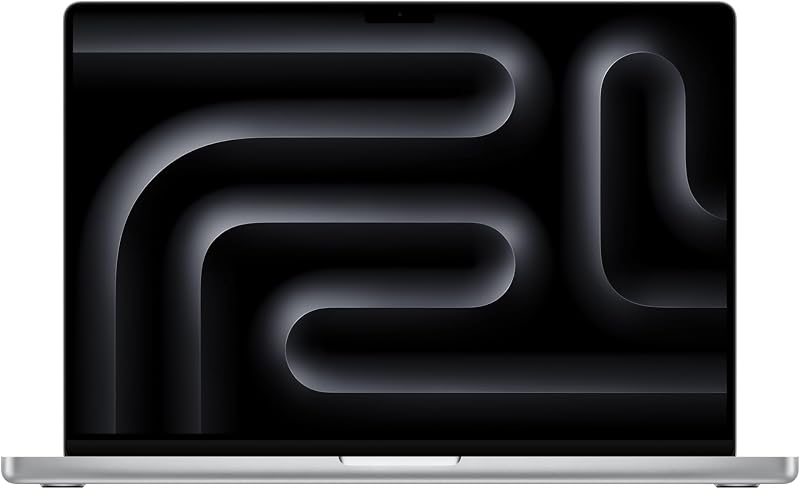
| Apple 2026 MacBook Pro Laptop | 16.2-inch Liquid Retina XDR (1600 nits peak) | 24 GB | 1 TB SSD | 4.71 pounds |
| Apple MacBook Air 13-inch Laptop | 13.6-inch Liquid Retina (1 billion colors) | 32 GB | 1 TB SSD | 1.23 kg |
Apple 2025 MacBook Pro Laptop for Balanced Mobile Workloads

Best for: Mobile professionals needing balanced power and portability
Pros
- Liquid Retina XDR display
- Active internal thermal fan
- 12MP Center Stage camera
- Compact 14-inch footprint
Cons
- Fixed 16GB memory ceiling
- Heavier than MacBook Air
The Apple 2025 MacBook Pro Laptop serves as an agile, durable workstation designed for mobile professionals who need dedicated thermal cooling without the substantial bulk of a large-screen enclosure. Measuring 12.31 by 8.71 by 0.61 inches and weighing 3.41 pounds, this 14-inch notebook houses the standard M5 chip, featuring a 10-core CPU and a 10-core GPU equipped with Neural Accelerators integrated into each individual core. The listing specifies a 14.2-inch Liquid Retina XDR display capable of reaching 1600 nits peak brightness and 1000 nits sustained brightness, backed by an impressive 1,000,000:1 contrast ratio. This display panel is matched with a six-speaker sound system supporting Spatial Audio and Dolby Atmos, three studio-quality microphones, and an updated 12MP Center Stage camera designed to keep users centered during remote meetings.
From a hardware reliability perspective, the internal cooling system in this notebook apple 2025 configuration plays a crucial role in component longevity. Unlike passively cooled laptops, the active internal fan ensures that during intensive operations—such as compiling complex software builds or rendering high-resolution media in Adobe Creative Cloud—internal temperatures remain stable, preventing sustained thermal strain on adjacent silicon components. The 16GB of unified memory is coupled directly with the M5 system architecture, allowing CPU, GPU, and Neural Engine tasks to access the same pool without duplicated cache pipelines. For users working with multi-monitor desks or external presentation displays, leveraging an apple hdmi adapter usb c helps bridge connectivity gaps when attaching standard conference room projectors or secondary displays.
This 14.2-inch model suits field researchers, software engineers, and creative professionals who frequently commute and demand continuous, unthrottled performance on battery or wall power alike. However, prospective buyers should recognize the permanent nature of its 16GB memory ceiling. If your long-term workflows routinely require heavy local AI model inference, massive virtual machines, or multiple heavy background applications running concurrently alongside raw media timelines, the 16GB allocation may rely on SSD swap memory, making the 24GB or 32GB alternatives higher up in the product lineup a safer long-term investment.
Apple 2026 MacBook Pro Laptop for Demanding Creative Workflows
Best for: Engineers and editors needing maximum sustained compute
Pros
- 18-core M5 Pro processor
- Expansive 16.2-inch XDR screen
- Fast Wi-Fi 7 connectivity
- Generous 24GB unified memory
Cons
- Heavy 4.71-pound chassis
- Large footprint for travel
Engineered for sustained computing power and maximum thermal dissipation, the Apple 2026 MacBook Pro Laptop stands as the platform of choice for heavy production environments. The machine integrates the M5 Pro processor, boasting an 18-core CPU and a 20-core GPU with dedicated per-core Neural Accelerators tailored for demanding on-device artificial intelligence tasks such as local LLM inference and model training. Spanning dimensions of 14.01 by 9.77 by 0.66 inches and weighing 4.71 pounds, the spacious aluminum chassis houses an expansive 16.2-inch Liquid Retina XDR screen delivering 1600 nits peak brightness, 1000 nits sustained output, and advanced Wi-Fi 7 wireless network capabilities alongside a massive 1TB solid-state drive.
The primary advantage of this 16-inch chassis lies in its internal thermal dissipation volume. Because the enclosure offers far more physical surface area and larger internal cooling components than its smaller counterparts, the M5 Pro silicon can maintain elevated clock speeds across all 18 CPU cores without aggressive thermal throttling. This cooling capability directly preserves hardware lifespan by preventing heat buildup from degrading internal solder joints, power delivery circuits, and the internal lithium polymer battery pack over years of grueling computational cycles. For professionals comparing portable workstation reliability against fixed studio gear like an apple mac desktop computer 2026 installation, this notebook delivers true desktop-grade sustained throughput while retaining the flexibility of an integrated all-day battery design.
With 24GB of high-speed unified memory, this configuration provides a comfortable buffer for multi-layer 3D rendering, machine learning workflows, and heavy data science operations where smaller memory capacities create performance bottlenecks. The chassis also carries the identical high-fidelity 12MP Center Stage webcam, studio-grade three-microphone array, and six-speaker sound system with Spatial Audio found in the 14-inch edition. The trade-off is portability: at nearly five pounds, it demands substantial backpack space and physical effort to transport, making it excessive for general productivity users who would be far better served by a lighter machine.
Apple MacBook Air 13-inch Laptop for Fanless Everyday Portability

Best for: Frequent commuters prioritizing silence and large memory
Pros
- Massive 32GB unified memory
- Fanless silent unibody build
- Ultralight 1.23 kg chassis
- Up to 18-hour battery life
Cons
- Passive thermal throttling under load
- Standard brightness display
The Apple MacBook Air 13-inch Laptop approaches long-term reliability from a fundamentally different mechanical perspective: the complete absence of moving parts. Built inside an ultra-portable Midnight unibody aluminum casing that weighs just 1.23 kg (approximately 2.7 pounds), this machine operates with zero cooling fans, completely eliminating mechanical fan bearing wear, dust accumulation inside internal exhaust channels, and fan noise. It features the M5 chip, a bright 13.6-inch Liquid Retina display supporting one billion colors, a 1TB solid-state drive, and a top-tier allocation of 32GB of unified memory. Connectivity is handled by two Thunderbolt 4 ports, a dedicated MagSafe charging connector, a 3.5mm headphone jack, and the Apple N1 chip supporting Wi-Fi 7 and Bluetooth 6.
Choosing a fanless unibody laptop guarantees zero maintenance related to internal thermal dust clogs, making it inherently resilient in dusty travel, classroom, or outdoor environments. However, passive thermal dissipation means the aluminum chassis itself absorbs and radiates processor heat; under extended heavy computational loads, the operating system will dial back processor clock speeds to manage temperature. Where this specific model excels is memory longevity: by packing a generous 32GB of unified memory, it virtually eliminates memory swap operations to the 1TB SSD during typical office, browser-heavy, and multitasking workflows. Preventing excessive write amplification to solid-state drives is a proven method for preserving storage endurance over several years of operation. For peripheral connectivity to conference room displays or external monitors, pairing the Thunderbolt 4 outputs with an apple usbc to hdmi adapter ensures reliable single-cable output while keeping the other Thunderbolt port available for external drives.
Equipped with up to 18 hours of battery life, a backlit keyboard, an integrated fingerprint reader, and a 12MP Center Stage camera with Desk View support, this configuration represents an ideal balance for business travelers, university students, and daily professionals. It yields to the MacBook Pro family only when your recurring workload requires continuous multi-hour CPU or GPU rendering, where active fan cooling is mandatory to prevent thermal throttling, or when your work demands the extreme 1600-nit peak luminance of an XDR panel.
How to Choose the Right Apple Laptops
Navigating an Apple laptop comparison requires focusing on structural longevity, thermal boundaries, and memory headroom rather than short-term processing peaks. Because modern Apple notebooks integrate memory, storage, and processing cores onto a single unibody logic board, a purchasing miscalculation cannot be solved later with an aftermarket RAM stick or drive swap. Choosing the right configuration requires balancing your daily physical routine against the computational demands you anticipate facing four to six years down the line.
Thermal design represents the primary operational divide between these machines. The fanless passive cooling architecture of the MacBook Air ensures total silence and zero mechanical failure points, as there are no fan motors to burn out and no intake vents to pull in lint, pet hair, or particulate matter. However, buyers running sustained, continuous tasks like high-resolution video exports, bulk photo compiling, or complex local AI model execution should note that passive cooling eventually leads to thermal throttling to protect internal silicon. If your workload requires continuous multi-core exertion, the active thermal cooling fans inside the 14-inch and 16-inch MacBook Pro models provide the sustained thermal dissipation needed to maintain maximum clock speeds indefinitely without thermal degradation.
Memory capacity is equally critical when determining which Apple laptop to buy. Unified memory is shared dynamically across CPU, GPU, and Neural Engine tasks. When active applications exceed physical memory capacity, macOS creates virtual swap memory on the internal solid-state drive. While modern NVMe drives handle swap seamlessly, high swap usage causes increased write amplification over time, consuming the finite write endurance cycles of your soldered internal SSD. Light productivity users and frequent travelers will find exceptional long-term endurance in the 32GB MacBook Air, which provides immense multitasking headroom that prevents drive swapping entirely. Meanwhile, entry-level workloads operate comfortably on the 16GB found in the 14-inch Pro, and complex simulation workflows demand the multi-core muscle and 24GB allocation of the 16-inch M5 Pro.
Display technology, port selection, and overall chassis ergonomics round out the evaluation criteria. If your work involves outdoor field operations or color grading, the Liquid Retina XDR displays found on the MacBook Pro units offer mini-LED backlighting capable of 1000 nits sustained and 1600 nits peak brightness, whereas the MacBook Air panel caps out at standard brightness with support for one billion colors. Furthermore, the lighter footprint of the 13.6-inch Air (1.23 kg) and the 14.2-inch Pro (3.41 pounds) offers distinct transport advantages over the substantial 4.71-pound 16-inch Pro, which requires dedicated carrying gear. Weighing structural portability against active thermal endurance will ensure your chosen machine delivers trouble-free service across its entire operating lifespan.
FAQ
Does the fanless cooling on the Apple MacBook Air 13-inch Laptop cause long-term hardware degradation?
No, passive cooling does not inherently cause hardware failure. Modern Apple silicon features built-in thermal sensors that automatically reduce operating frequencies and power consumption if internal silicon reaches preset temperature thresholds. This dynamic throttling safeguards the processor and neighboring logic board components from dangerous thermal buildup. The trade-off is purely computational speed during extended heavy tasks, not structural or electrical component failure.
How does unupgradable unified memory affect the lifespan of a notebook apple 2025 machine?
Because unified memory cannot be upgraded after purchase, operating a machine with insufficient memory forces the operating system to continuously use the internal SSD as swap memory. Over extended periods of heavy multitasking, continuous drive swapping increases solid-state write cycles, potentially shortening the operational lifespan of the non-replaceable internal storage. Selecting an adequate memory capacity upfront—such as 24GB or 32GB for power users—is the single most effective way to safeguard long-term device health.
What are the primary display differences between the MacBook Pro Liquid Retina XDR and the MacBook Air Liquid Retina?
The 14.2-inch and 16.2-inch MacBook Pro models feature Liquid Retina XDR displays with advanced backlighting technology that delivers 1000 nits of sustained full-screen brightness, up to 1600 nits of peak brightness for HDR workflows, and a 1,000,000:1 contrast ratio. The 13.6-inch MacBook Air features a standard Liquid Retina panel supporting one billion colors, providing excellent sharpness and color fidelity for general productivity and media consumption, though it does not reach the extreme sustained luminance or extreme contrast levels of the XDR panels.
Which Apple laptop configuration is best suited for travel durability?
For frequent commuters and field travelers, the Apple MacBook Air 13-inch Laptop offers the best overall physical travel durability. Weighing only 1.23 kg and built without internal fans or air intake grilles, it is completely immune to dust ingress, internal lint buildup, and mechanical fan bearing failure. Its compact unibody aluminum shell easily tolerates daily transport in backpacks and briefcases without adding significant carry fatigue.
Can these Apple silicon laptops drive multiple external monitors without adapters?
The Apple MacBook Air 13-inch Laptop listing specifies support for up to two external displays using its native Thunderbolt 4 ports. The MacBook Pro models provide built-in ports and high-bandwidth Apple silicon support capable of driving external displays directly, though using dedicated adapters or docks is standard practice when interfacing with legacy display equipment or standard conference room setups.