


As Amazon Associates, we earn from qualifying purchases. This means we may receive a small commission at no extra cost to you if you click through and make a purchase.
HP built its consumer printing reputation on versatile all-in-one machines engineered to handle family documents, school assignments, and borderless color photos from a single compact footprint. In modern households, the Envy lineup serves as the middle tier between ultra-basic utility hardware and heavy-duty office machinery, integrating dual-band wireless radios, flatbed scanners, and automated two-sided printing into sleek low-profile enclosures. However, long-term satisfaction with these multifunction devices often hinges on hardware reliability, specifically the mechanical durability of paper feed rollers, driver stability across operating system updates, and the operational boundaries established by firmware-driven ink subscription models.
While every model in this comparison shares core color inkjet capabilities and mobile management via the HP app, they diverge significantly in paper handling capacity, document feeder availability, touchscreen interface size, and warranty support terms.
HP Printers Compared
| Model | Print Speed (Black / Color) | Input Tray Capacity | Scanner / Document Feeder | Display Interface |
|---|---|---|---|---|
| HP Envy 6155 Wireless All-in-One Color | 10 ppm / 7 ppm | 100 sheets | Flatbed, CIS (No ADF) | 2.4-inch color touchscreen |
| HP Envy Photo 7975 Wireless Color | 15 ppm / 10 ppm | Not listed | Flatbed with 35-sheet ADF | 2.7-inch color touchscreen |
| HP Envy 6555 Wireless All-in-One Color | 10 ppm / 7 ppm | 100 sheets | Flatbed with 35-sheet ADF | 2.4-inch color touchscreen |
| HP Envy 6555e Wireless All-in-One Color | 10 ppm / 7 ppm | 100 sheets | Flatbed with 35-sheet ADF | 2.4-inch color touchscreen |
| HP DeskJet 2955 Wireless All-in-One Color | 7.5 ppm / 5.5 ppm | 60 sheets | Flatbed (No ADF) | Icon LCD |
| HP OfficeJet Pro 8125 Wireless All-in-One | 20 ppm / 10 ppm | 225 sheets | Flatbed with 35-sheet ADF | 2.7-inch color touchscreen |
HP Envy 6155 Wireless All-in-One Color for Compact Everyday Document Printing

Best for: Everyday home document and photo printing
Pros
- Auto 2-sided duplex printing
- Intuitive 2.4-inch color touchscreen
- True-to-screen P3 color output
- Dual-band auto-healing wireless
Cons
- No automatic document feeder
- Modest 10 ppm black print speed
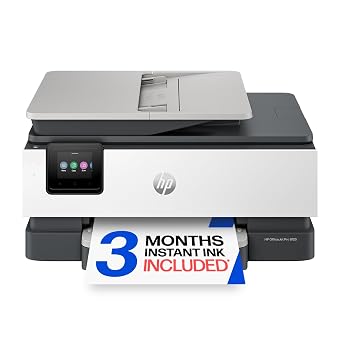
The HP Envy 6155 Wireless All-in-One Color is designed as a streamlined color hub for households prioritizing borderless photos, homework assignments, and basic creative projects without sacrificing desk surface. Measuring 17.05 inches deep, 5.35 inches wide, and 14.21 inches high with an 11.2-pound chassis, this unit relies on a traditional flatbed CIS scanner and an internal 100-sheet paper tray. It outputs monochrome text at up to 10 pages per minute and color documents at up to 7 pages per minute, while utilizing HP P3 true-to-screen color technology to ensure printed images match digital monitor previews. Navigation is handled directly through an integrated 2.4-inch color touchscreen or remotely via smartphone, tablet, and computer using the companion app.
From an operational standpoint, this model includes automated two-sided duplex printing and dual-band Wi-Fi engineered to detect and resolve network connectivity drops automatically. It also includes an optional 3-month trial of Instant Ink and integrates HP AI tools to strip unwanted elements and formatting errors from web pages and emails prior to printing. Hardware protection is backed by a standard one-year limited hardware warranty serviced through HP customer support channels. Because the chassis lacks an automated document feeder, all scanning and copying must be done page by page directly on the platen glass, making this unit best suited for students and casual users who generate low-volume single-page jobs rather than thick document stacks.
Users who require rapid multi-page copying will quickly outgrow this model and should look toward automatic feeder configurations like the 6555 or the high-capacity OfficeJet line instead. Furthermore, while the 100-sheet input tray accommodates plain paper, envelopes, labels, and transparencies, mechanical feed rollers must be kept free of dust to maintain consistent duplex feeding. If your household demands hands-free digitizing of multi-page legal or financial records, the manual flatbed setup will prove to be a persistent bottleneck.
HP Envy Photo 7975 Wireless Color for Photo Enthusiasts and Multi-Page Tasks

Best for: Dedicated photo printing and multi-page scanning
Pros
- Separate dedicated photo tray
- 35-sheet automatic document feeder
- Faster 15 ppm black print speed
- Expanded 2.7-inch color touchscreen
Cons
- Heavier 17.9-pound chassis footprint
- Batch copy run capped at 50
The HP Envy Photo 7975 Wireless Color steps up performance for families and home creatives who require higher throughput and dedicated photo handling. Built on an HP Thermal Inkjet architecture weighing 17.9 pounds and spanning 18.11 inches wide, this multifunction machine increases monochrome printing speeds up to 15 pages per minute and color speeds up to 10 pages per minute. A standout mechanical advantage is its dual-tray system, which pairs standard document handling with a dedicated secondary photo tray, eliminating the need to unload letter paper every time you print glossy snapshots. The control interface utilizes an expanded 2.7-inch color touchscreen with smartphone-like menu responsiveness.
Scanning capabilities are significantly upgraded via a built-in 35-sheet automatic document feeder positioned above the standard flatbed glass, allowing users to digitize multi-page reports without manual page turning. Black-and-white copy speeds reach up to 13 pages per minute, with a firmware-imposed run capacity of up to 50 copies per batch. Connectivity relies on self-healing dual-band wireless radios, mobile printing protocols, and HP AI web-formatting tools to reduce wasted paper. The unit supports an array of media including glossy photo paper, high-resolution media, envelopes, plain paper, and labels. Like other consumer units in the family, an optional 3-month trial of Instant Ink is available to automate cartridge replenishments before reserves run dry.
This model is ideal for households actively printing borderless family albums alongside routine office paperwork. However, the mechanical complexity of the dual feed trays and the top-mounted 35-sheet feeder demands careful handling to prevent roller misalignment over time. Buyers seeking pure monochrome high-volume output without dedicated photo requirements might find the extra physical footprint unnecessary, but for combined visual craft projects and unattended multi-page scanning, it represents the most capable dedicated imaging pick in the Envy portfolio.
HP Envy 6555 Wireless All-in-One Color for Everyday Batch Copying

Best for: Multi-page copying on standard warranty terms
Pros
- 35-sheet automatic document feeder
- Auto two-sided duplex printing
- Up to 99 continuous copies per run
- Intuitive 2.4-inch color touchscreen
Cons
- Moderate 8 ppm black copy speed
- Media type compatibility unlisted
The HP Envy 6555 Wireless All-in-One Color bridges the functional gap between compact flatbed units and heavier photo-specialized hardware. Encased in a Portobello finish weighing 13.5 pounds, this multifunction thermal inkjet printer integrates a 35-sheet automatic document feeder atop a 100-sheet internal paper drawer, giving home users automated digitizing capabilities without the bulk of an office machine. Print engines deliver dependable output speeds of up to 10 pages per minute for black documents and 7 pages per minute for color pages, accompanied by automatic two-sided printing to conserve paper stock.
Navigation is anchored by an intuitive 2.4-inch color touchscreen that guides users through maintenance, ink levels, and job execution. The flatbed and feeder combination supports monochrome copying at up to 8 pages per minute, accommodating larger household projects with a continuous copy setting of up to 99 pages per run. For connectivity, the machine includes dual-band Wi-Fi with automatic reconnect logic, full mobile app management, and HP AI print formatting to eliminate broken web layouts. The product is backed by HP’s standard one-year limited hardware warranty with online support resources accessible via support.hp.com.
This unit is specifically tailored for busy households, remote students, and home offices that regularly process multi-page packets, contracts, and tax documents. Where it yields to the Envy Photo 7975 is in specialized media handling, as the 6555 listing does not specify a separate photo paper tray. If your primary goal is unattended multi-page copying and document archiving paired with reliable automatic duplex mechanics, the standard 6555 provides a balanced, space-efficient hardware foundation.
HP Envy 6555e Wireless All-in-One Color for Extended Warranty Protection

Best for: Households seeking optional two-year warranty coverage
Pros
- Two-year warranty extension with HP+
- 35-sheet automatic document feeder
- Auto two-sided duplex printing
- Dual-band self-healing Wi-Fi
Cons
- Heavier 16.3-pound chassis
- Warranty extension tied to HP+ conditions
The HP Envy 6555e Wireless All-in-One Color shares its core physical architecture, print engines, and Portobello industrial design with the baseline 6555, but changes the ownership proposition through HP+ service ecosystem integration. It delivers standard print speeds of up to 10 pages per minute for black text and 7 pages per minute for color documents, alongside automatic two-sided printing, a 100-sheet input tray, and an integrated 35-sheet automatic document feeder. Copy throughput operates at 8 pages per minute with a maximum capacity of 99 copies per run, controlled via the front-facing 2.4-inch color touchscreen display.
The defining divergence between the hardware models lies in the factory warranty structure. While standard units carry a baseline twelve-month policy, the 6555e offers an option to extend coverage to a two-year limited hardware warranty upon activation of the HP+ offer during initial setup. This service package also integrates a 3-month trial of the Instant Ink delivery service. Mobile management, dual-band self-healing Wi-Fi, HP P3 true-to-screen color reproduction, and AI-driven layout optimization round out the software and networking suite. The chassis weighs 16.3 pounds and supports plain paper, labels, and envelopes.
This model suits safety-minded buyers who prioritize an additional year of manufacturer backing against hardware failures or mechanical feed roller breakdown. However, buyers should note that activating HP+ features requires an ongoing internet connection and the exclusive use of Original HP ink cartridges for the life of the machine. If you want maximum warranty longevity and intend to utilize official ink delivery services, the 6555e offers meaningful added value, whereas users wanting zero ongoing service commitments may prefer the unbundled baseline version.
HP DeskJet 2955 Wireless All-in-One Color for Light-Duty Utility Printing
Best for: Occasional low-volume household printing tasks
Pros
- Lightweight 7.6-pound compact body
- Dual-band Wi-Fi auto reconnection
- Full mobile app scan and copy control
Cons
- Small 60-sheet input capacity
- No automatic document feeder or duplexing
The HP DeskJet 2955 Wireless All-in-One Color strips away high-volume office hardware in favor of basic, lightweight utility. Weighing just 7.6 pounds with a compact footprint of 11.97 inches deep and 16.73 inches wide, this thermal inkjet all-in-one is aimed directly at tight spaces and intermittent printing needs like grocery lists, return labels, recipes, and single-page forms. Speed reflects its conservative duty profile, generating up to 7.5 pages per minute in black and 5.5 pages per minute in color, with monochrome copying rated at 6 pages per minute and a maximum batch limit of 9 copies per run.
Unlike the touchscreen-driven Envy series, the DeskJet 2955 relies on a simplified icon LCD control panel and physical push buttons. The paper path uses a modest 60-sheet rear input tray that supports plain paper and envelopes, but the machine lacks automatic two-sided printing, meaning duplex jobs require manual page re-feeding. Scanning and copying are performed strictly through a manual flatbed glass surface. Wireless capabilities include dual-band Wi-Fi with automatic connection recovery, mobile app setup, AI web layout cleaning, and eligibility for a 3-month trial of Instant Ink. When shopping for an hp printer scanner copier all in one, this unit represents the lightest and most basic entry point.
This unit suits dorm rooms, temporary apartments, or light-use households that print fewer than twenty pages a month. It deliberately gives way to the Envy 6155 and 6555 series when users require hands-free duplexing, larger 100-sheet internal trays, color touchscreen controls, or faster output. The mechanical feed mechanism is simpler, but the 60-sheet capacity requires frequent reloading if tasked with larger document batches.
HP OfficeJet Pro 8125 Wireless All-in-One for Demanding Workgroup Output
Best for: Demanding home office document workflows
Pros
- High-capacity 225-sheet input tray
- Fast 20 ppm black print speed
- HP Wolf Essential Security protection
- Water and smear-resistant print output
Cons
- Single-sided automatic document feeder
- Bulky 17.6-pound home office footprint
The HP OfficeJet Pro 8125 Wireless All-in-One expands beyond consumer-grade Envy boundaries to deliver semi-professional throughput for remote professionals and demanding home offices. Built with more than 45 percent recycled plastic, this 17.6-pound multifunction workhorse delivers monochrome print speeds up to 20 pages per minute and color speeds up to 10 pages per minute. Black copy performance reaches 12 pages per minute with an extended maximum capacity of up to 99 copies per run. Output is formulated to be water-resistant, smear-resistant, and fade-resistant, addressing business document longevity.
Paper capacity is more than double that of standard Envy hardware, utilizing an expansive 225-sheet input tray that dramatically cuts down on reloading frequency during major print jobs. The scanning architecture combines a flatbed platen with a 35-sheet single-sided automatic document feeder, controlled through a large 2.7-inch color touchscreen featuring a smartphone-style interface. Network integrity is safeguarded by HP Wolf Essential Security alongside dual-band self-healing Wi-Fi. Additional listing features include an optional Quiet Mode for late-night printing, HP AI print formatting, mobile printing via the smartphone app, and a 3-month trial of Instant Ink. The machine carries a standard one-year limited hardware warranty via support.hp.com.
This unit is specifically engineered for home businesses, consultants, and households running high-volume administrative tasks who find 10 ppm print speeds and 100-sheet paper trays restrictive. It yields to the Envy Photo 7975 for dedicated multi-format glossy photography, as its focus remains firmly on durable business flyers, spreadsheets, and multi-page text contracts. If your daily printing routine regularly exceeds dozens of pages, the OfficeJet Pro 8125 delivers the robust paper capacity and security framework that home Envy hardware leaves out.
How to Choose the Right HP Printer
Conducting a comprehensive hp envy printer comparison requires matching your actual monthly print volume against mechanical paper handling thresholds. If your household routinely prints extensive research papers, legal documents, or multi-page forms, paper capacity is the first bottleneck you will encounter. Entry-level hardware like the DeskJet provides only a 60-sheet tray, while consumer Envy units offer a standard 100-sheet cassette. For heavy work-from-home administrative workflows, stepping up to the OfficeJet Pro 8125 and its 225-sheet capacity prevents constant reloading interruptions. Evaluating which hp envy printer to buy comes down to understanding whether your workflow is centered on photos, light correspondence, or heavy document production.
Document digitizing mechanics represent the second major hardware divide. Flatbed-only units like the HP Envy 6155 and DeskJet 2955 require manual glass placement for every single page. While adequate for driver’s licenses, passports, or book pages, multi-page copying becomes tedious. Models such as the Envy Photo 7975, Envy 6555, Envy 6555e, and OfficeJet Pro 8125 integrate a 35-sheet automatic document feeder that pulls paper stacks sequentially. When considering hp envy duplex printing reliability, note that Envy and OfficeJet models feature motorized internal turn-around paths for two-sided sheets, whereas baseline DeskJet units require manual page flipping.
Wireless stability and device configuration play a critical role during the initial hp envy wireless printer setup. Every model discussed includes dual-band Wi-Fi that automatically detects and resolves network interruptions, pairing with the HP mobile app across PCs, laptops, and mobile devices. If your home office is powered by an hp envy laptop, driver discovery and wireless scanning are streamlined via native system utilities and cloud-based print protocols. Users running fixed desktop workstations like an hp envy desktop can manage ink reserves, run head cleanings, and configure AI-optimized web formatting without touching the physical printer control panel.
Warranty terms and ink subscription requirements round out the decision framework. Standard HP Envy models carry a one-year limited hardware warranty through HP support, while the Envy 6555e introduces an option to double that hardware coverage to two years with HP+ activation. All six models offer a 3-month trial of Instant Ink, which automatically ships replacement cartridges before supplies are exhausted. Careful buyers should weigh whether they prefer the independence of managing their own third-party or retail cartridges versus committing to subscription ink delivery and continuous cloud validation.
FAQ
How does an HP Envy all-in-one printer handle automatic two-sided printing?
HP Envy all-in-one printers feature an internal motorized duplexer that pulls the printed sheet back into the roller path after the first side is printed, mechanically flipping the page before applying ink to the reverse side. This hands-free process avoids the manual orientation errors common with entry-level machines like the DeskJet. To maintain consistent feed performance and prevent roller slippage during duplex cycles, users should load uniform paper stock and avoid wrinkled or heavily curled media.
What is the difference in the hp envy 6555 vs 6555e comparison?
The primary difference between the HP Envy 6555 and HP Envy 6555e lies in warranty terms and service ecosystem integration. Both share identical print engines rated at 10 ppm black and 7 ppm color, 100-sheet input trays, 35-sheet automatic document feeders, and 2.4-inch touchscreens. However, the 6555e provides the option to extend the standard one-year limited warranty to two years upon acceptance of the HP+ offer during setup, and weighs 16.3 pounds compared to the 13.5-pound standard 6555.
What steps assist with hp envy document feeder troubleshooting during paper jams?
When experiencing feed failures or multi-page misfeeds in an HP Envy document feeder, first verify that your paper stack does not exceed the mechanical limit of 35 sheets. Ensure documents are free of staples, paper clips, bent corners, and adhesive tape. Lift the feeder access cover to inspect the internal rubber pick rollers for paper dust or debris, and gently clean the rubber rollers using a lint-free cloth lightly dampened with distilled water. Ensure paper guides are adjusted snugly against the stack without buckling the sheets.
How do the hardware capabilities compare in an hp deskjet vs hp envy comparison?
In an hp deskjet vs hp envy comparison, the DeskJet represents an ultra-light, basic entry machine with a 60-sheet input tray, icon LCD display, manual duplexing, and slower speeds of 7.5 ppm black and 5.5 ppm color. In contrast, Envy models deliver sturdier chassis builds, 100-sheet enclosed trays, automated two-sided printing, full-color touchscreens, faster print speeds of 10 to 15 ppm, and true-to-screen P3 color reproduction for photography.
Can I use an HP Envy printer without activating an Instant Ink subscription?
Yes, all covered HP Envy printers can function without maintaining an Instant Ink subscription. While each model includes an optional 3-month trial of Instant Ink, users are not required to continue the service once the trial concludes. If you choose not to subscribe or cancel before the trial ends, you simply purchase standard replacement ink cartridges directly from retail or office supply outlets to continue normal printing and scanning operations.


